Toolkit organizes construction sites: tasks, zones, documents and teams. I was its first product designer, from the prototype shown to investors to a product used by more than 2,000 paying customers.

“Victor worked with Toolkit as our UX/UI designer from the earliest stages. We ran discovery workshops together before even building the product, allowing him to deeply understand the construction industry. He transformed complex business requirements into perfectly adapted user flows, exactly what a startup like ours needed. Thanks to his experience, Victor also established foundational systems (UI kit, interaction patterns) that saved us considerable development time down the line.”

Toolkit helps construction companies run their sites: project creation, tasks, documents, work zones, activity tracking and team coordination. The founder needed a credible first version to structure the product and win over investors.
I joined as the only designer in a team of three, with the CEO, who brought the domain knowledge, and the lead developer. Over 12 months and without a design team, researchers or product managers, I designed the funding prototype, then the product foundations, the core journeys, the planning, the mobile views, the admin screens and the design system.
Funding prototype
Application architecture, flows, high-fidelity screens and pitch deck for the first raise.
Core product
Site creation and setup, tasks, documents, zones, activity tracking, team collaboration, and admin views for users and subscriptions.
Interactive planning
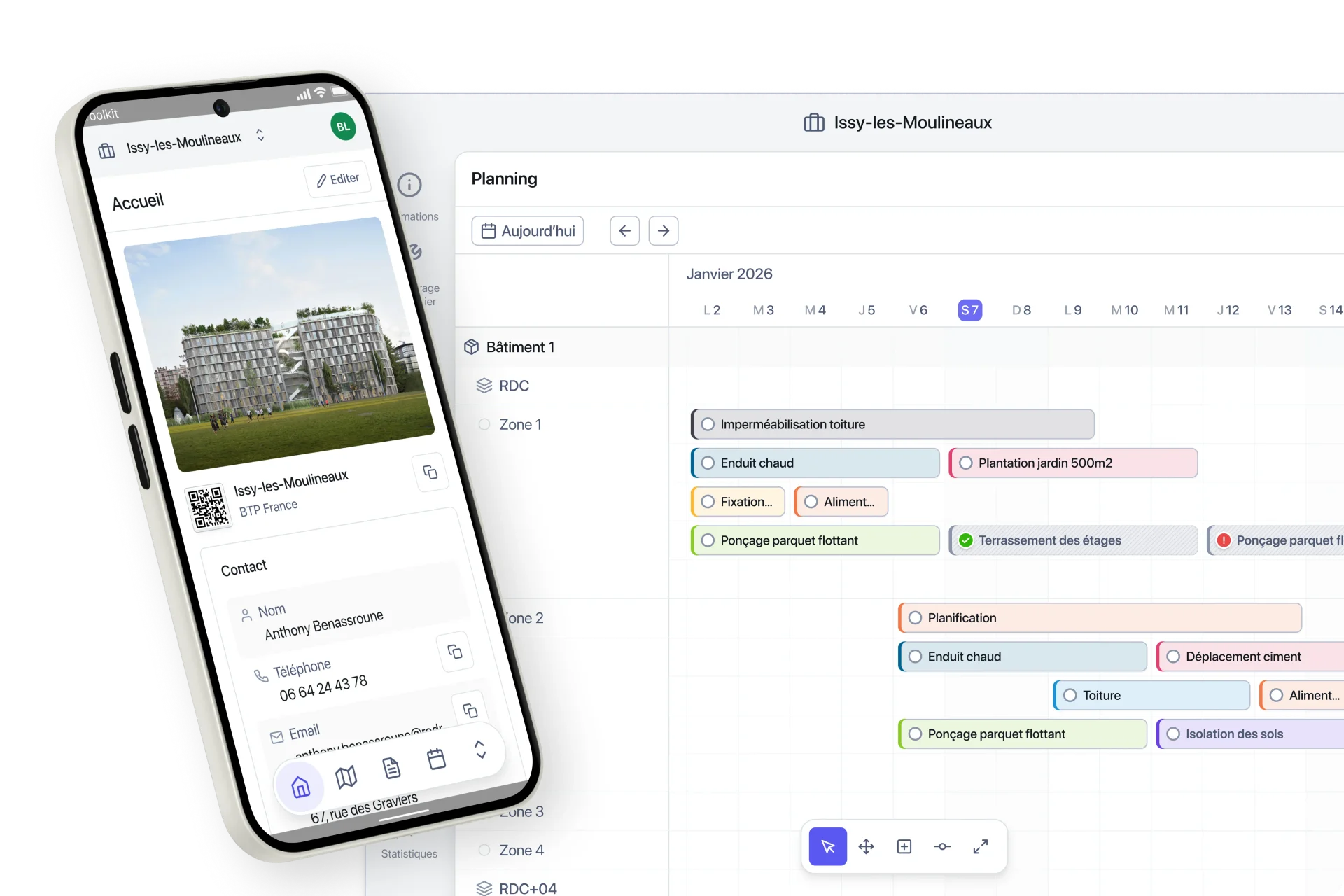
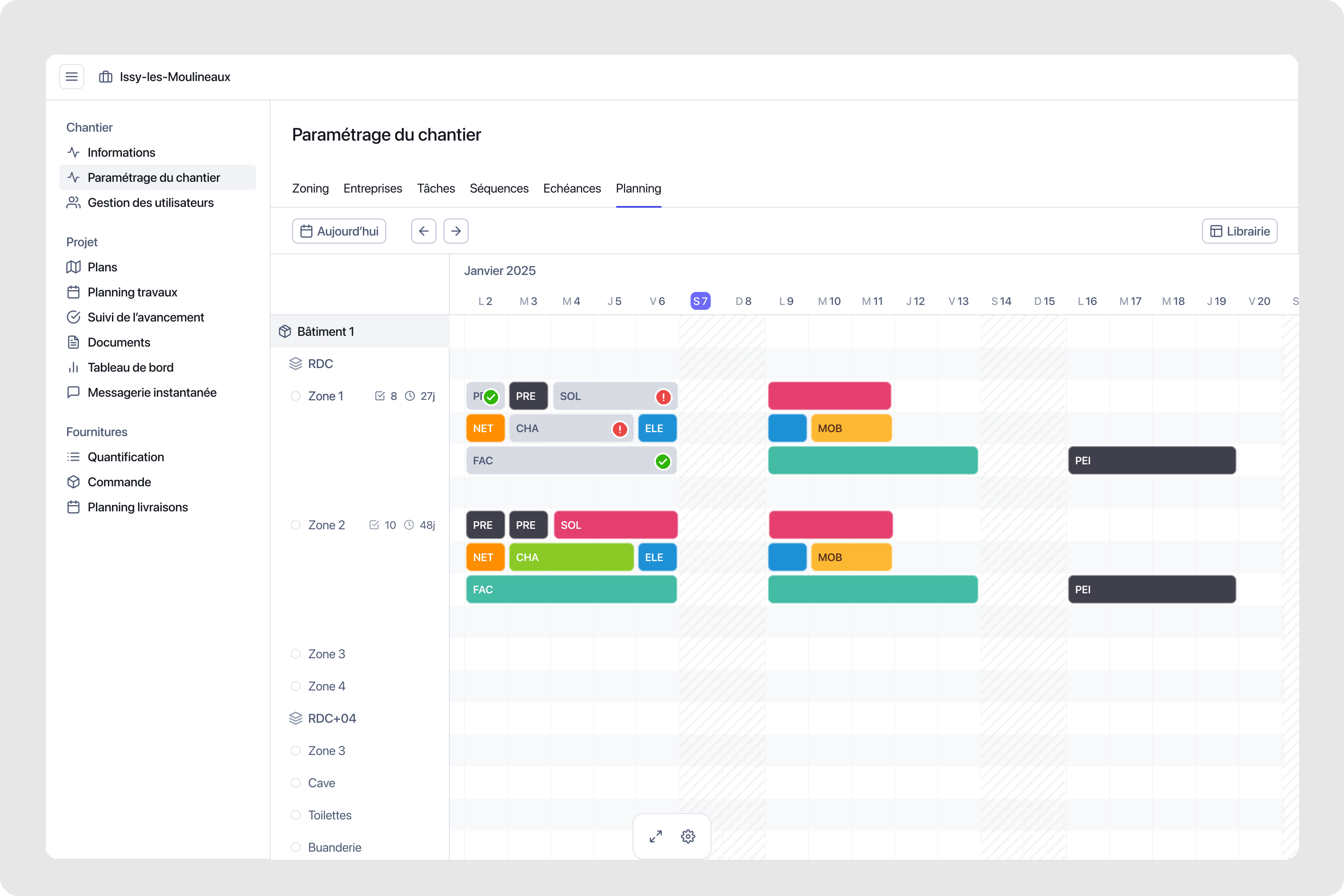
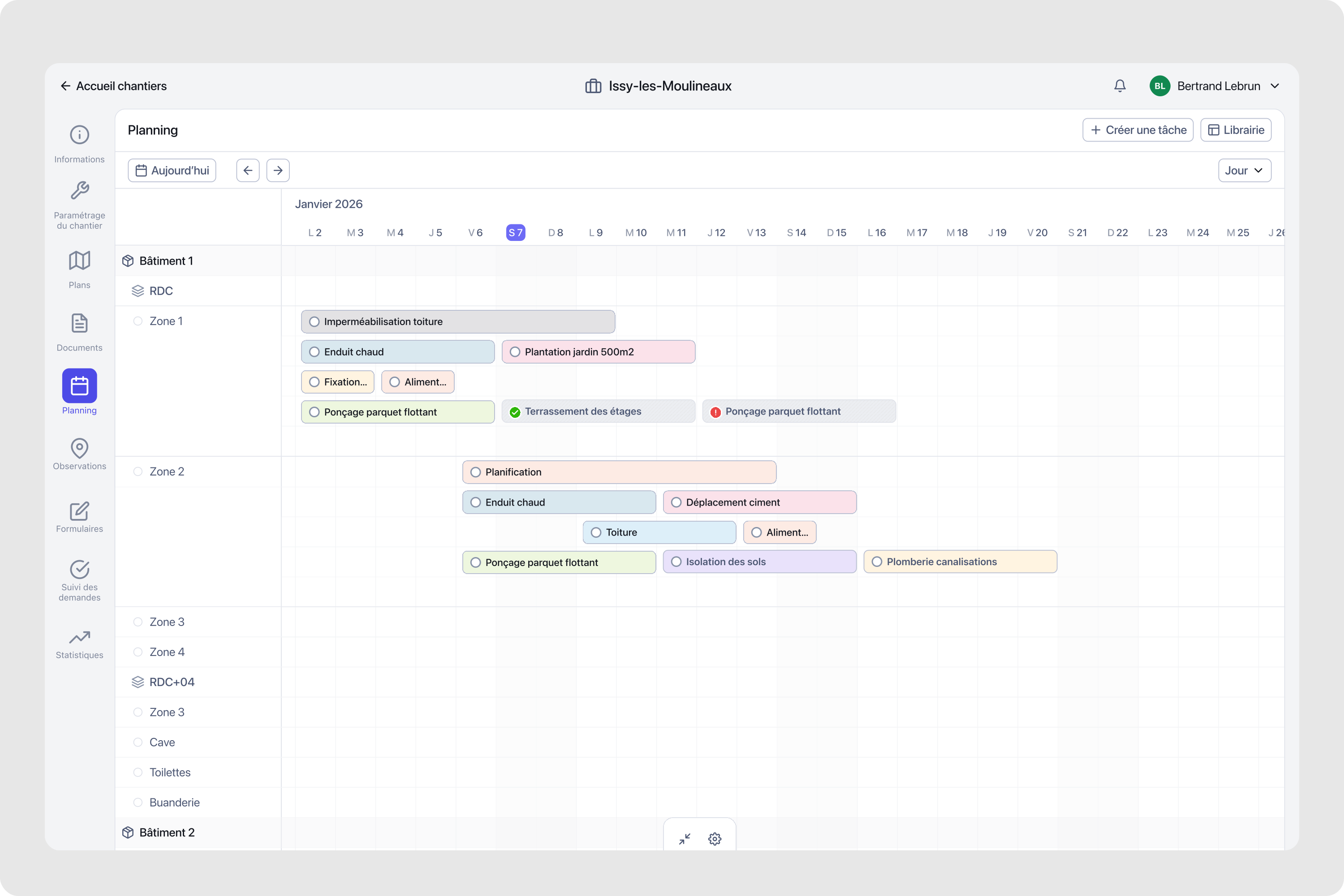
Fluid zoom, dynamic menus, drag selection and batch operations on a canvas that holds 50 to 100+ tasks.
Mobile views
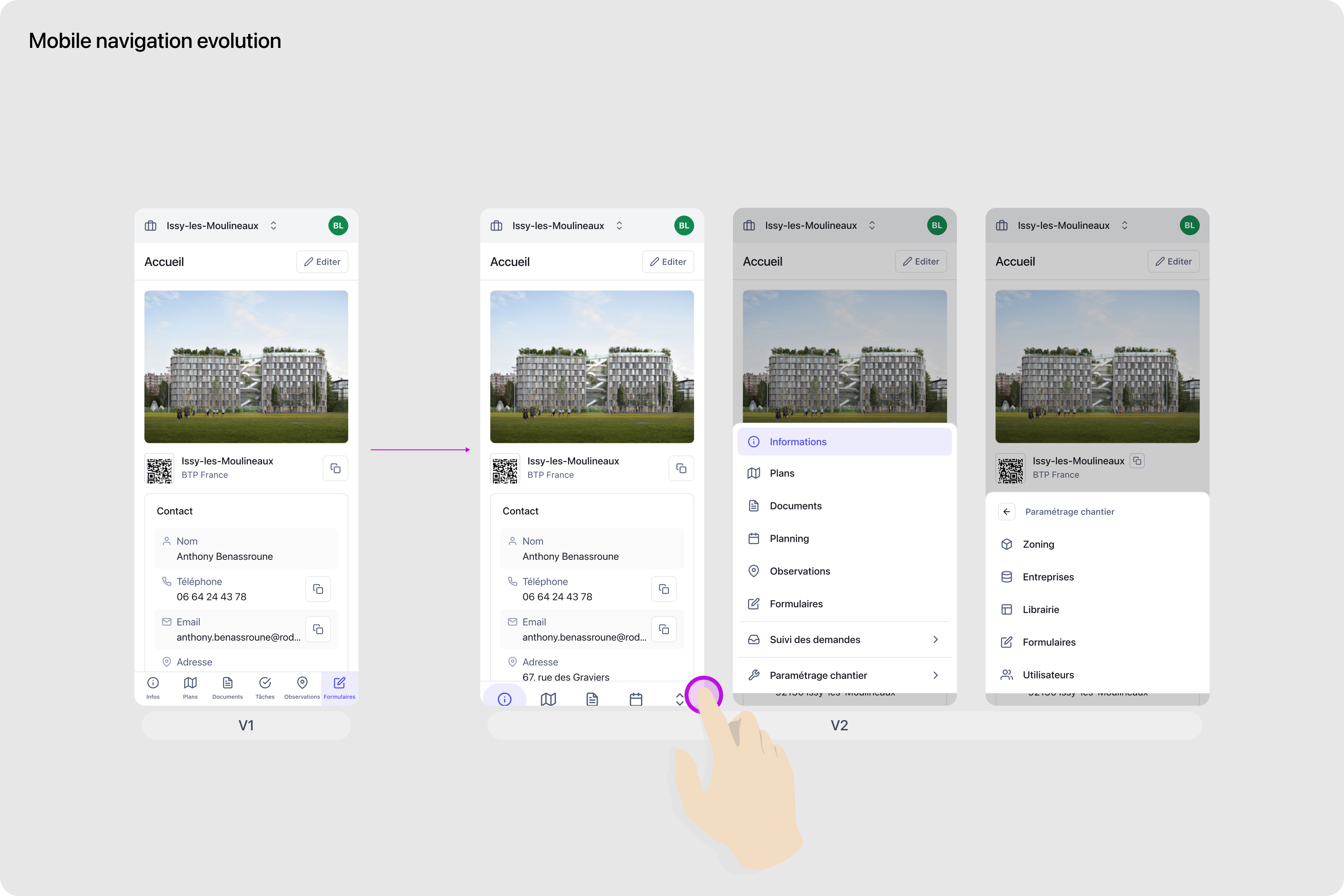
Responsive views built so that a native iOS and Android version can reuse the same interaction logic.
Design system
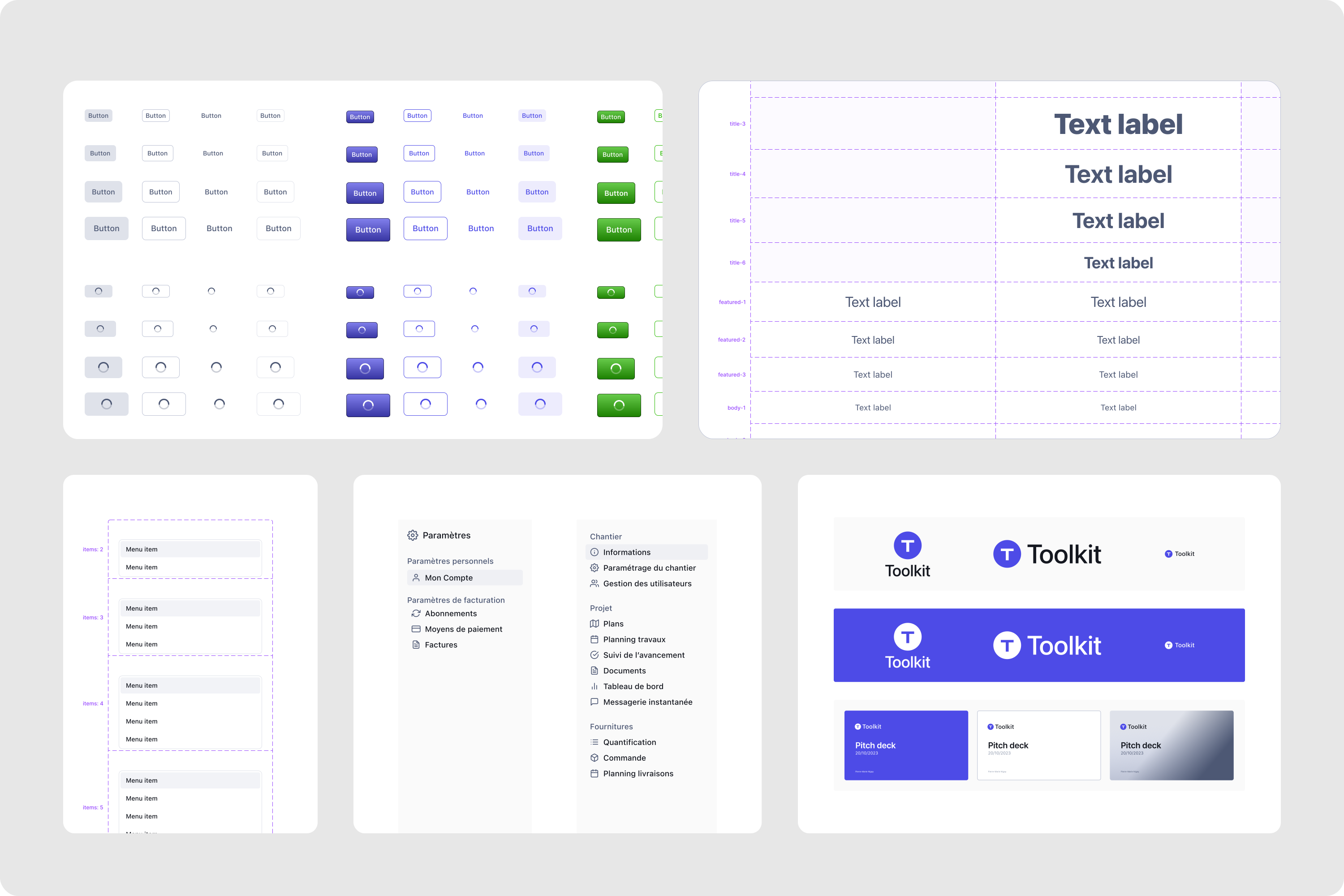
Tailwind UI kit, tokens, Figma organization and key visuals, across more than 120 screens.
Construction software tends to pile every feature into dense screens. On a real site, the planning holds 50 to 100 tasks or more, spread across zones and periods, and the same screens serve planners at the office and field teams checking progress. If the planning is unreadable at that volume, the product has no reason to exist.
The design work had three objectives. Deliver a prototype credible enough to convince investors. Keep the interface simple for site managers, field teams and planners, whatever the number of tasks. Build reusable foundations, because a team of three cannot redesign components for every feature.
Each stage was checked with users. The CEO held five to seven user calls a week, and Microsoft Clarity showed how people used the product. Each release answered what the previous one had shown.
The funding prototype covered passwordless sign-in, a dual sidebar, project creation and a first planning canvas. A magic link replaces passwords on devices that field workers share. The secondary sidebar folds away once a project is active: setup sections come first during creation, then planning and documents take over as the main navigation.
The first planning used colorful task cards. They read well with 10 to 15 tasks and became overwhelming at 50 to 100, which set the agenda for the next stage. The prototype secured the initial funding.
To keep more than 50 tasks readable, the task card became lower, less saturated and better contrasted, with four interaction states. The canvas gained drag selection, a fluid zoom from day to quarter and a dynamic menu that adapts to the selected task.
Applying settings to a zone or to several tasks now takes 20 seconds, which matters when a team manages 50 to 100 tasks.
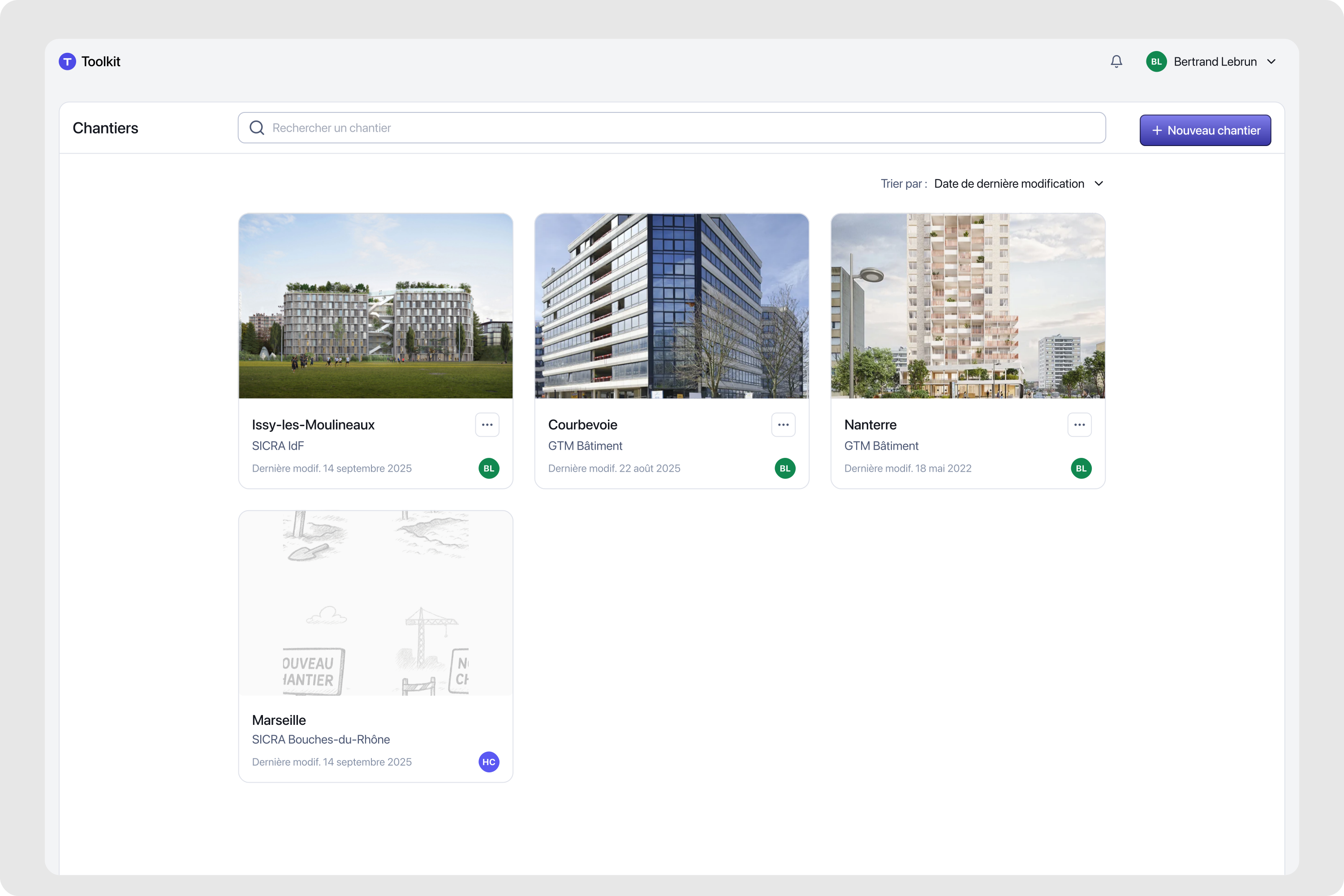
Enterprise customers needed to manage several sites from one dashboard, and field teams wanted the same capabilities on mobile as on desktop. The project hub shows progress and blockers across all sites.
On mobile, the navigation is consolidated into four groups with action zones within thumb reach. The views were designed so that a native iOS and Android version can reuse the same interaction logic.
A team of three cannot redesign components for every feature. I set up a Tailwind UI kit, tokens and a Figma organization that give the product reusable components, consistent patterns and a shared visual language. The system holds across more than 120 screens, and the founder credits it with saving considerable development time.
Enterprise customers managing more than 15 sites used the product from launch, and small teams adopted it just as quickly. Toolkit passed 2,000 paying customers within 24 months of launch and raised a Series A. The year closed with a new mobile version, multi-site management and a richer planning experience.
After my work, the Toolkit team kept going on the admin view, an activity dashboard and AI features: prediction, reminders and task anticipation.