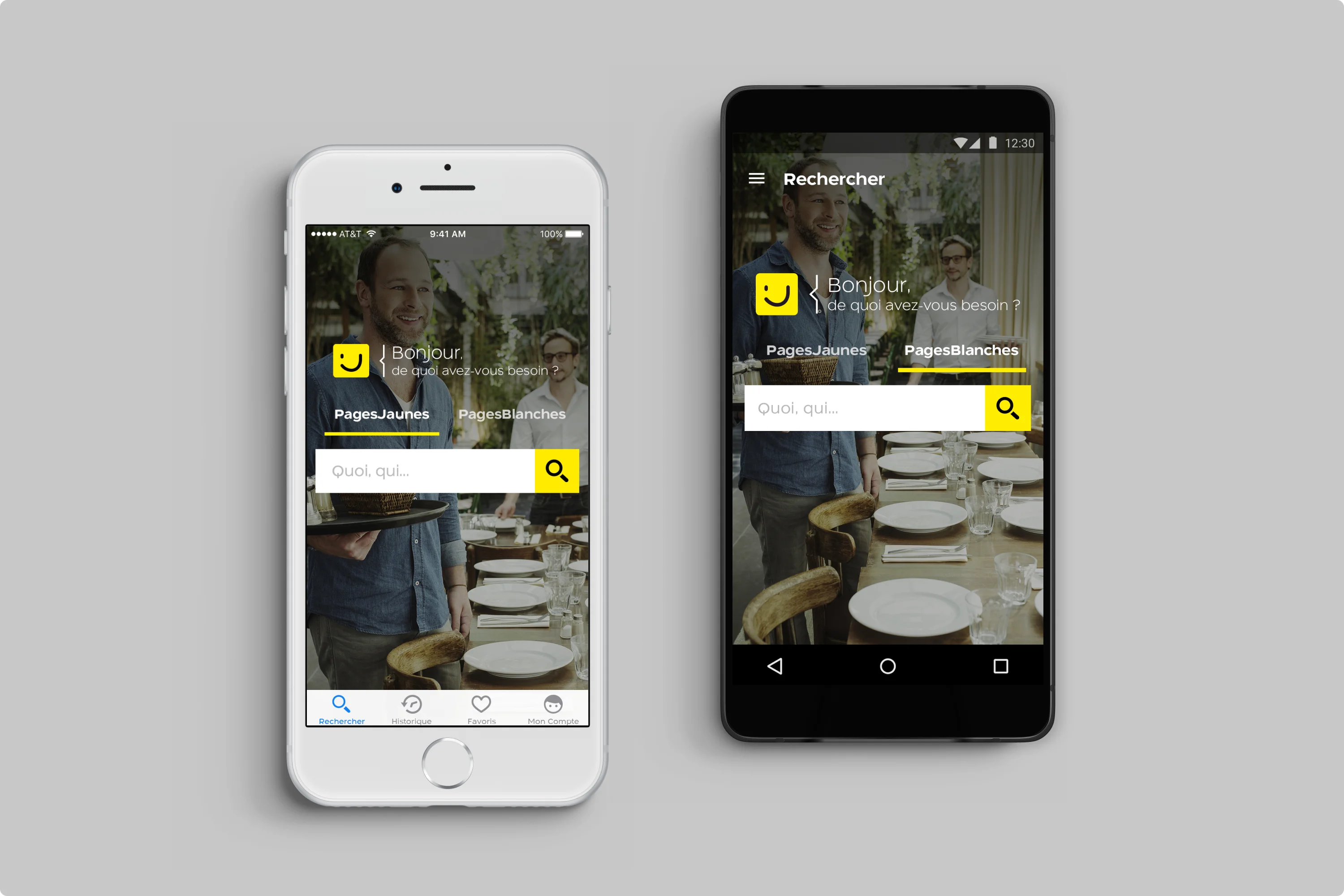
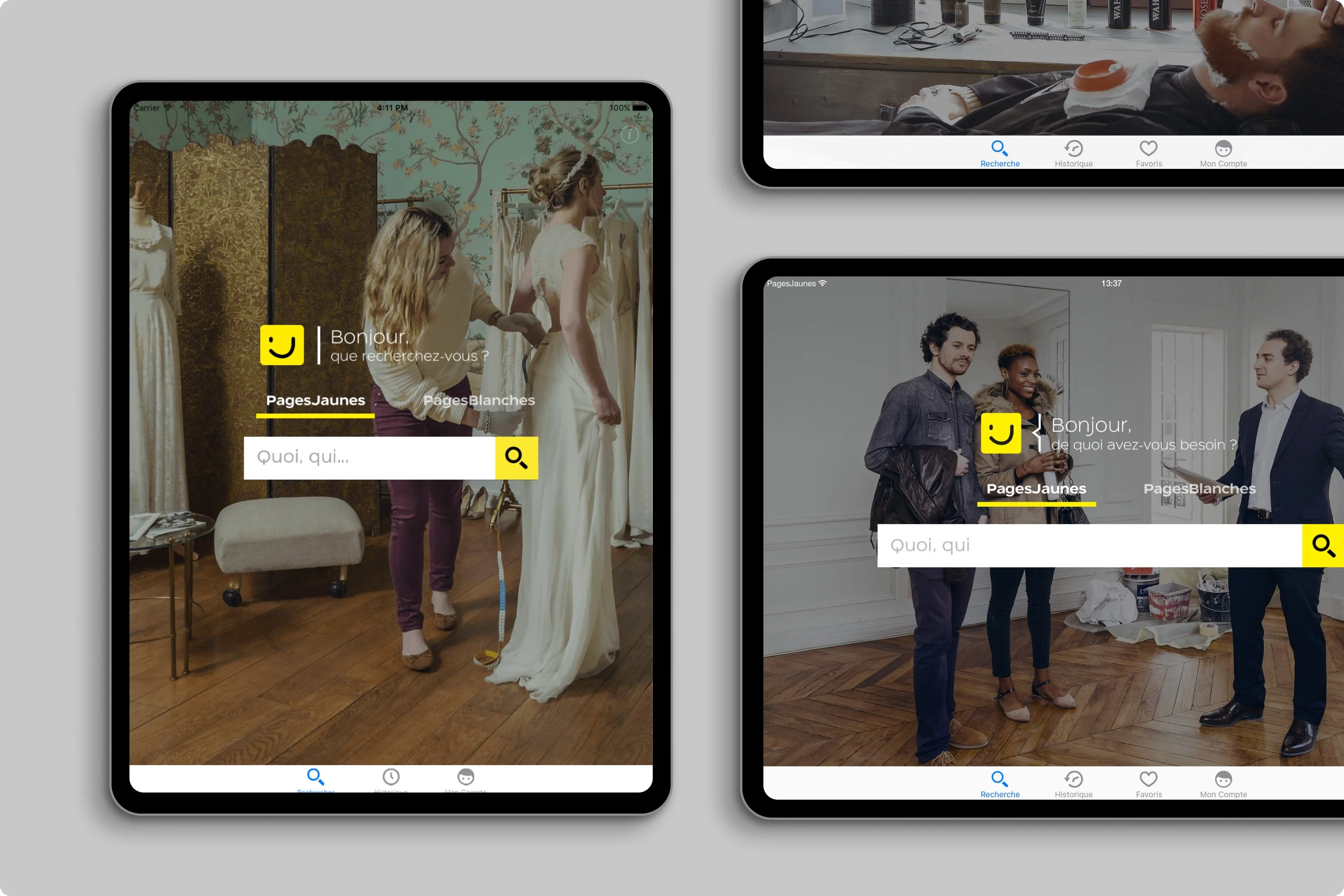
Conversational Homepage · A friendly greeting ("What do you need today?") reframes search from directory lookup to problem-solving.
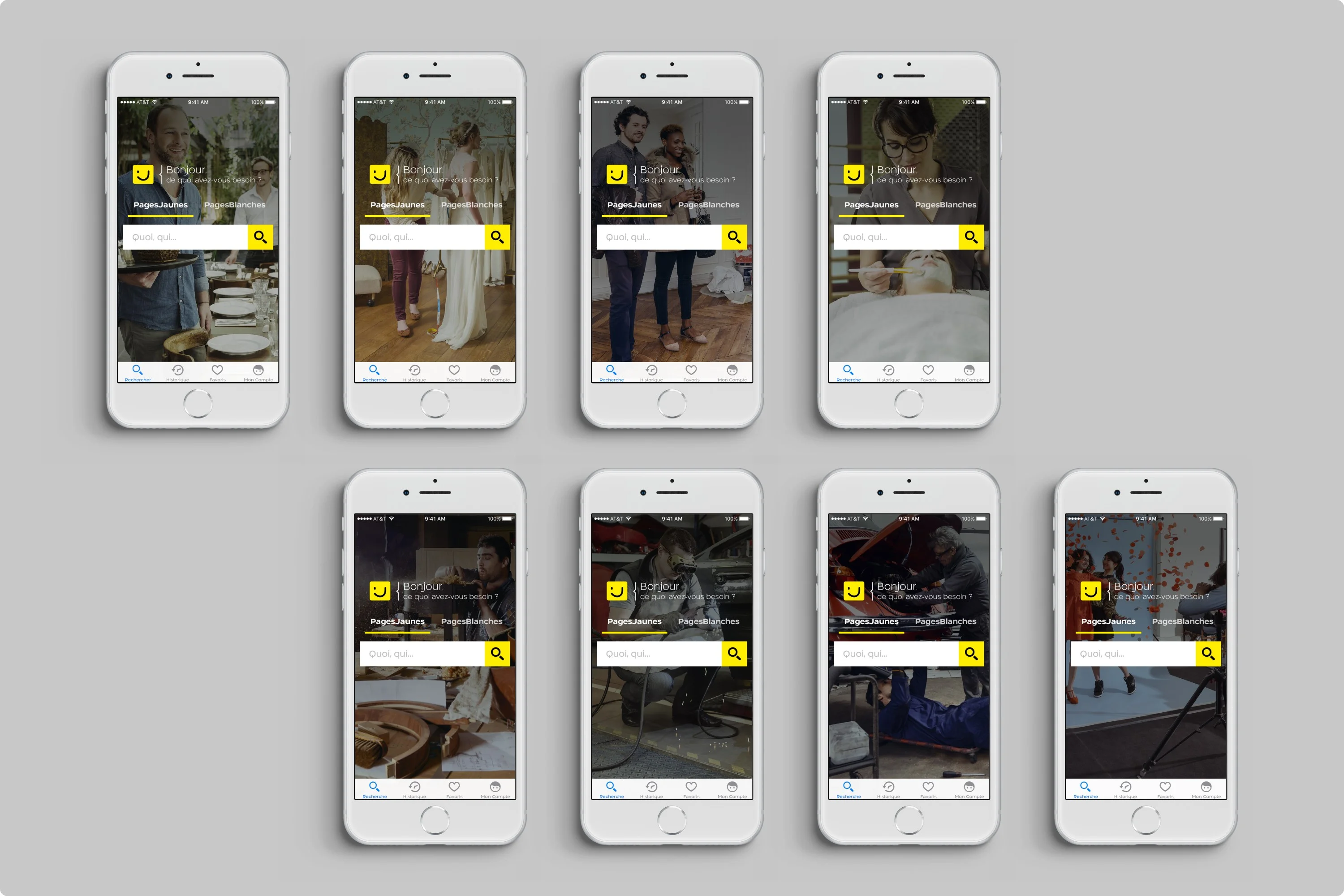
Contextual Hero Images · Eight variations featuring local pros: baker, mechanic, florist. Each builds trust by showing the human behind the service.
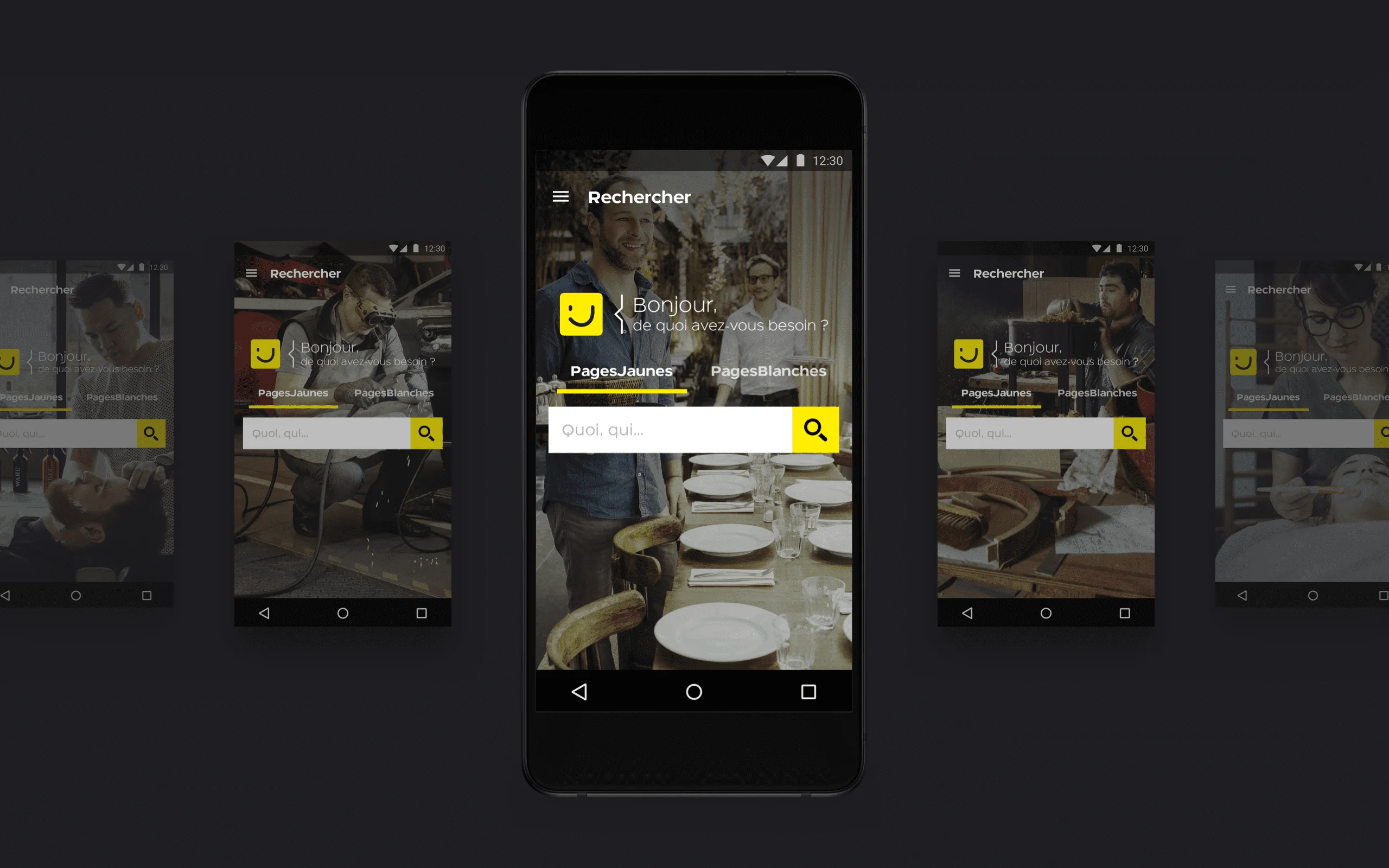
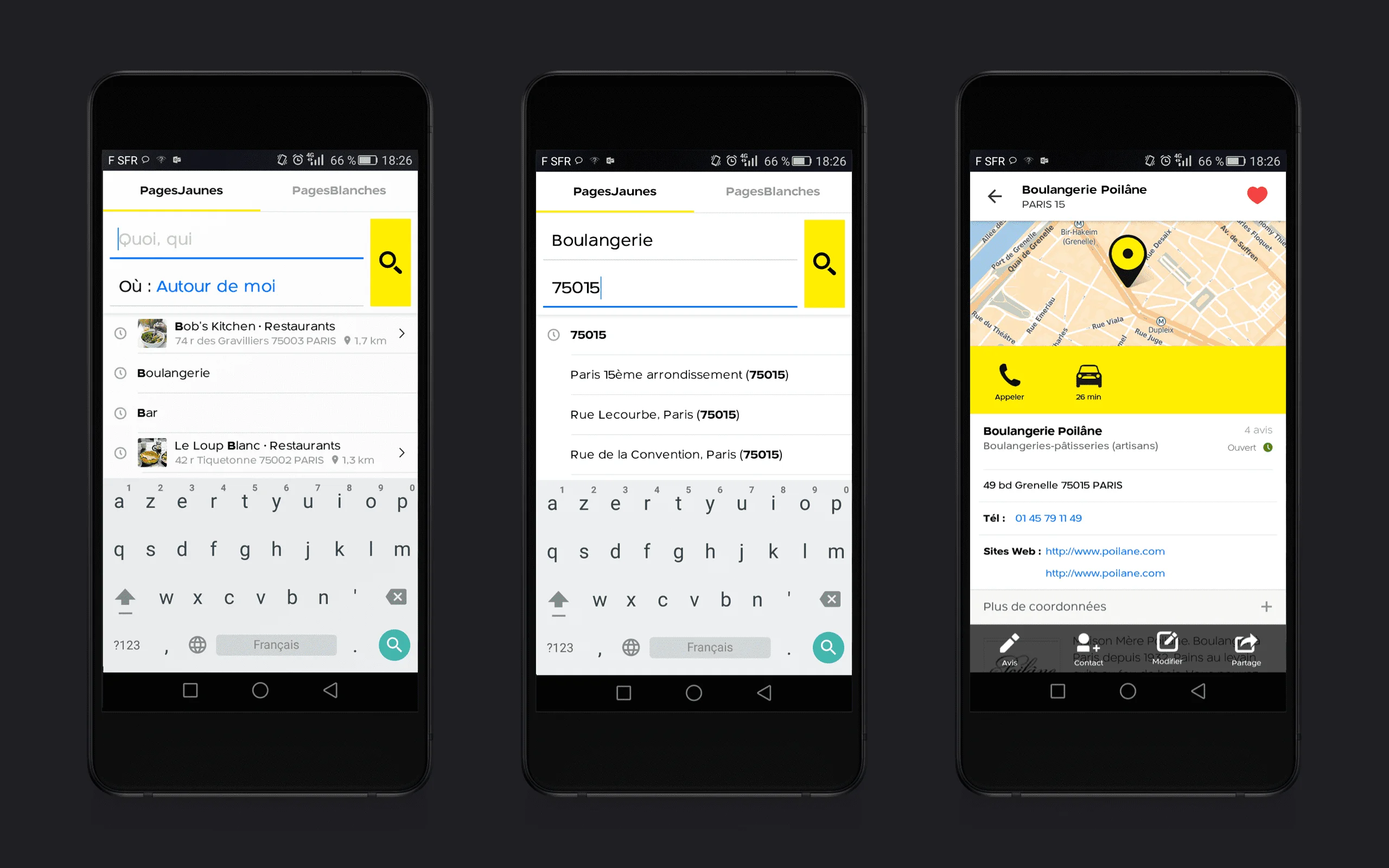
Android Material Homepage · Material Design adapted to PagesJaunes brand. The yellow search bar signals action and creates visual continuity.
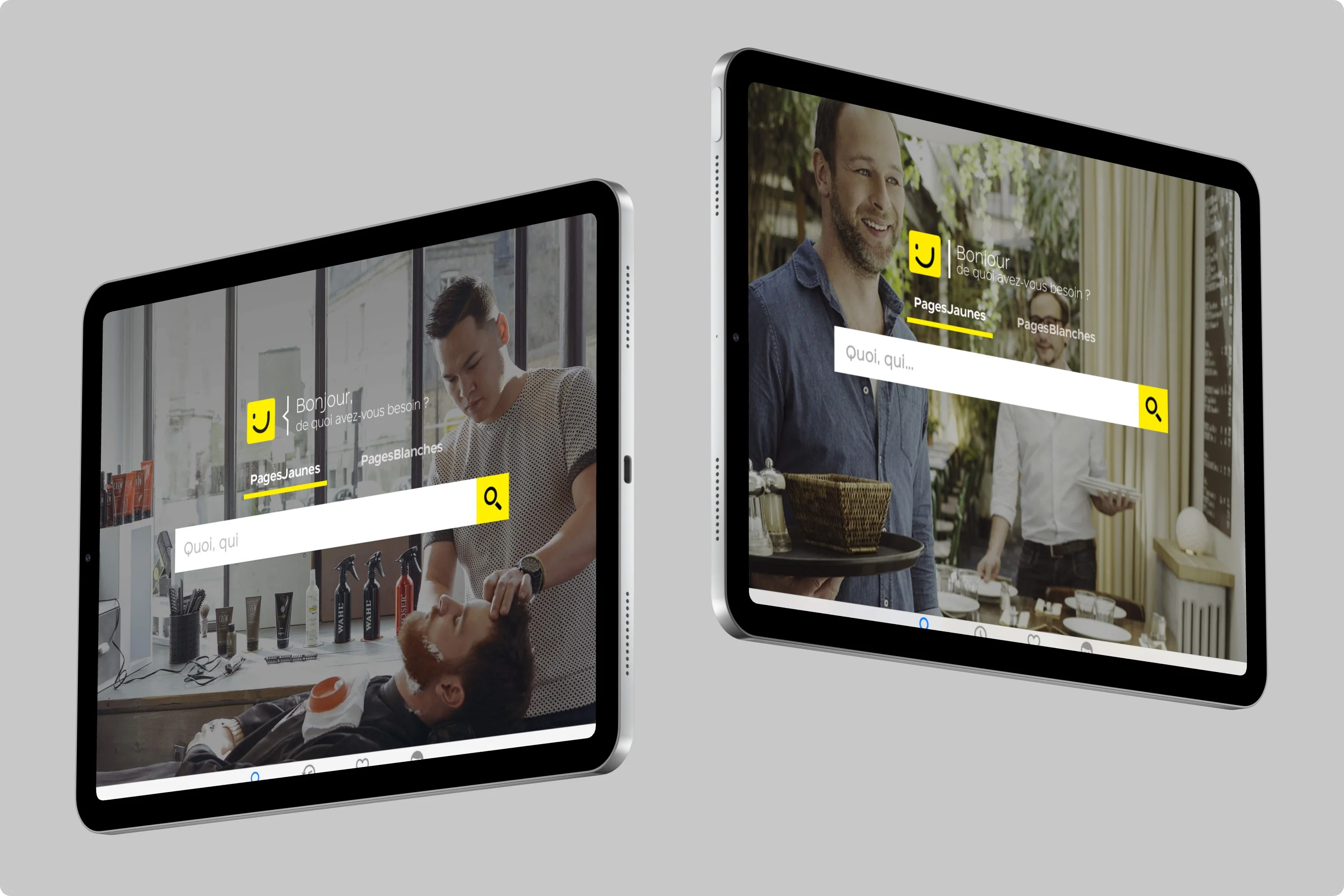
iPad Split-View Homepage · Split-view respects the user's mental model: browse categories on the left, take action on the right.
Responsive Hero Strategy · Hero images across iPhone 4, Retina, iPad, Android phone/tablet. Auto-detection of focal point with viewport-adaptive cropping. With Alexandre Badie, Android lead.
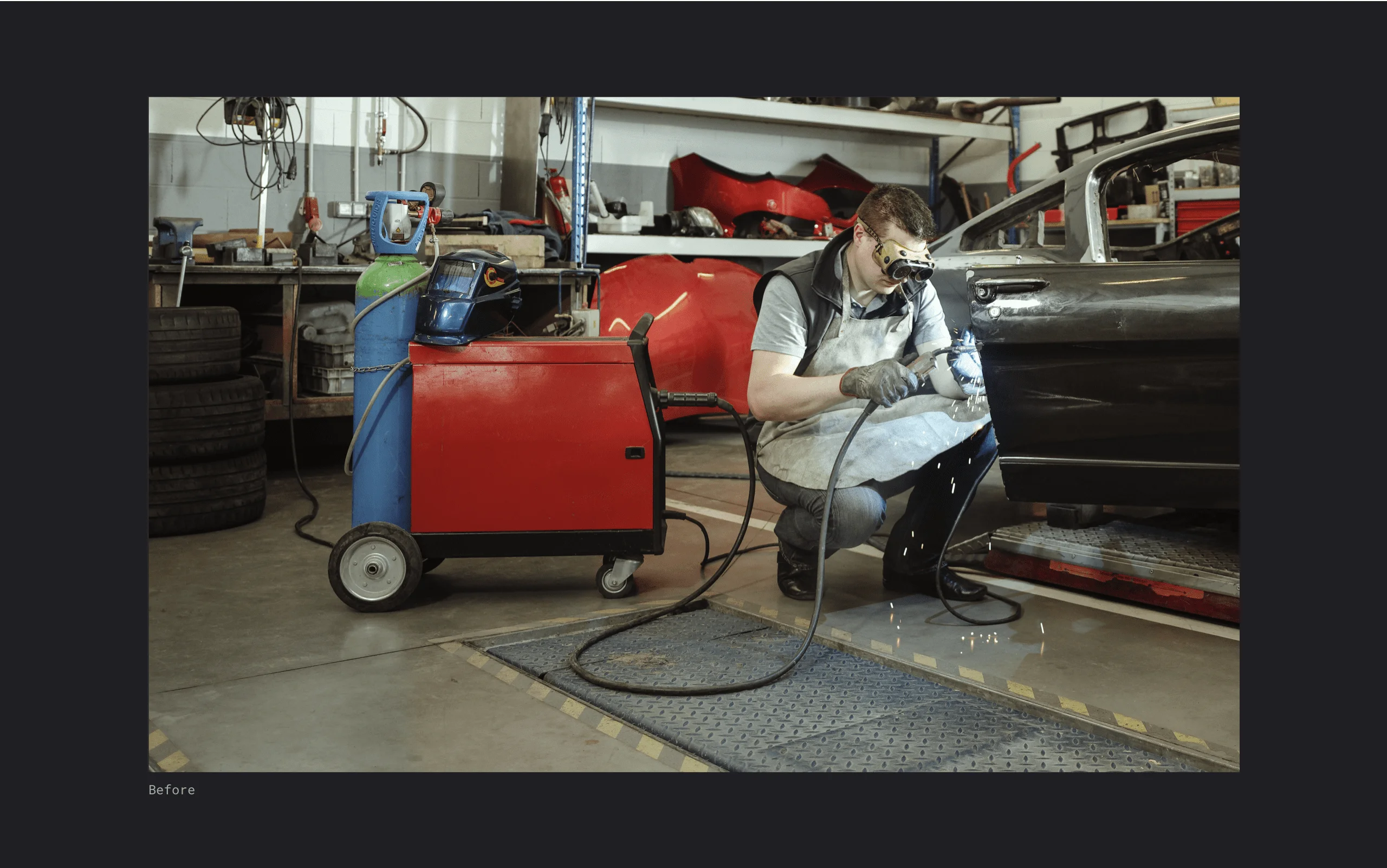
Art Direction: Before · Raw photo. The subject competes with distracting background elements.
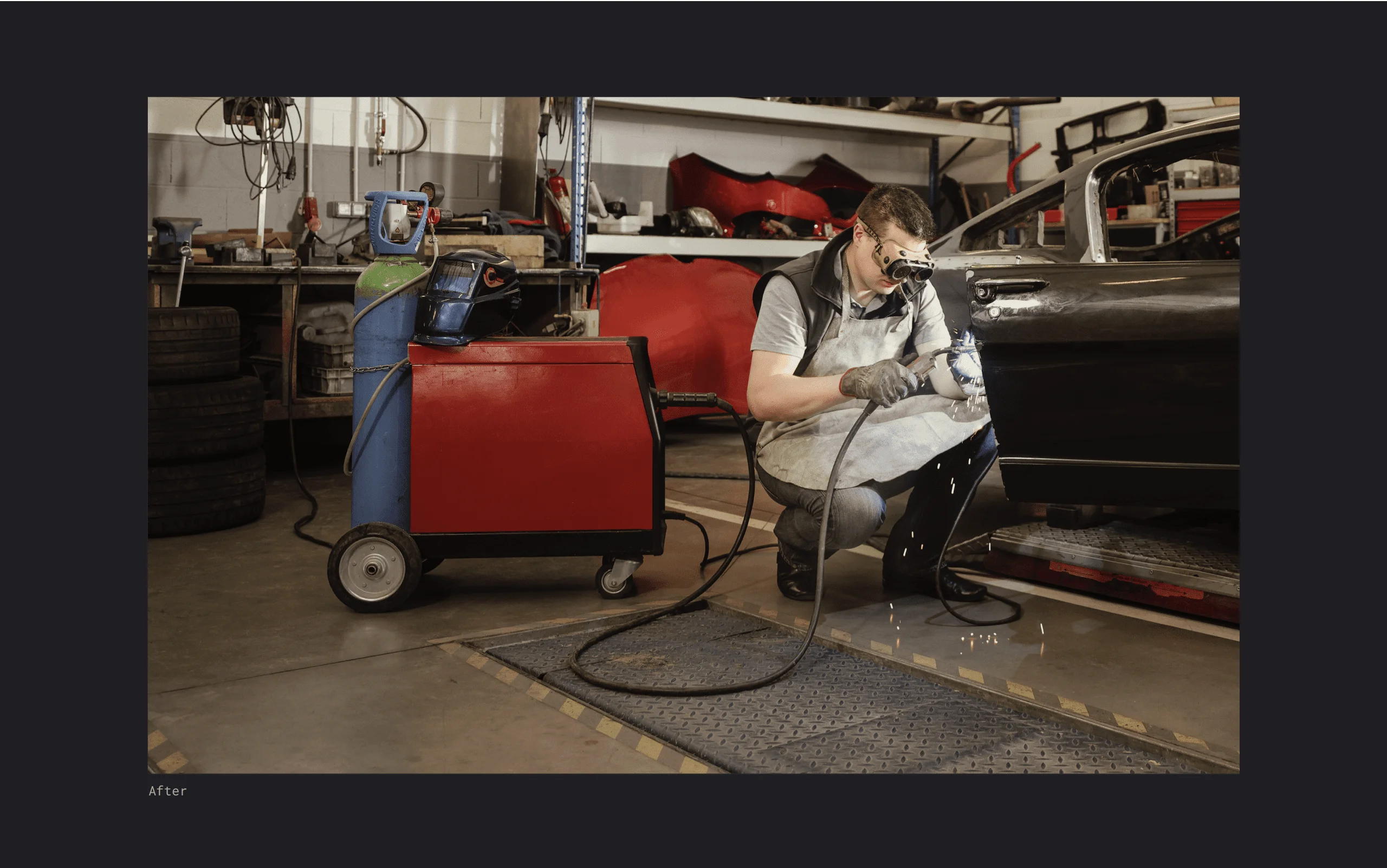
Art Direction: After · Strategic cropping and color grading. Focus shifts to the craftsman's expertise.
Search to Listing Flow · From query to listing in three taps. Autocomplete reduces cognitive load, location context eliminates redundant input.Search Engine Prototype · Material Design activity transitions with shared element animations. Search bar transforms into full-screen results.
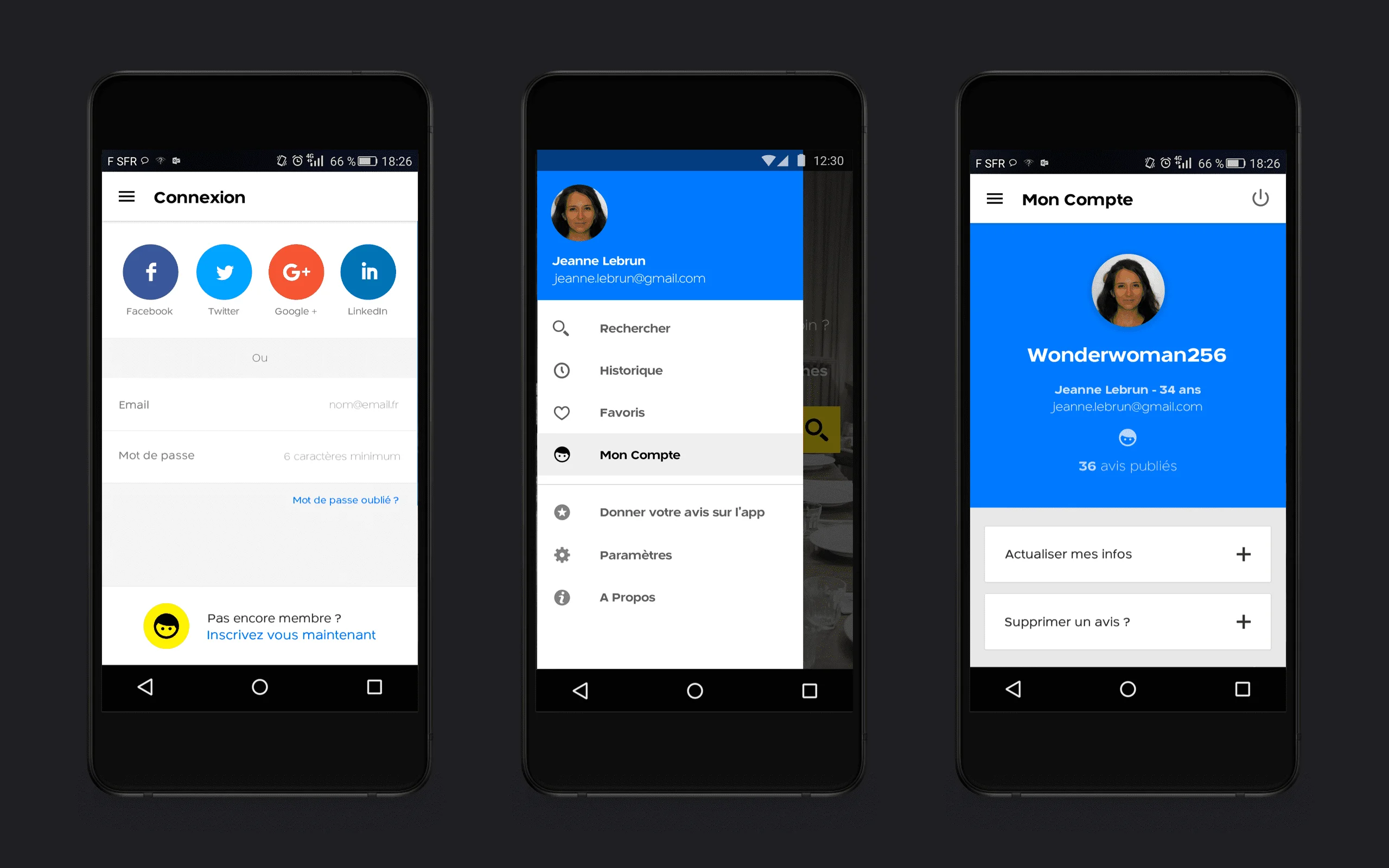
Login & Account Flow · Social login reduces friction by 60%. Email/password fallback preserved for users who prefer traditional auth.
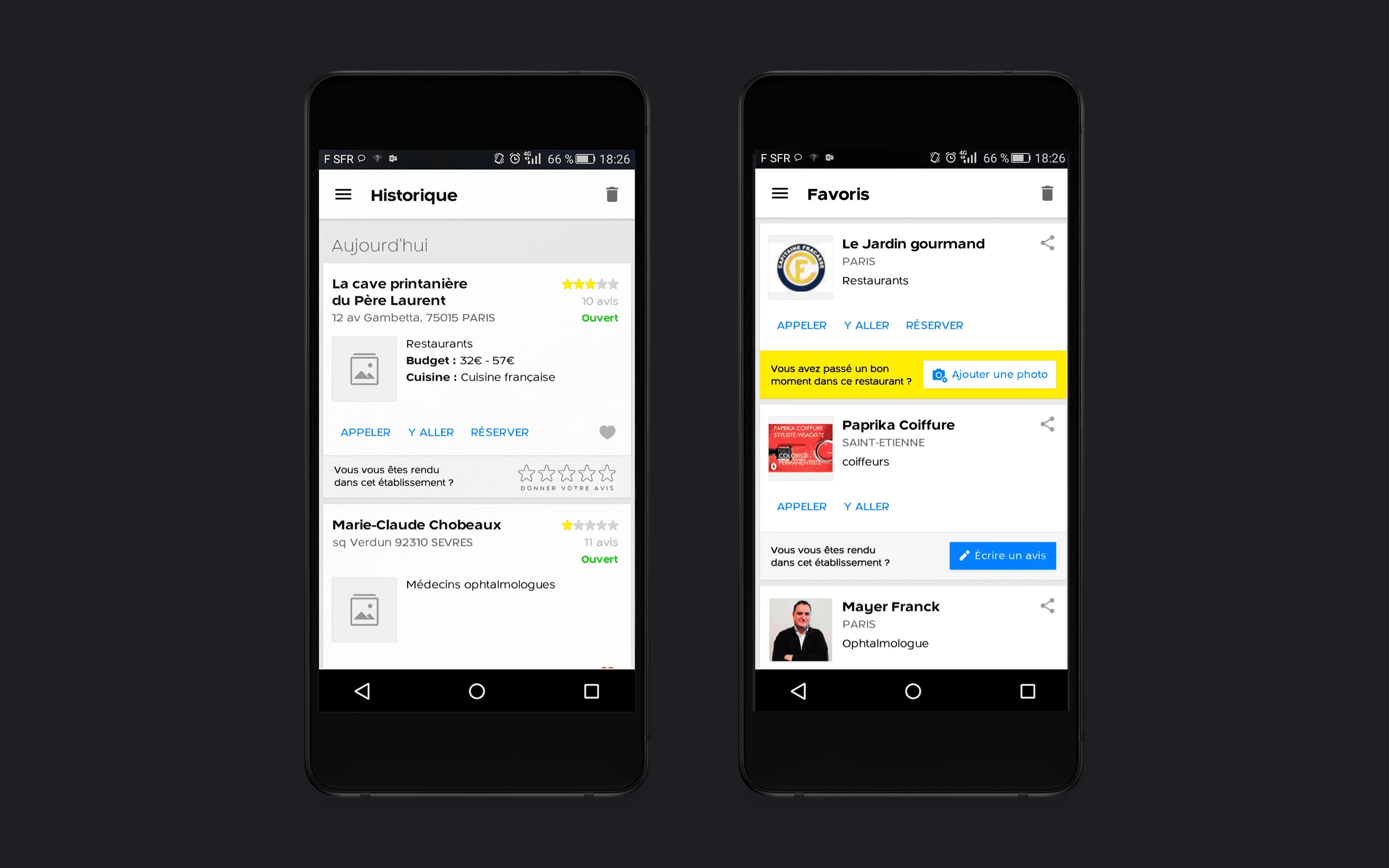
History & Favorites · History and Favorites turn one-time searches into retained value. Each saved business is a reason to return.
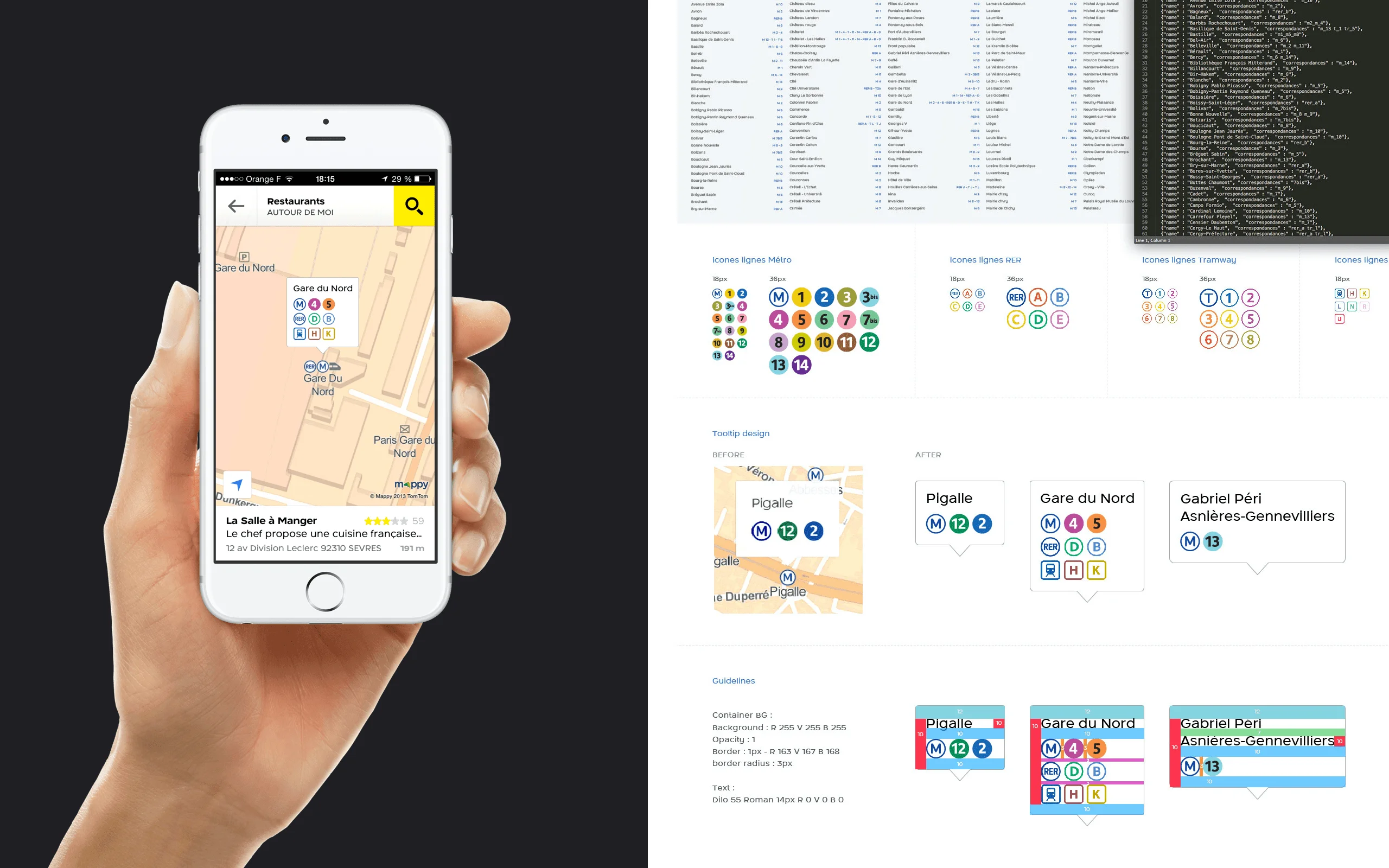
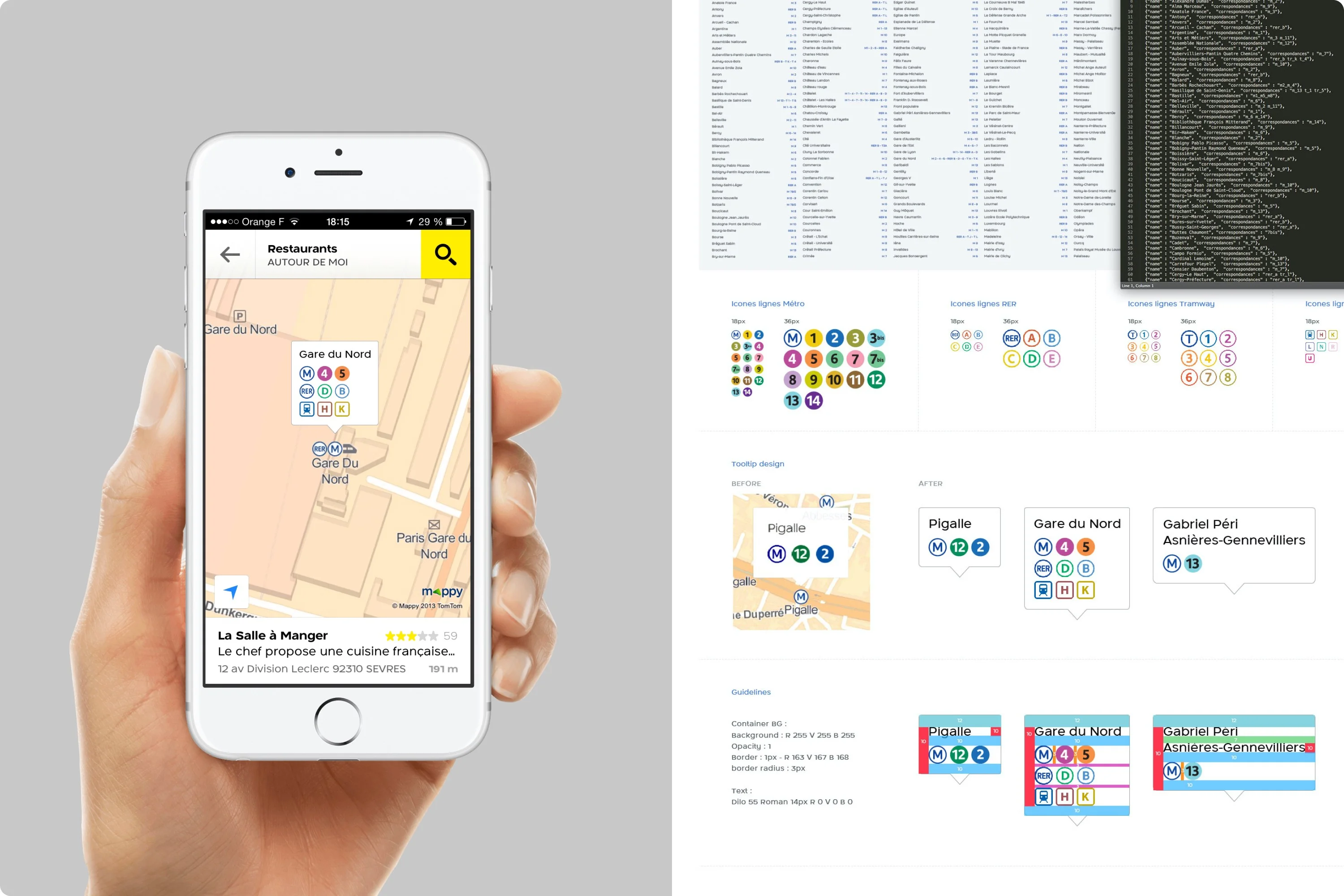
Transit System Components · Metro line colors, station names, walking segments: all parsed from Mappy API and styled for quick scanning.
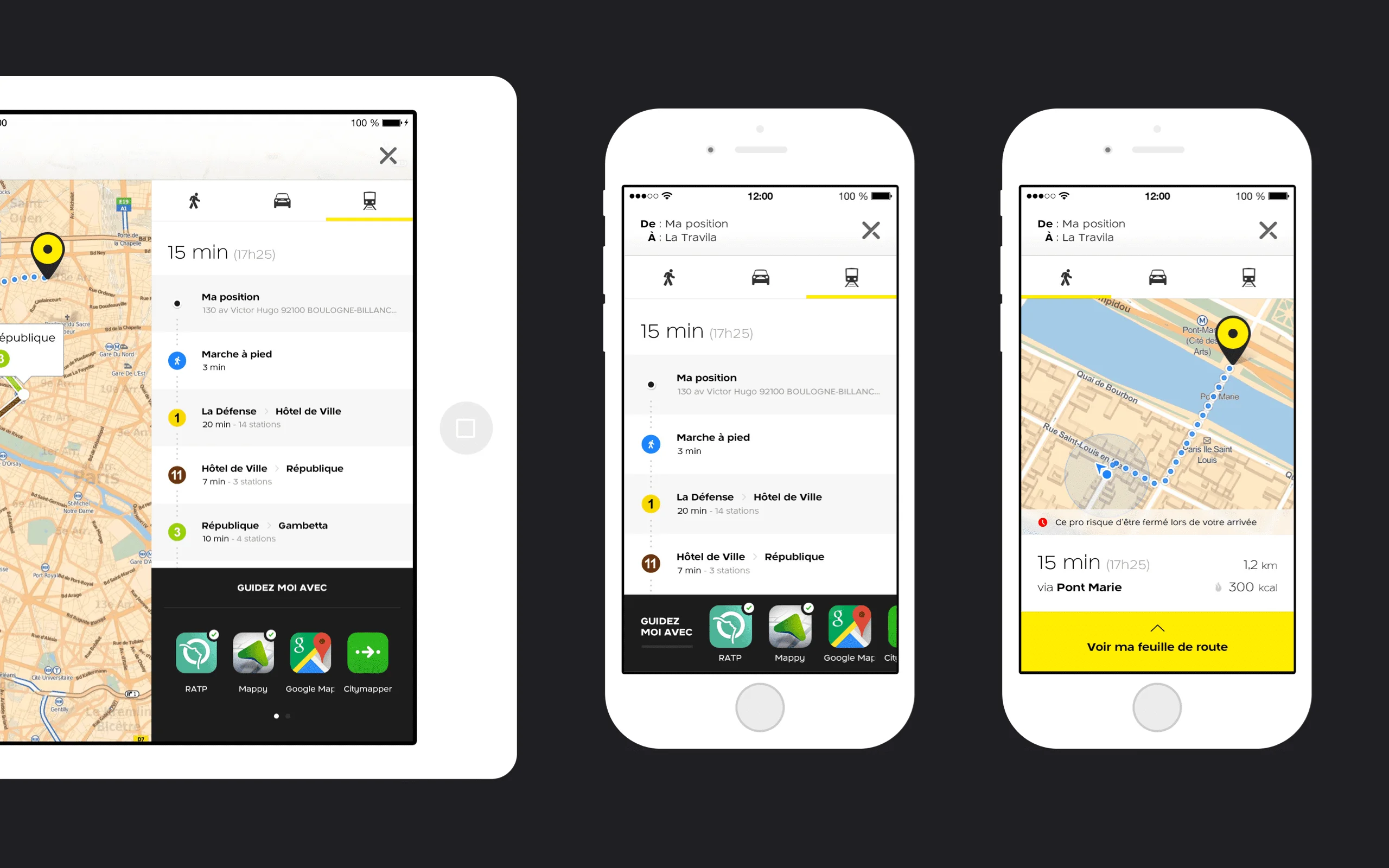
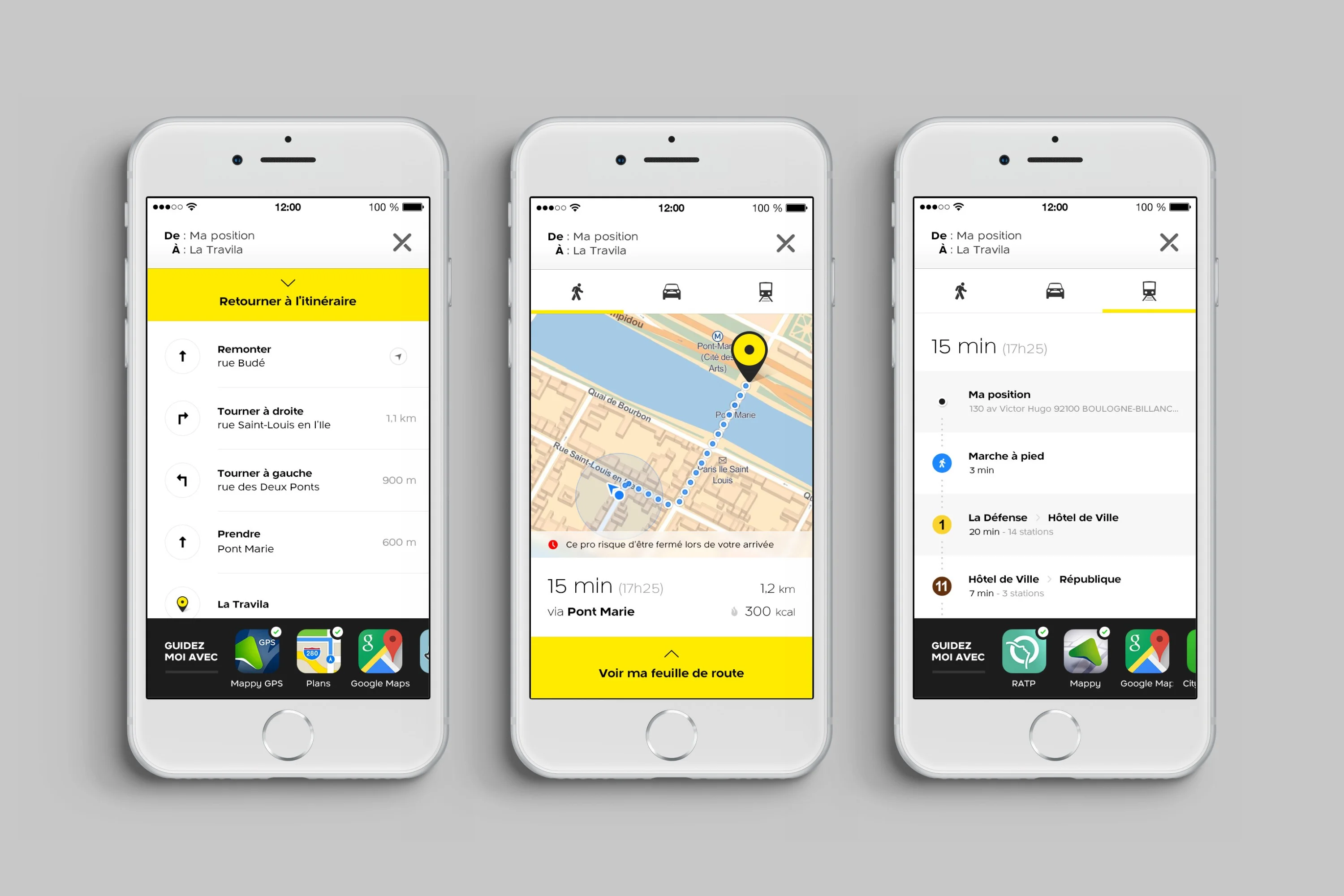
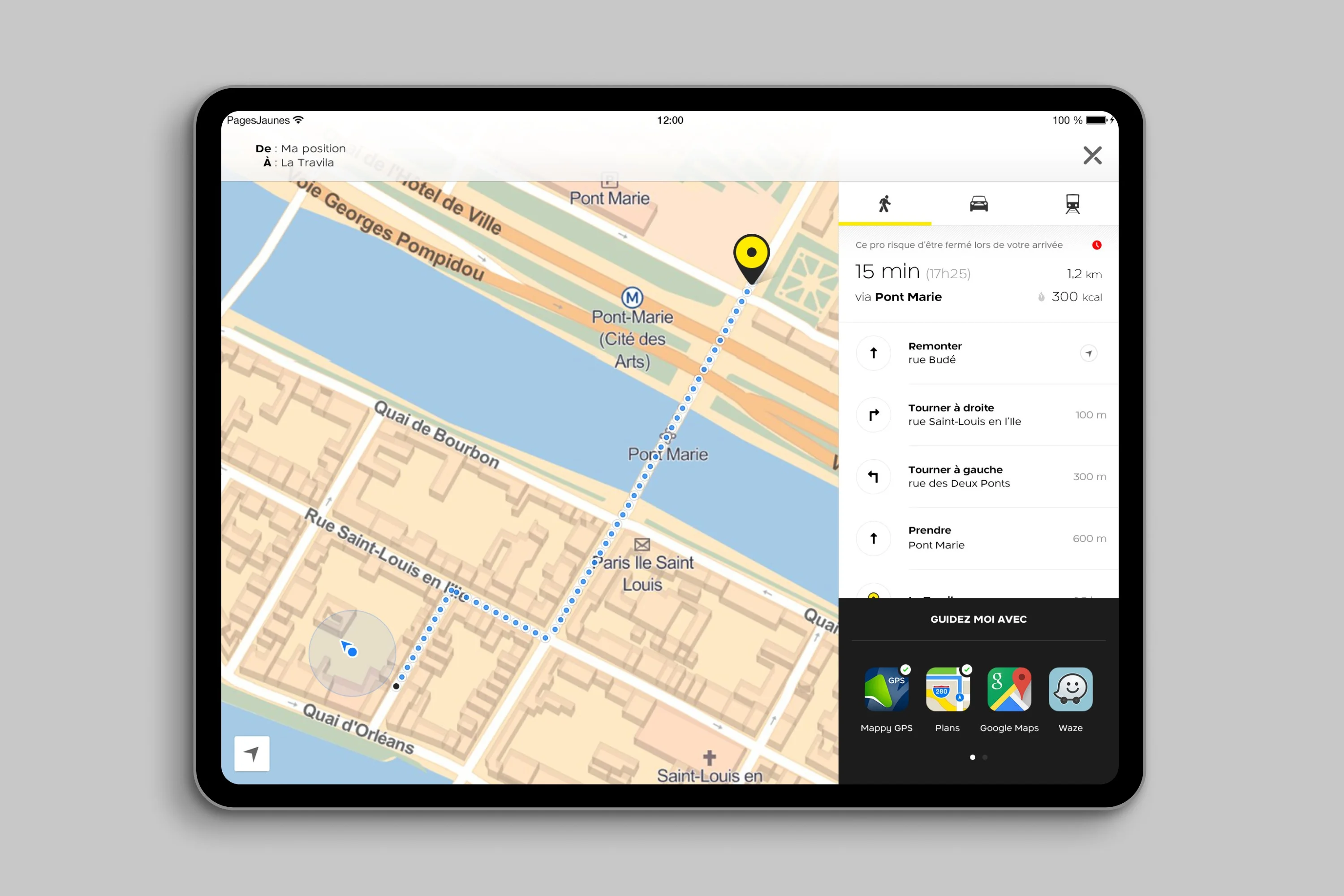
Multi-device Navigation · One journey, three modes: walk, drive, transit. The interface adapts to the user's choice.
iPhone Navigation Flows · Three flows: route sheet, map preview, transit breakdown. Each screen answers a different user question.
iPad Itinerary Split-View · Map context on the left, turn-by-turn on the right. Both visible, no tab switching needed.
Tooltip Redesign · Contextual tooltips guide feature discovery. Clear visual hierarchy, minimal disruption to the flow.
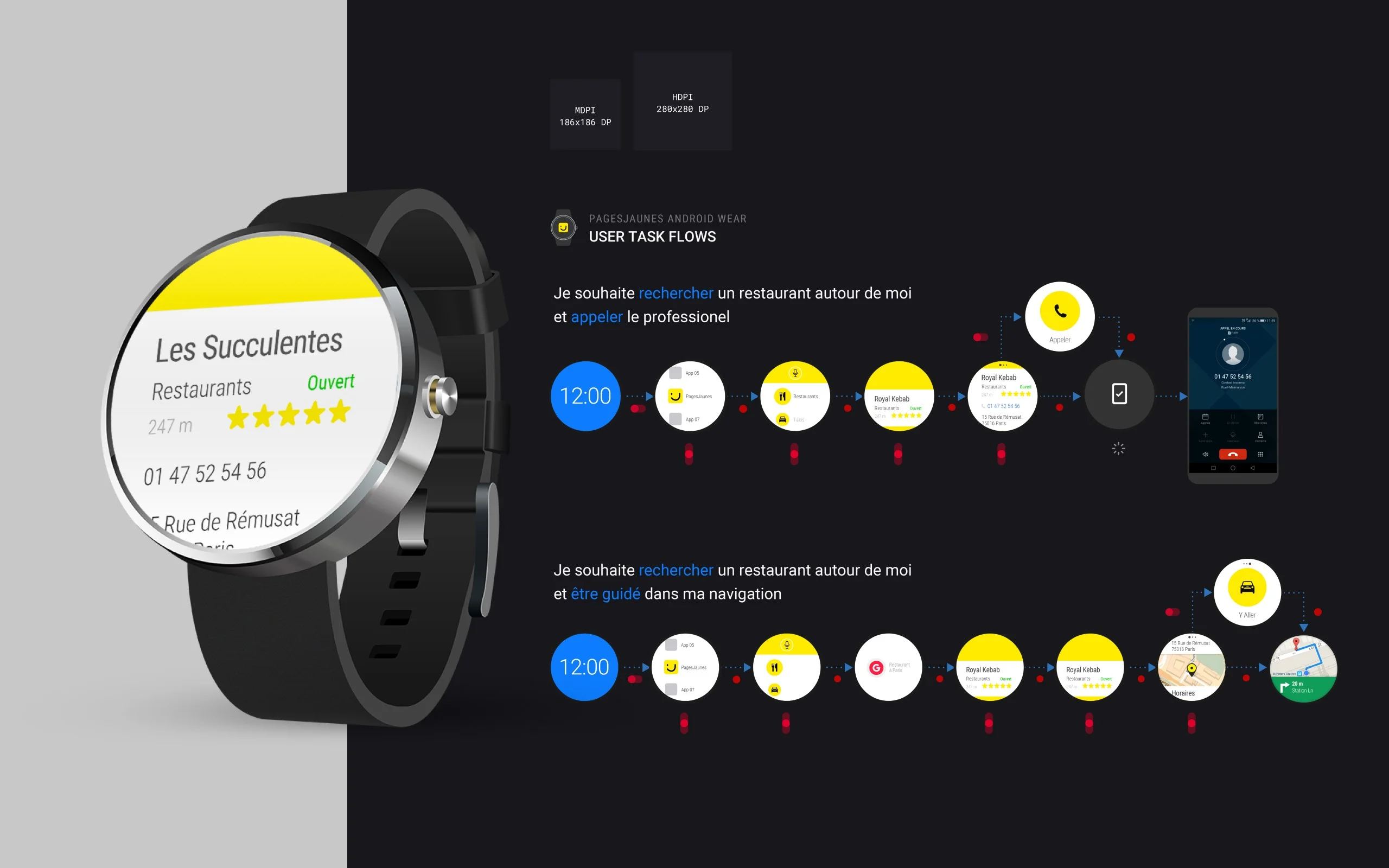
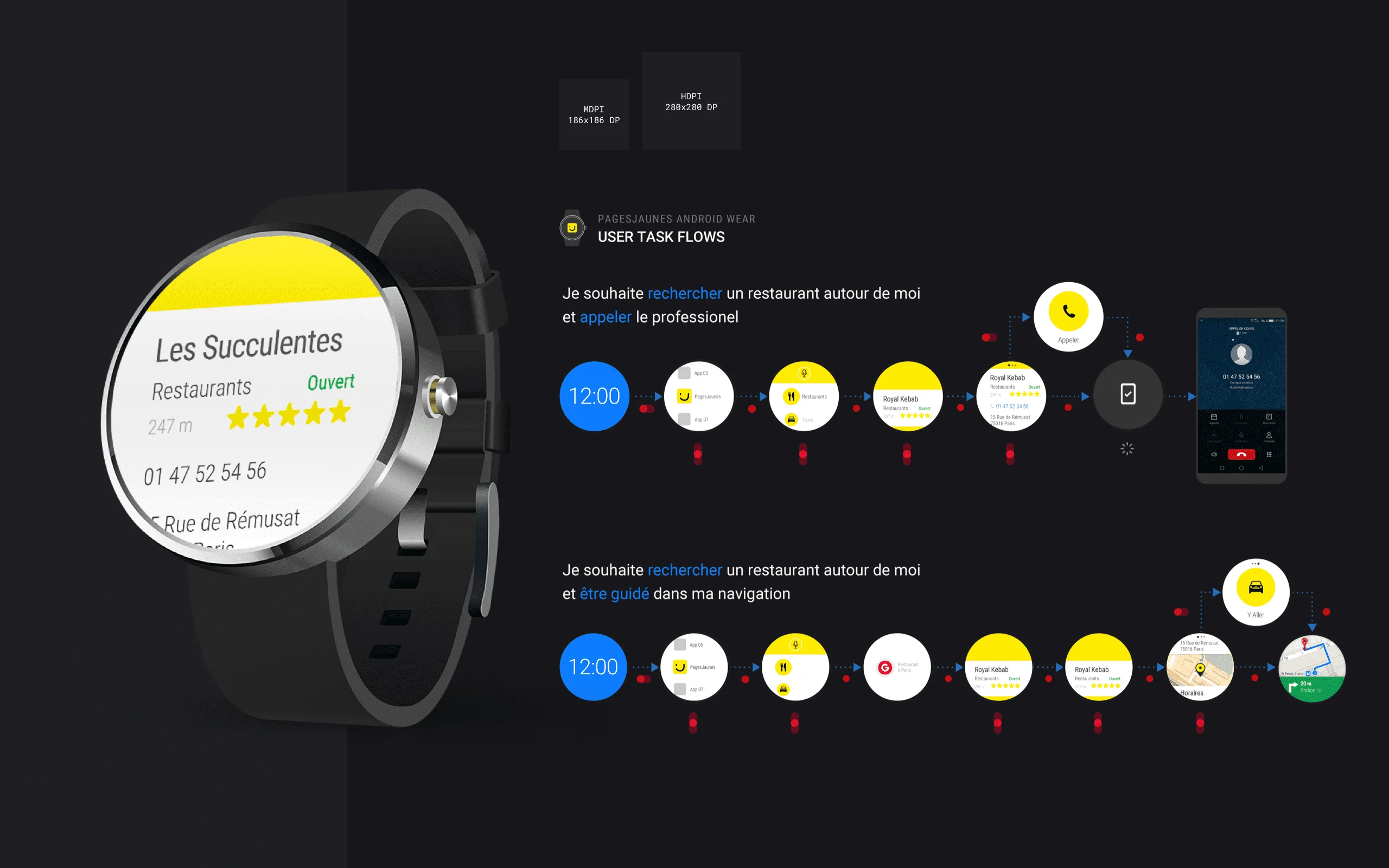
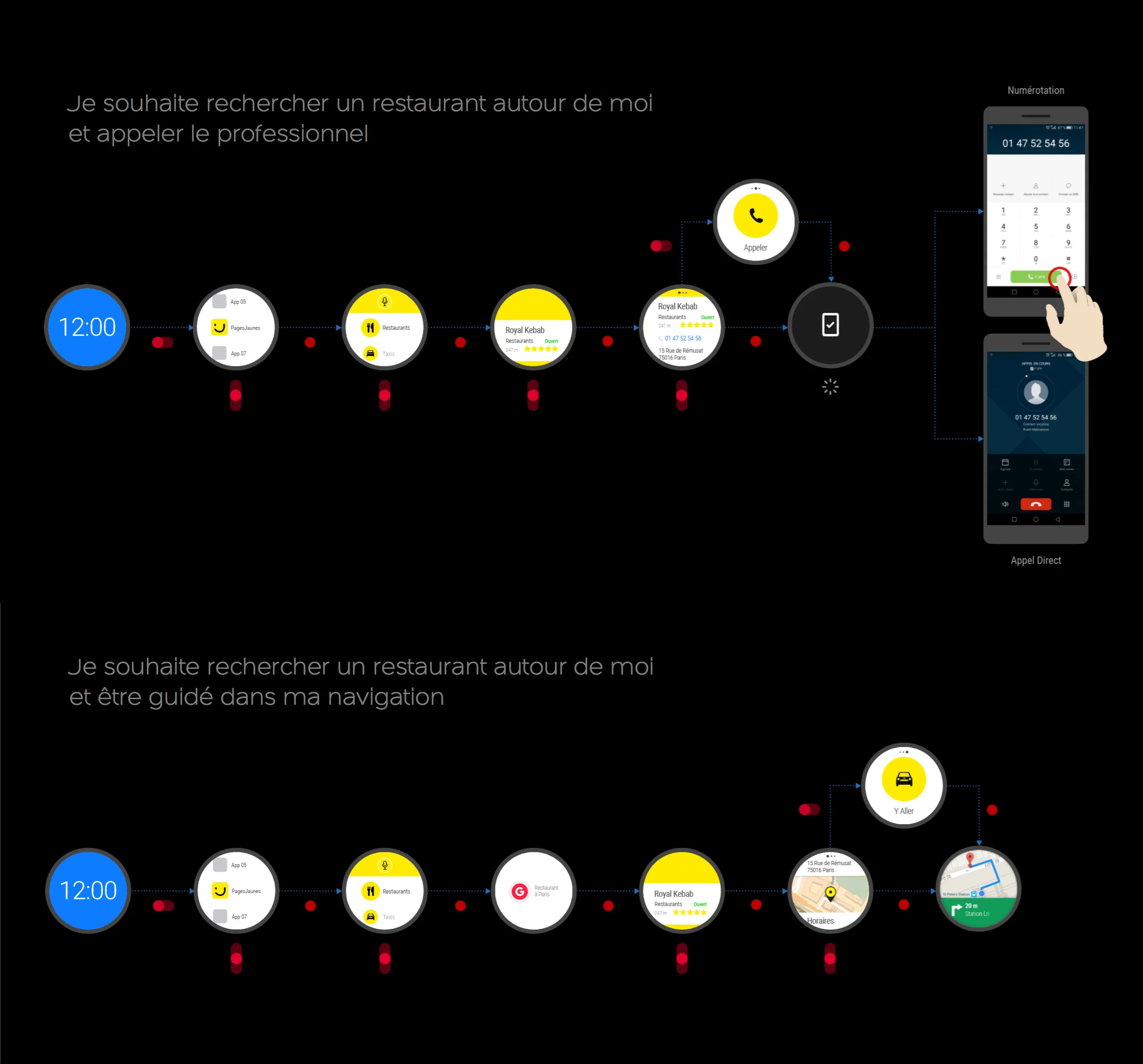
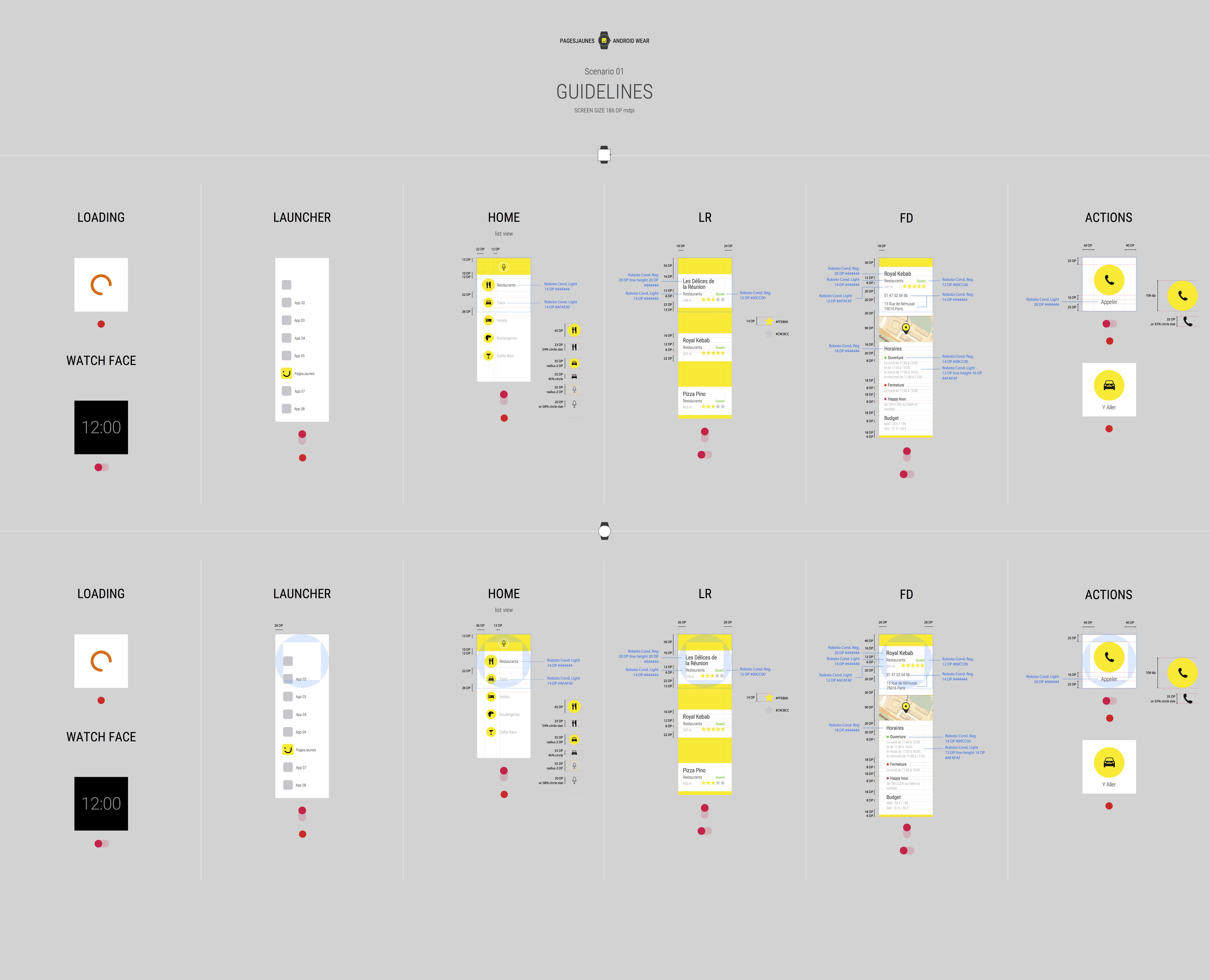
Android Wear Task Flows · Wearable task flows: search then call, or search then navigate. Two jobs, two paths, minimal taps.
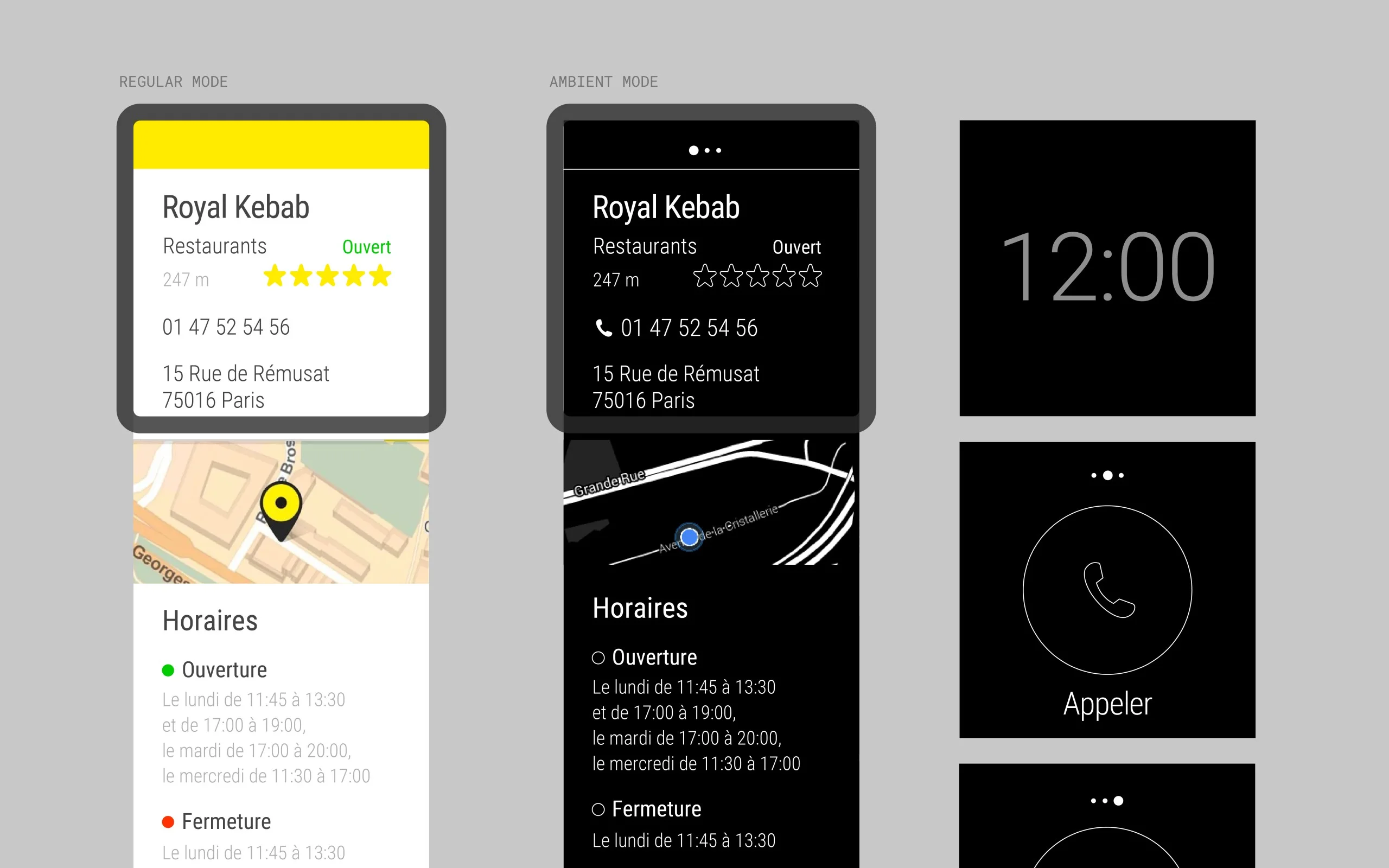
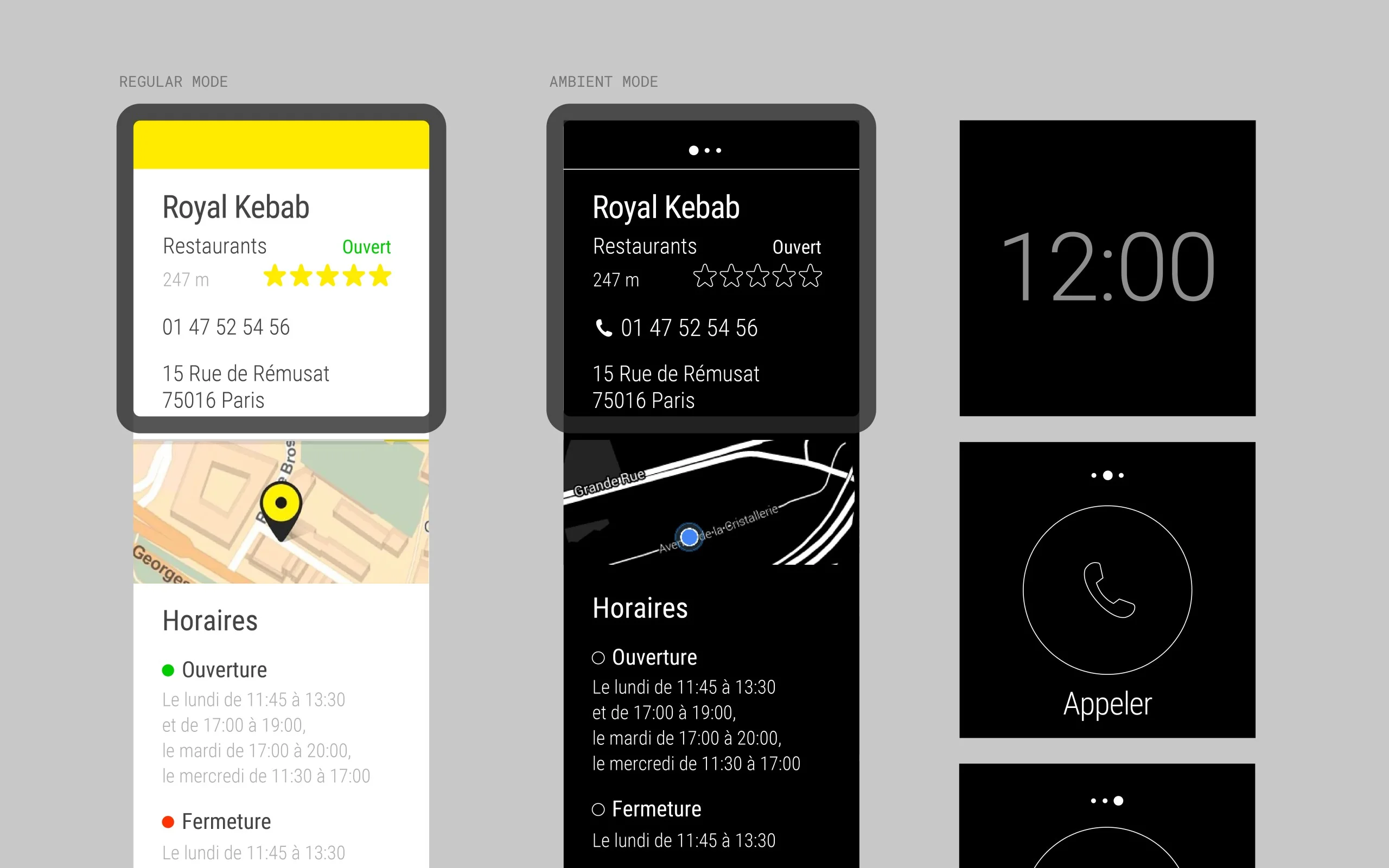
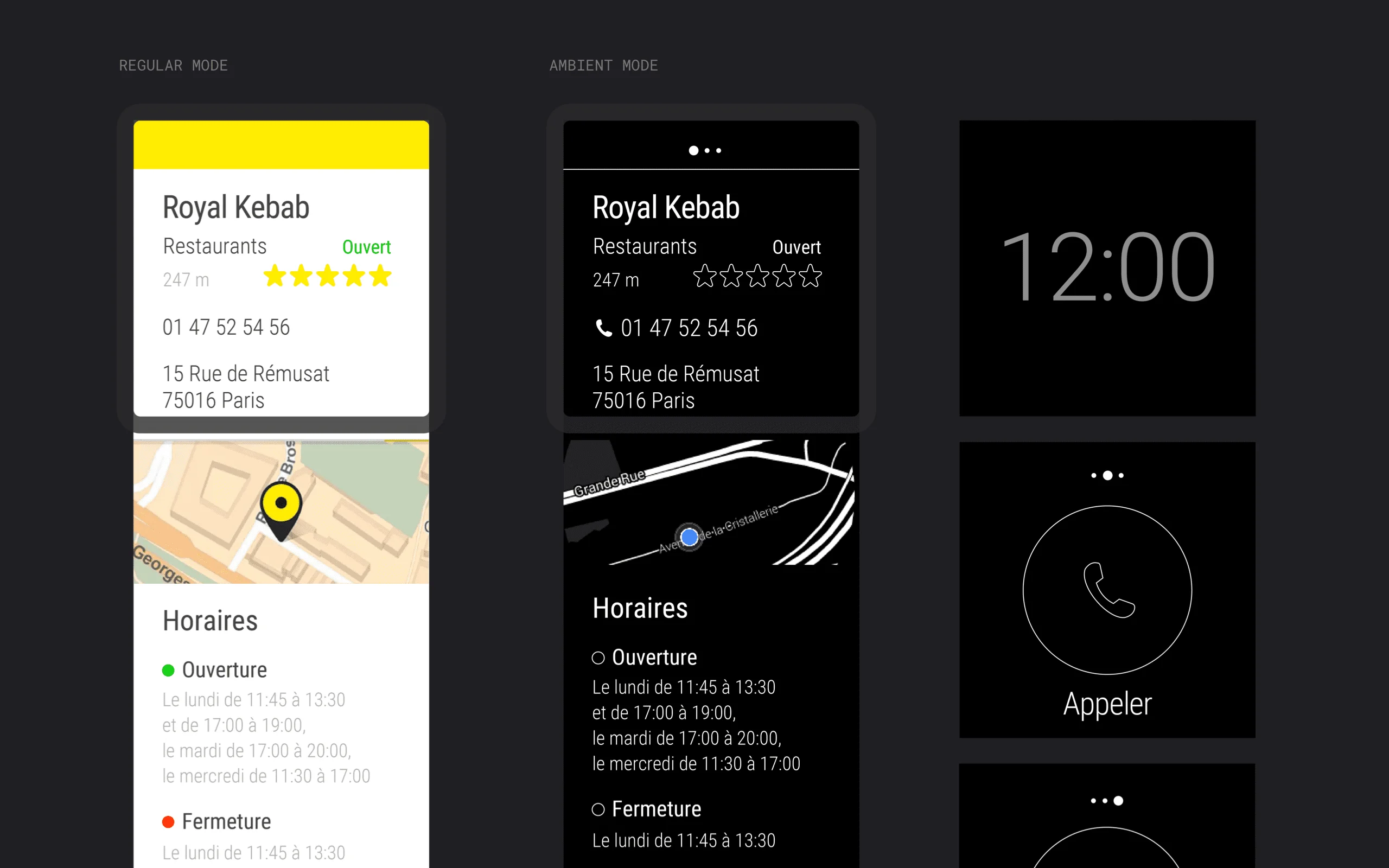
Wear Regular & Ambient Modes · Regular mode uses high-contrast yellow. Ambient mode switches to monochrome for battery efficiency.
Wear User Task Flows · User task flows mapped: "Find a restaurant and call" or "Find a restaurant and navigate." Each path optimized.
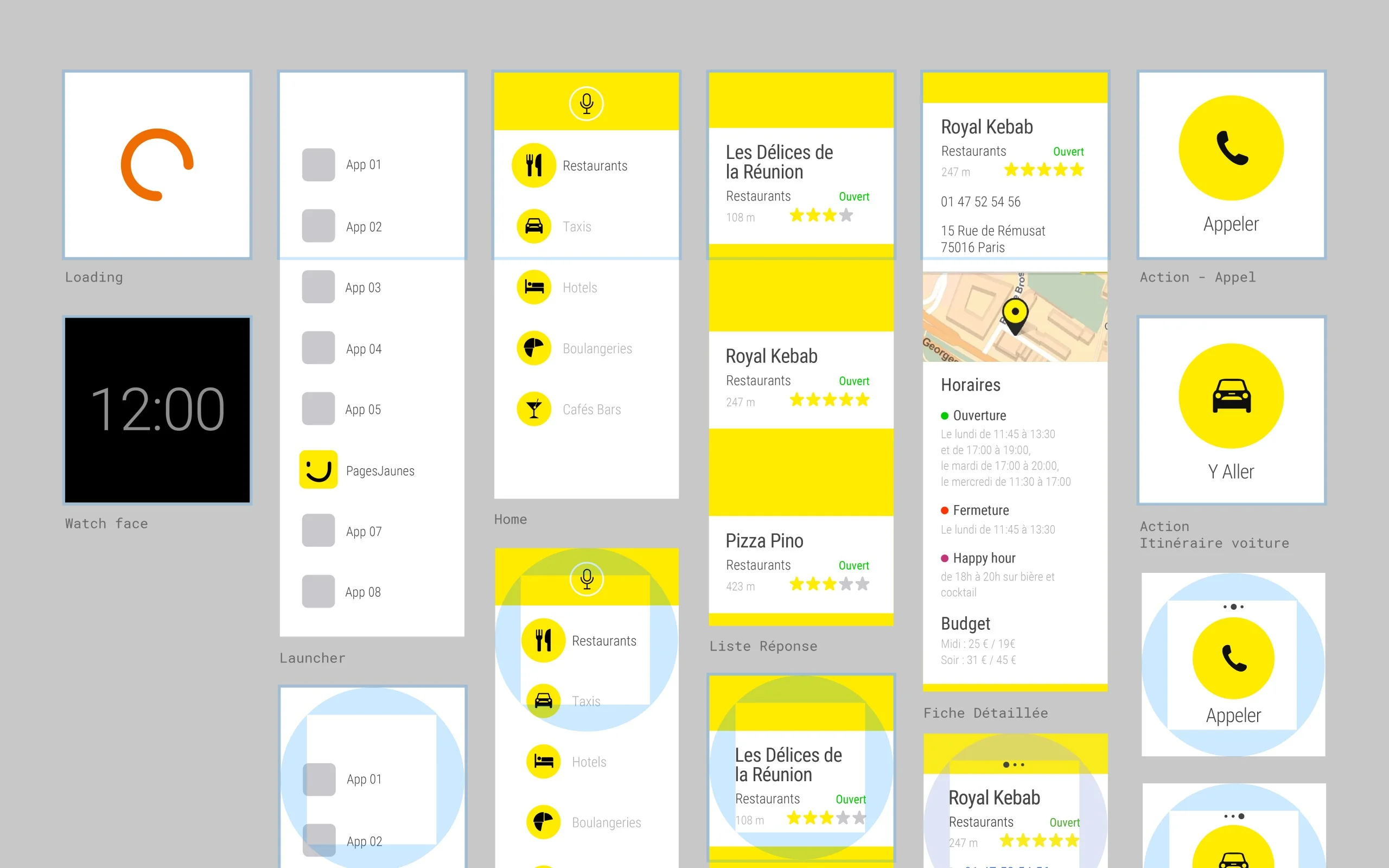
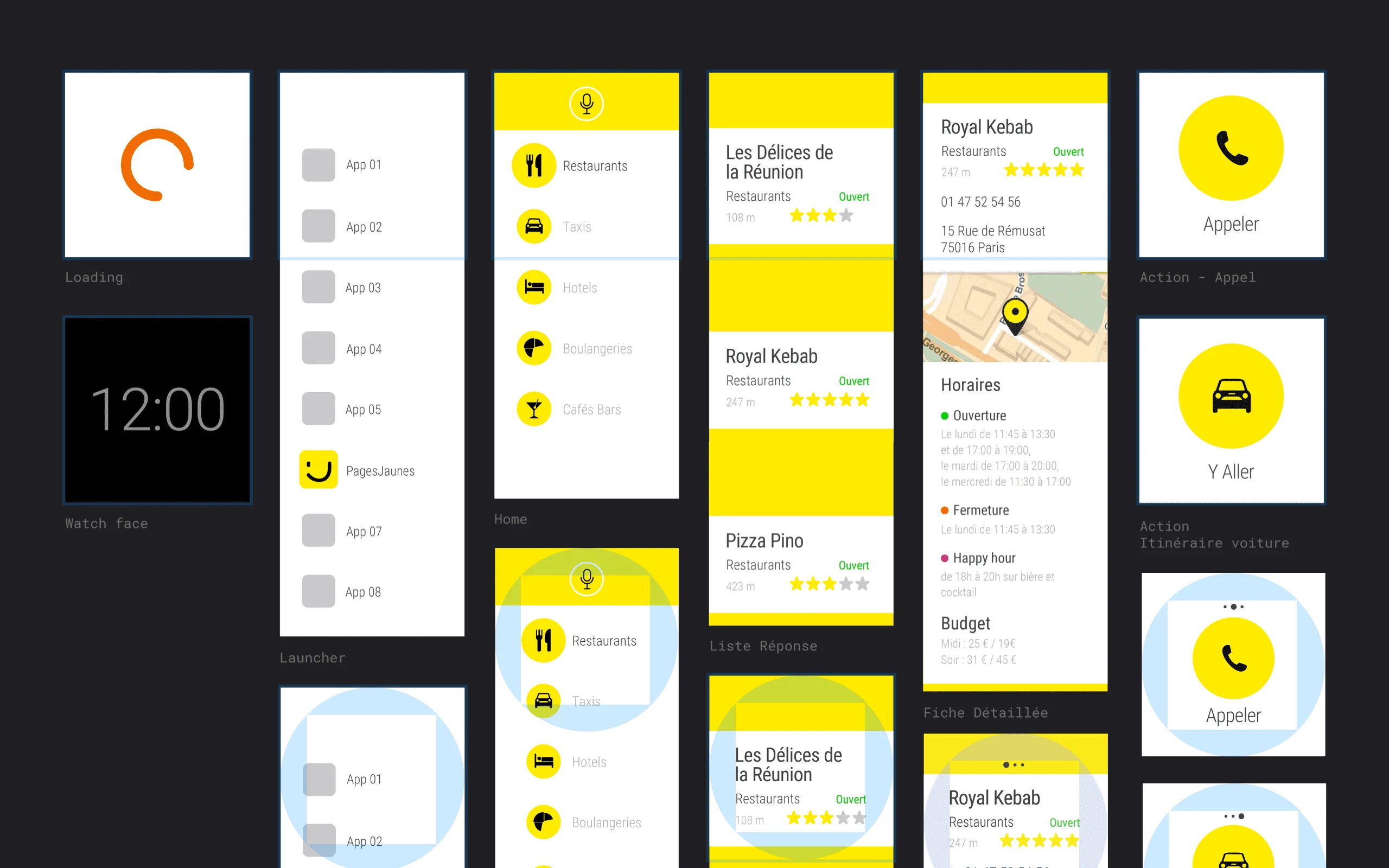
Wear Micro-UI Patterns · Micro-UI pattern library: cards, CTAs, status indicators. Every element earns its pixel on a 280dp screen.
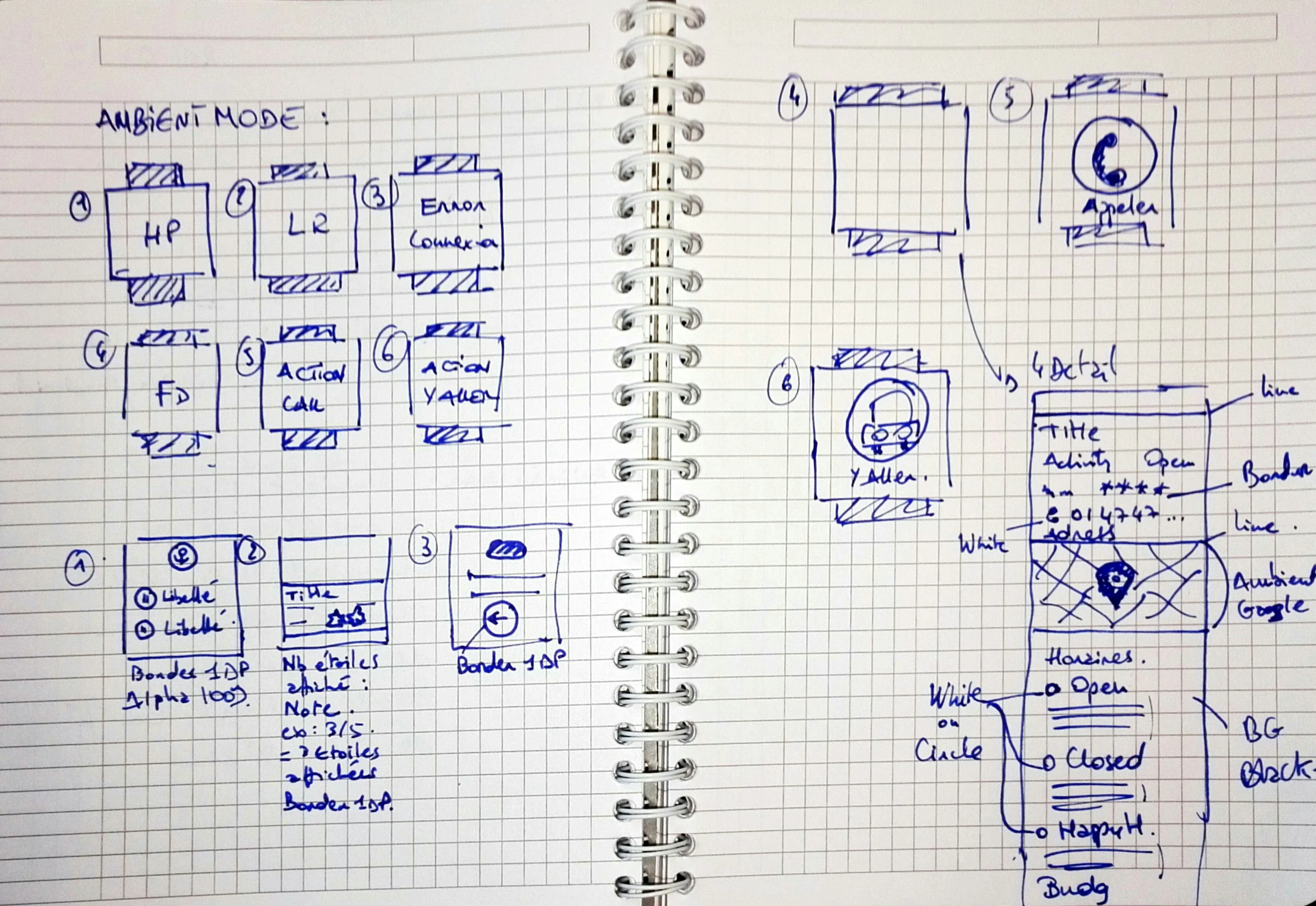
Wear Ambient Mode · White outlines on black. Battery-conscious and still functional for at-a-glance information.
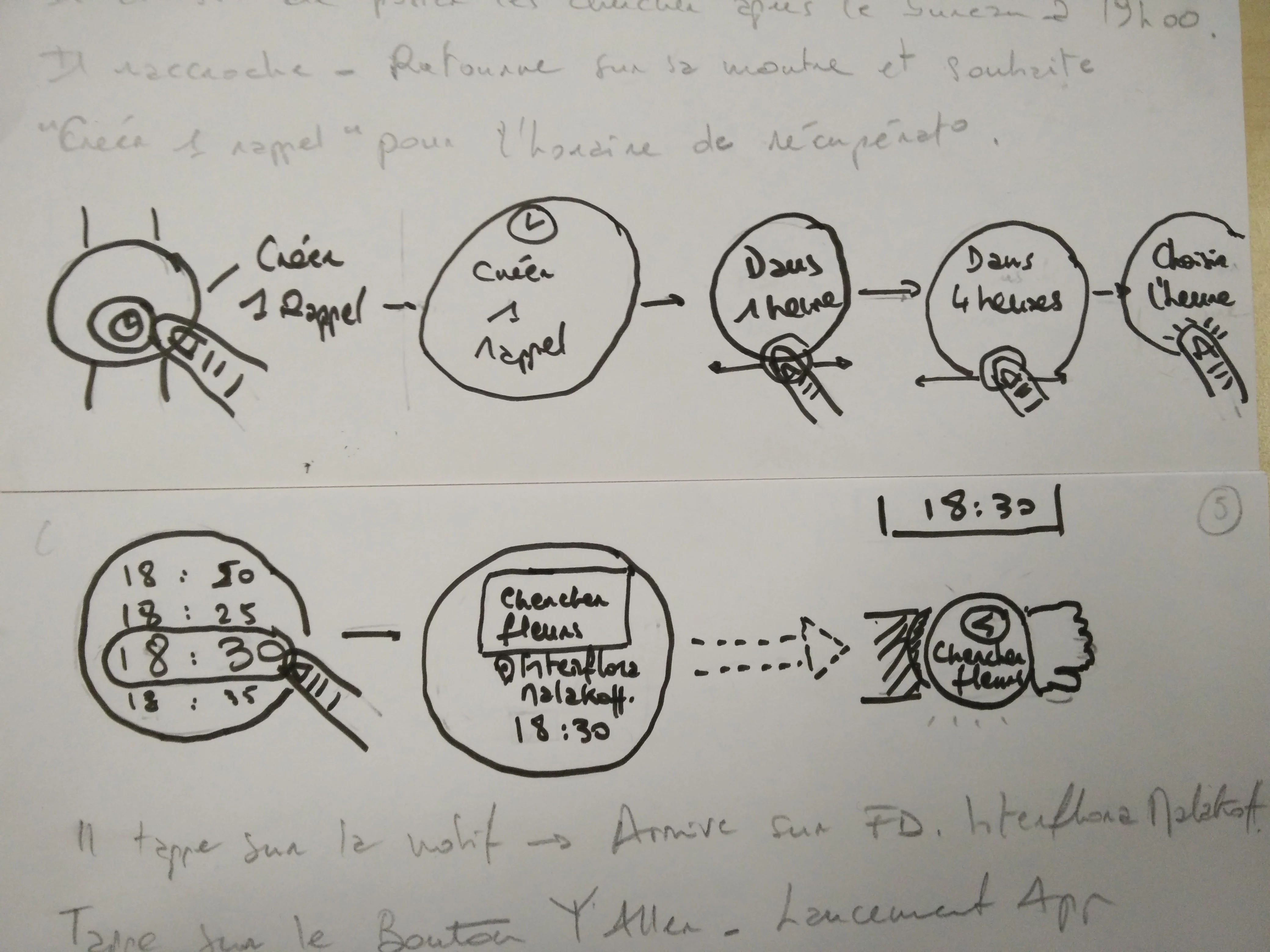
Early Wireframe Sketches · Early wireframe sketches for the reminder flow. User can set a reminder after calling a business.
Wear Ambient Mode · White outlines on black. Battery-conscious and still functional for at-a-glance information.
Wear User Task Flows · User task flows mapped: "Find a restaurant and call" or "Find a restaurant and navigate." Each path optimized.
Wear Micro-UI Patterns · Micro-UI pattern library: cards, CTAs, status indicators. Every element earns its pixel on a 280dp screen.
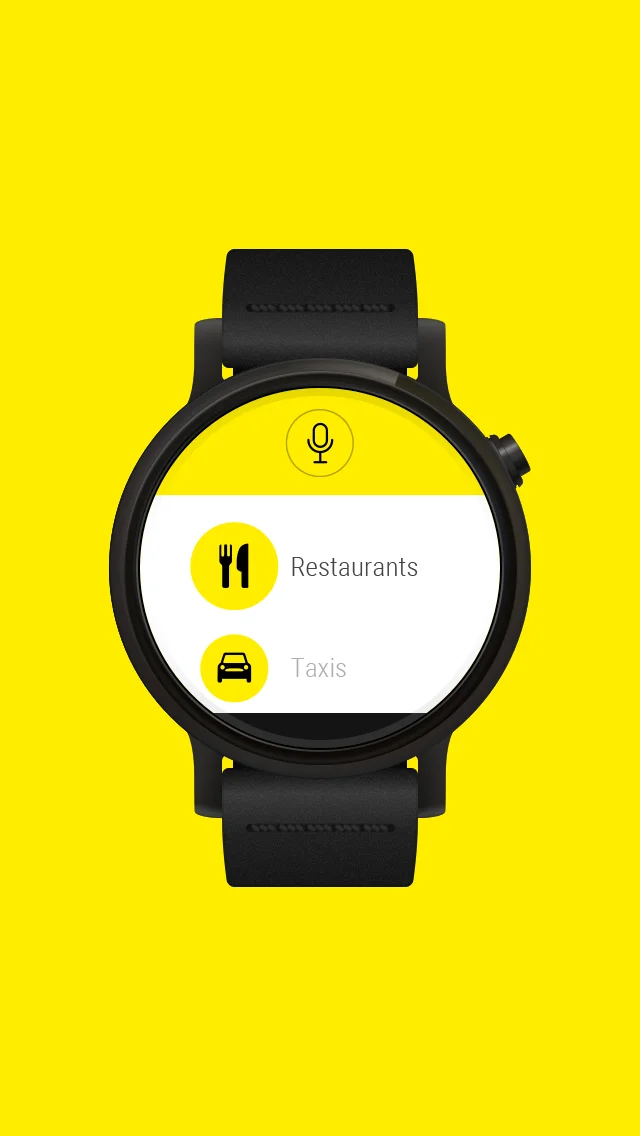
Google Play Store Visual · Promotional visual for Google Play Store. Watch mockup on PagesJaunes yellow background.
Business Detail In-situ · Business detail card in context. Key info hierarchy: name, category, status, rating, phone, address.
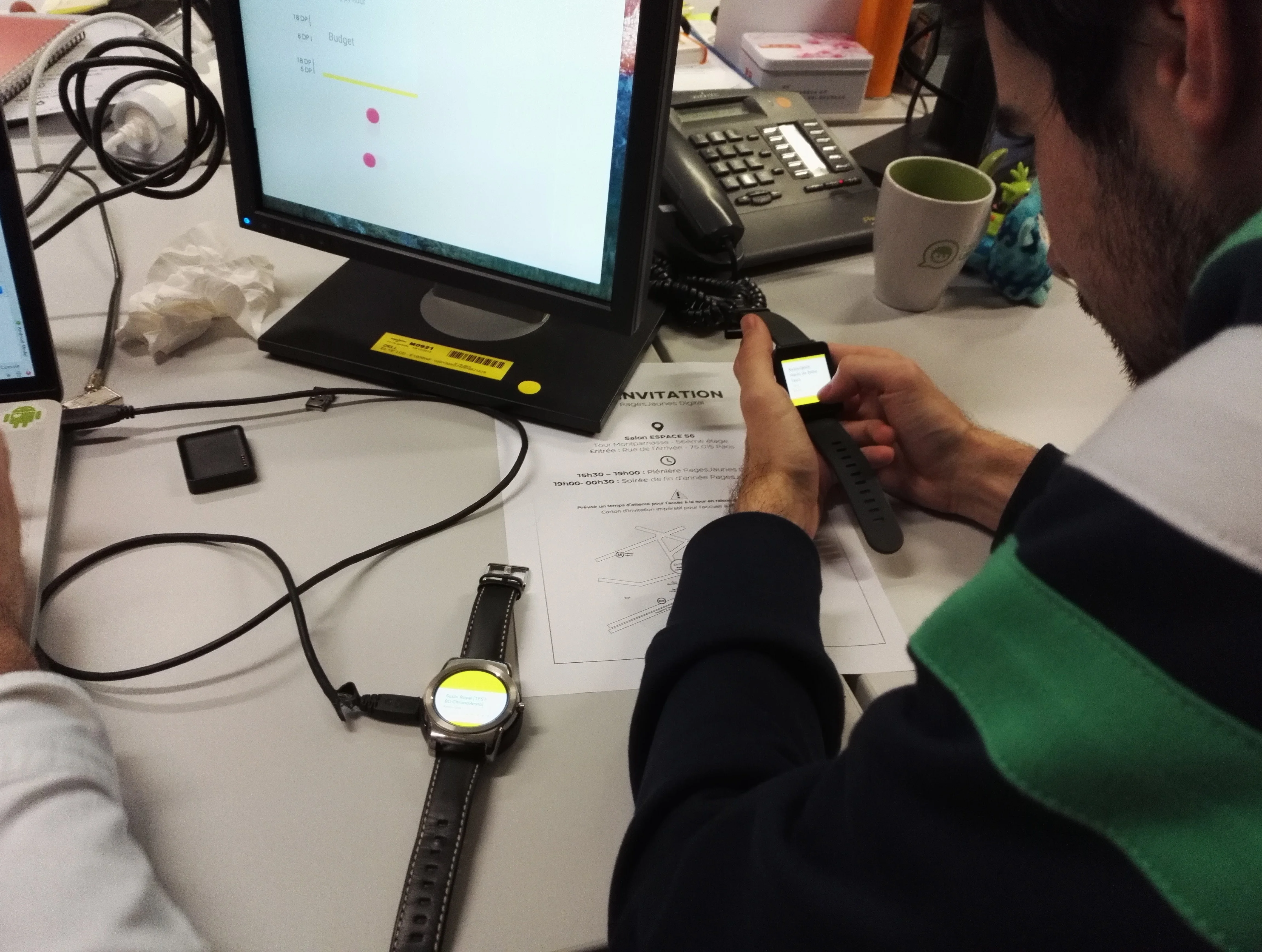
Real Device Testing · Testing session with Thibault Fighiera. Two watches connected, smartphone synced, iterating in real-time.Working Prototype Demo · Working prototype on real hardware. Full flow from app launch to business detail to phone call handoff.
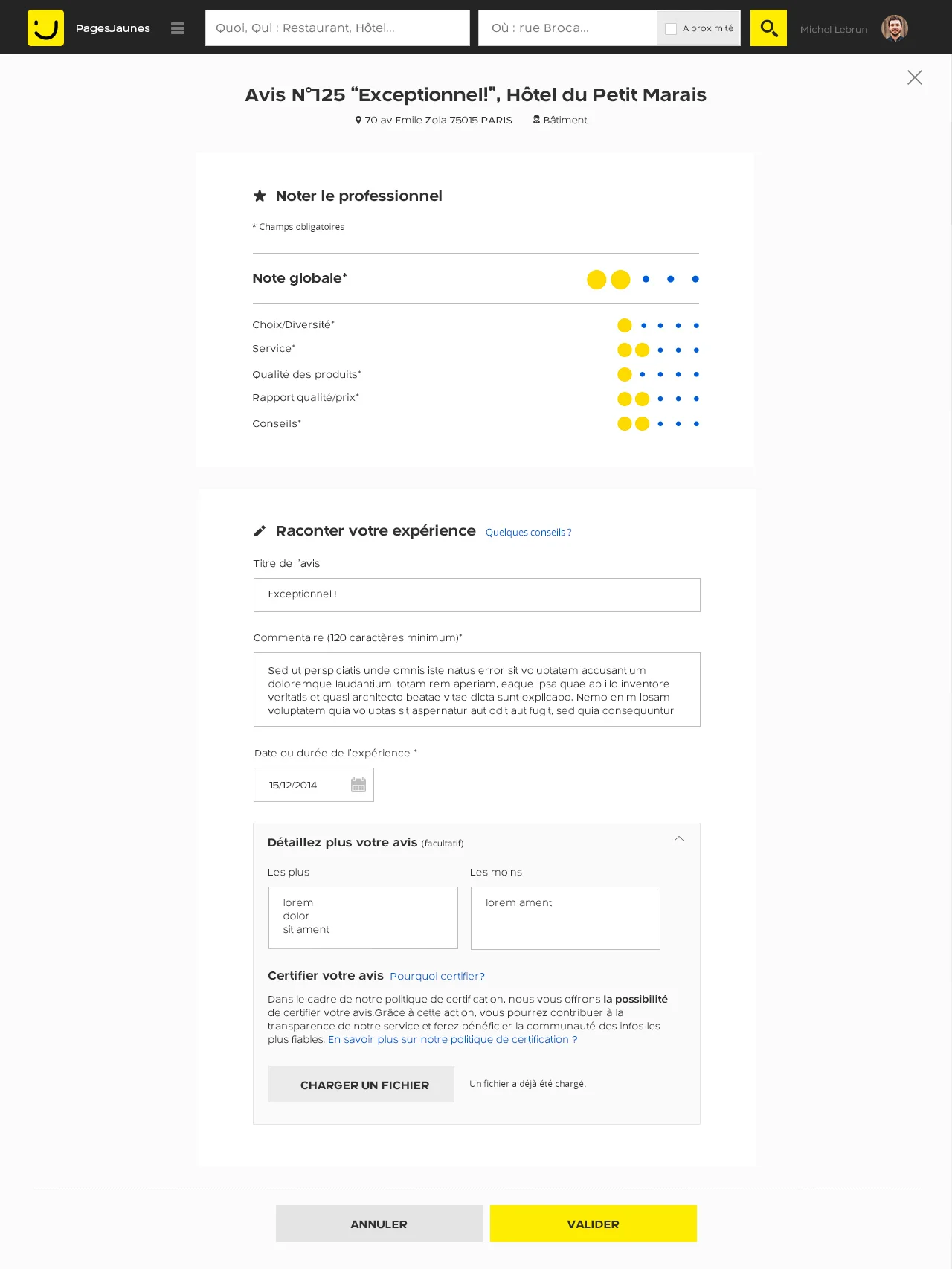
Desktop Review Editing · Web interface for review editing. Multi-criteria ratings with star system, pros/cons fields, rich text support.iOS Onboarding Animation · Non-blocking animations at first launch. CAAnimation for smooth walkthrough sequences.Android Onboarding Animation · Material Design onboarding with Activity transitions. Coordinated motion specs.

.webp)