Related projects

Lead Interaction Designer · 2022
Giving teachers the composure to teach in a digital classroom
SQOOL Classe: a supervision tool designed to fade behind the pedagogy. The teachers we interviewed described the same reality: the tablet added a layer of complexity that was difficult to absorb.

Role
Design LeadProduct squad, 2 years
Field researchClassroom observation
42 prototypesGSAP animations
Design systemSQOOL suite
5 designersTeam coordination
Two years working alongside the CPO, 5 designers, product managers, and developers. From ideation workshops to delivery, through strategic framing and intensive prototyping of 42 usage scenarios.
Product modules
SupervisionMonths 1-8
- Student grid with live status indicators
- Real-time screen previews
- One-tap lock for all tablets
- QR code class opening (30 seconds)
- Grid and carousel display modes
CollaborationMonths 9-16
- Document and link distribution
- Teacher-student messaging
- Live polling and shared timer
- Screen projection and live annotation
- Drag-and-drop group creation
AssessmentMonths 17-24
- Assignment mode with configurable restrictions
- Official exam setup (MDM configuration)
- 32-station parallel monitoring
- Copy collection and academic transmission
- URL filtering and content restriction
What we designed
Six key interfaces covering the full teacher and student experience.
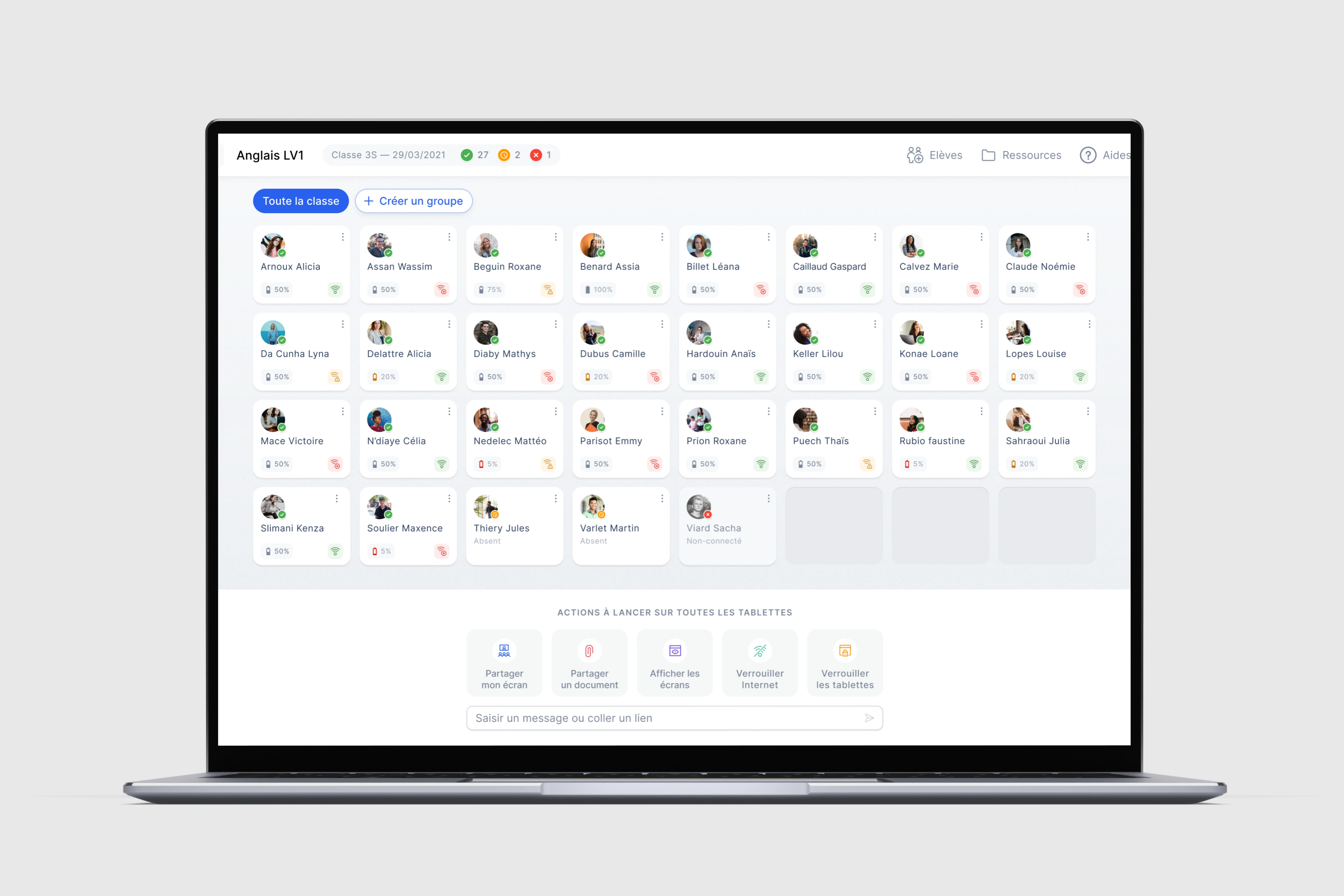
Teacher grid view
Each student occupies a tile with name, active application, battery, and connection status. 32 students displayed simultaneously, readable at a glance.
Teacher grid view
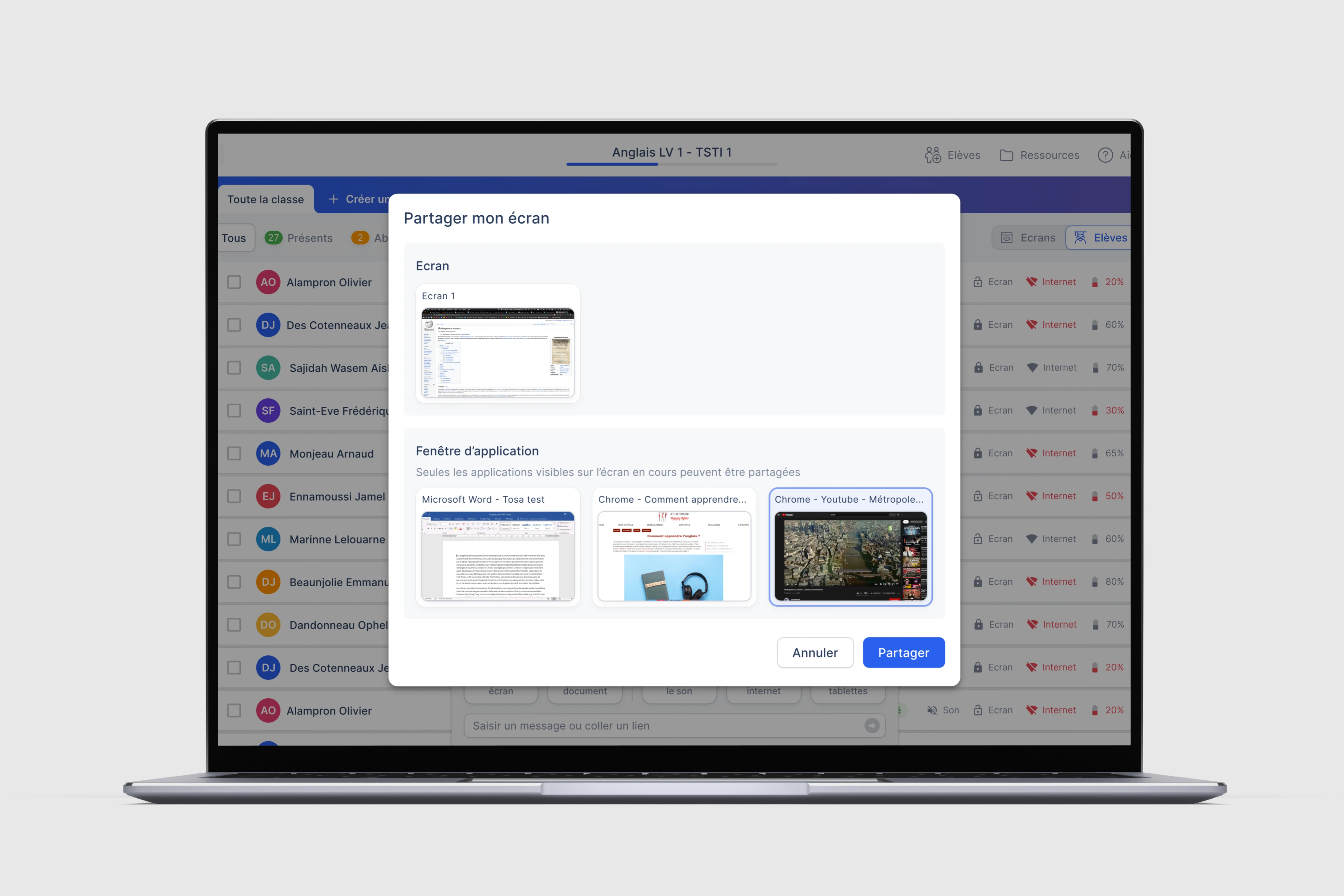
Screen sharing
The teacher selects a full screen or a specific window. An indicator confirms that sharing is active and received.
Screen sharing
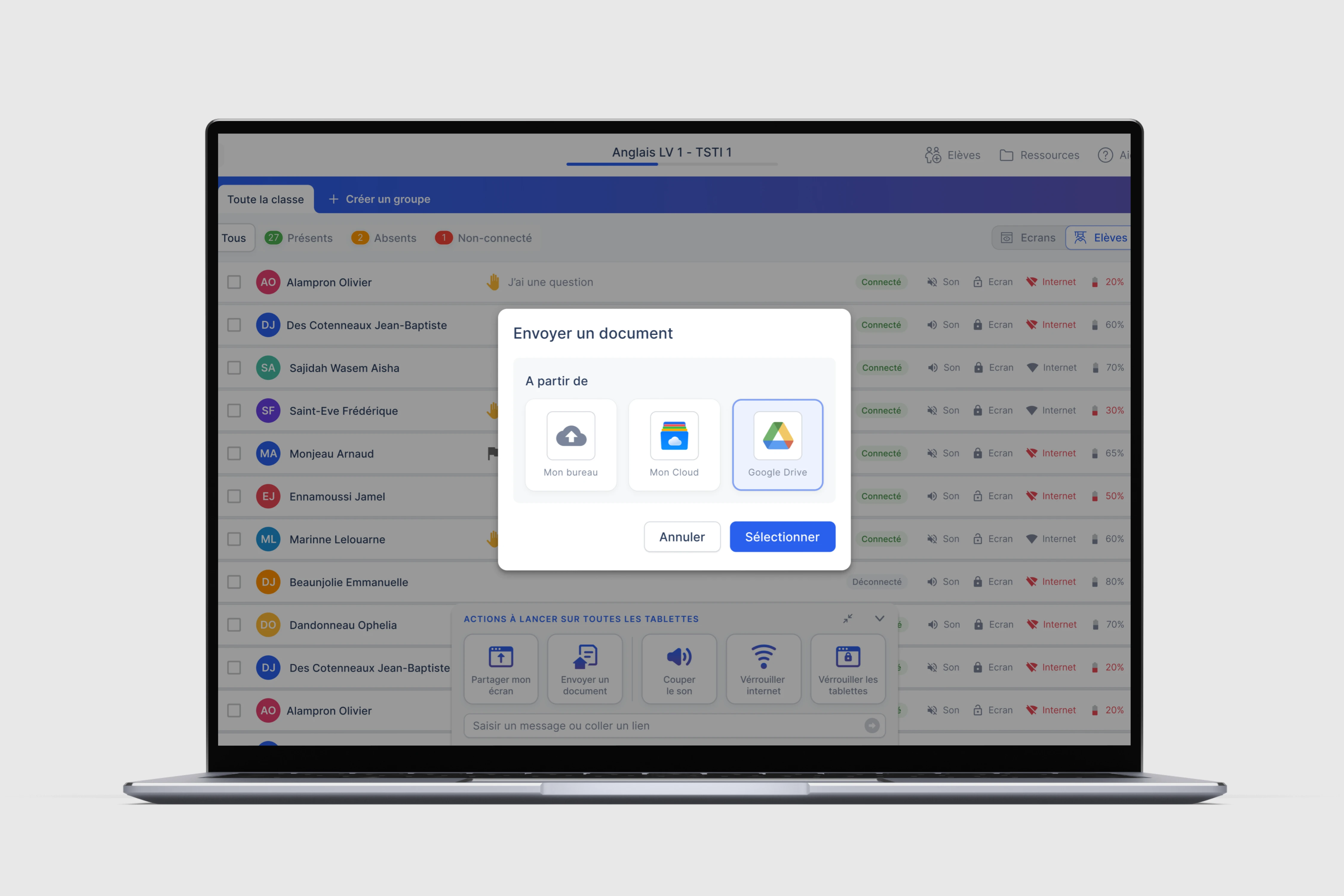
Document distribution
Documents arrive from local storage or Google Drive directly onto tablets. A timestamped notification confirms receipt.
Document distribution
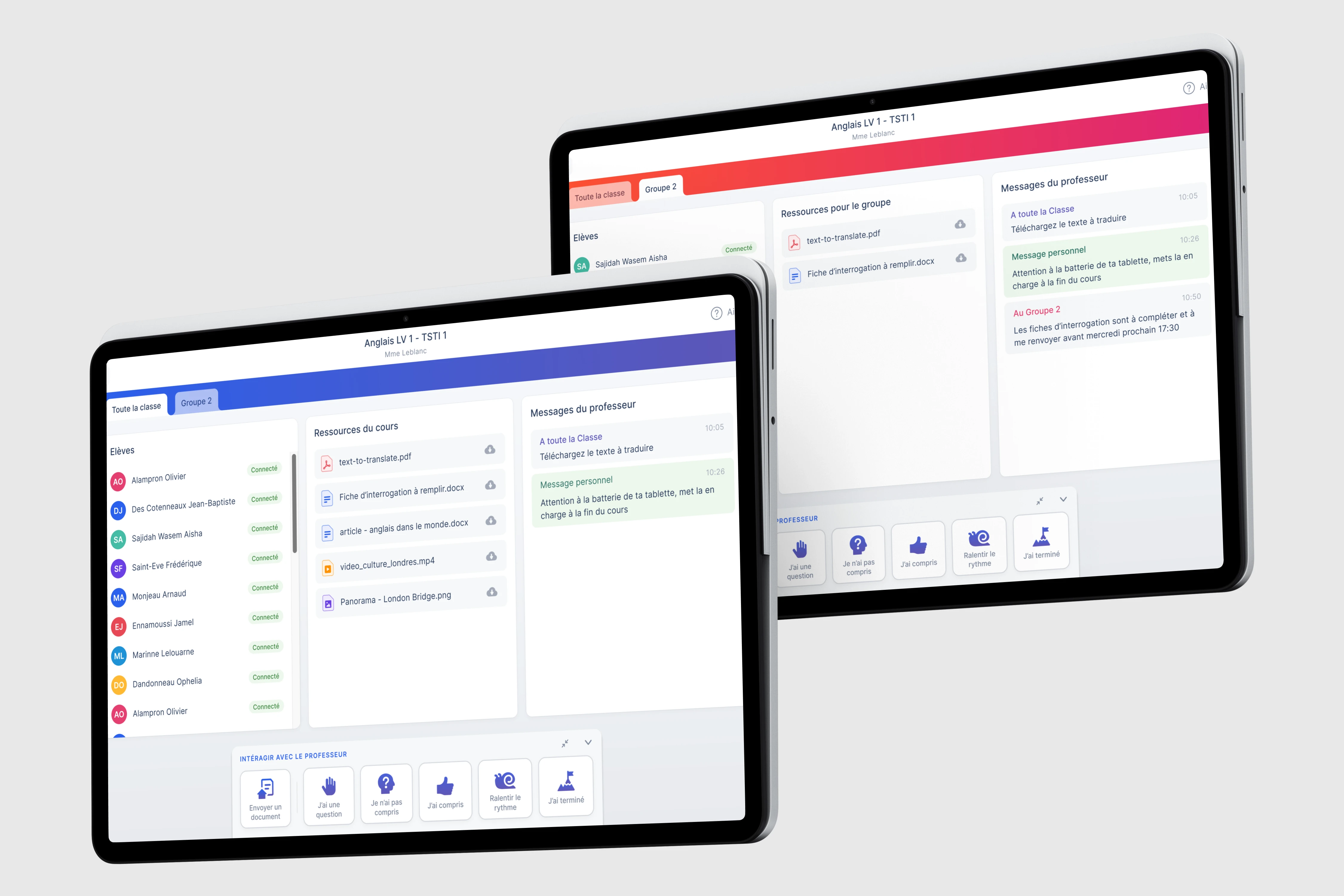
Student experience
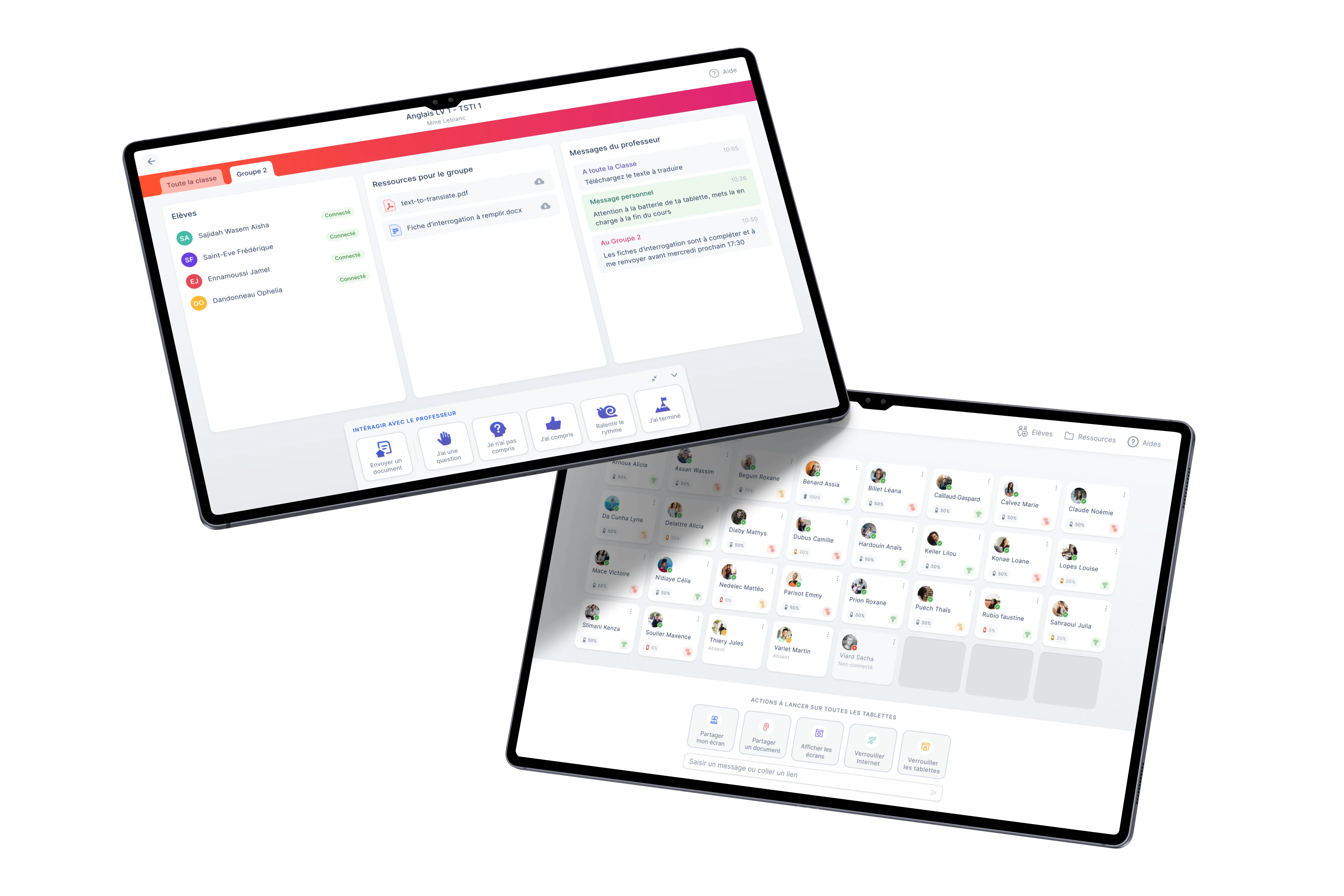
Two views coexist: class view (classmates, resources, messages) and group view (dedicated space with specific resources and instructions).
Student experience
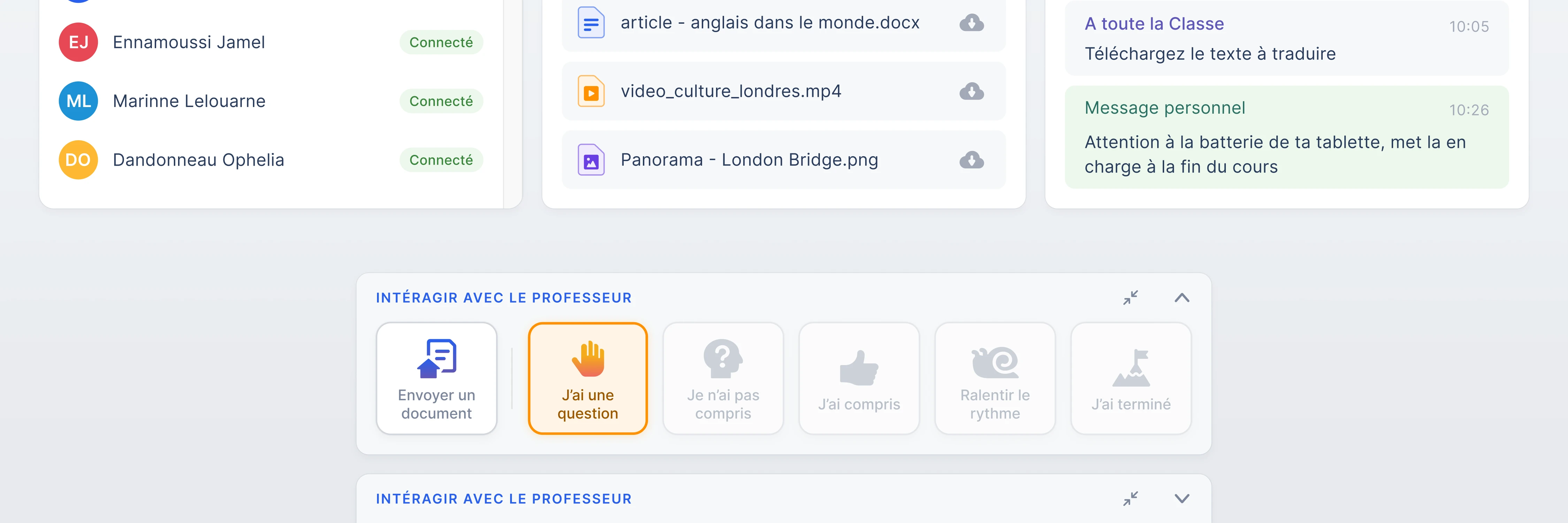
Student interactions
Six ways to communicate with the teacher without disrupting the class: question, comprehension signal, assignment submission.
Student interactions
Classrooms
The student home screen shows all active classes. One tap to join. No login, no configuration.
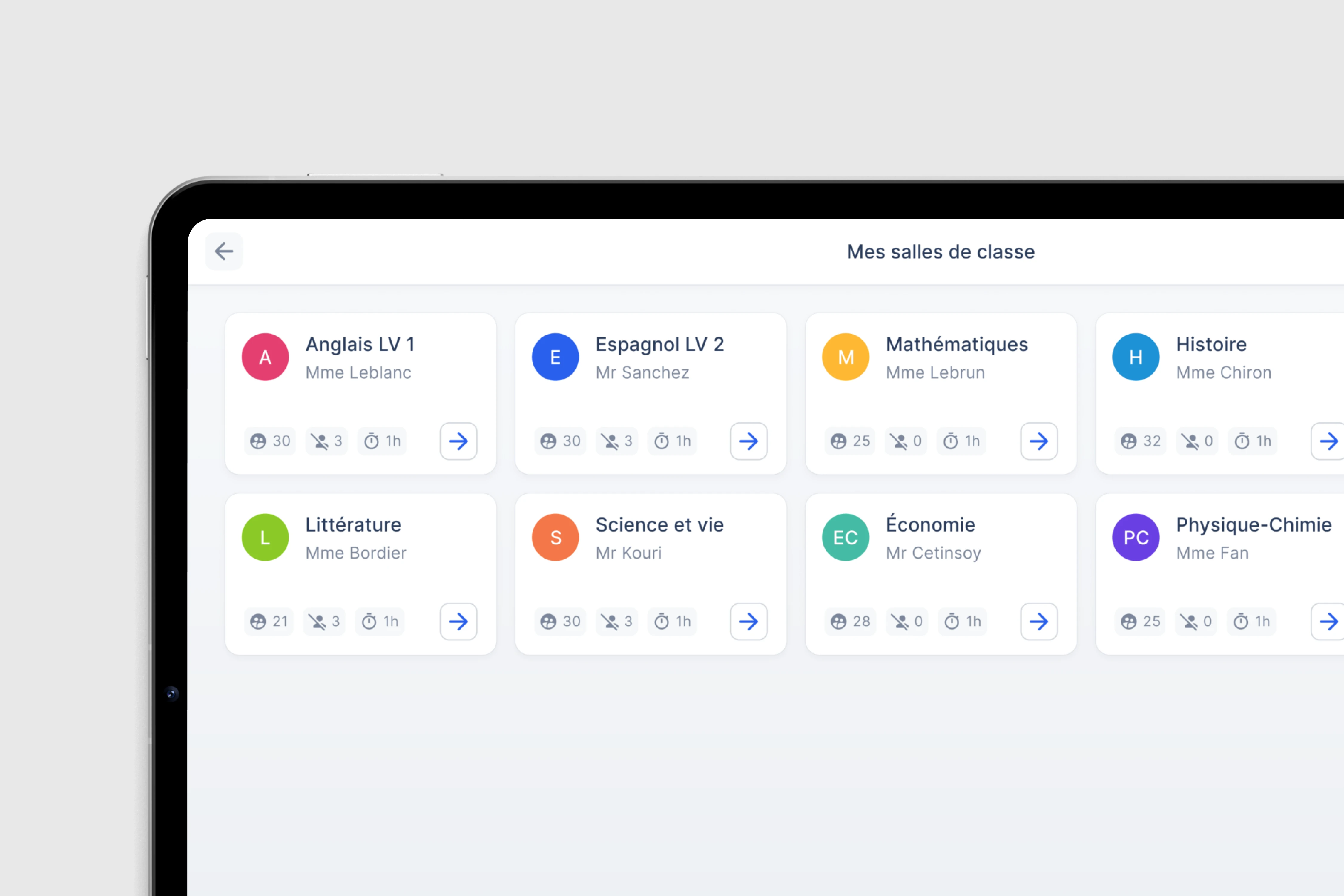
Classrooms
Interactive prototypes
42 animated scenarios
QR code class opening
Full-screen QR code, instant scan, student cards appearing progressively.
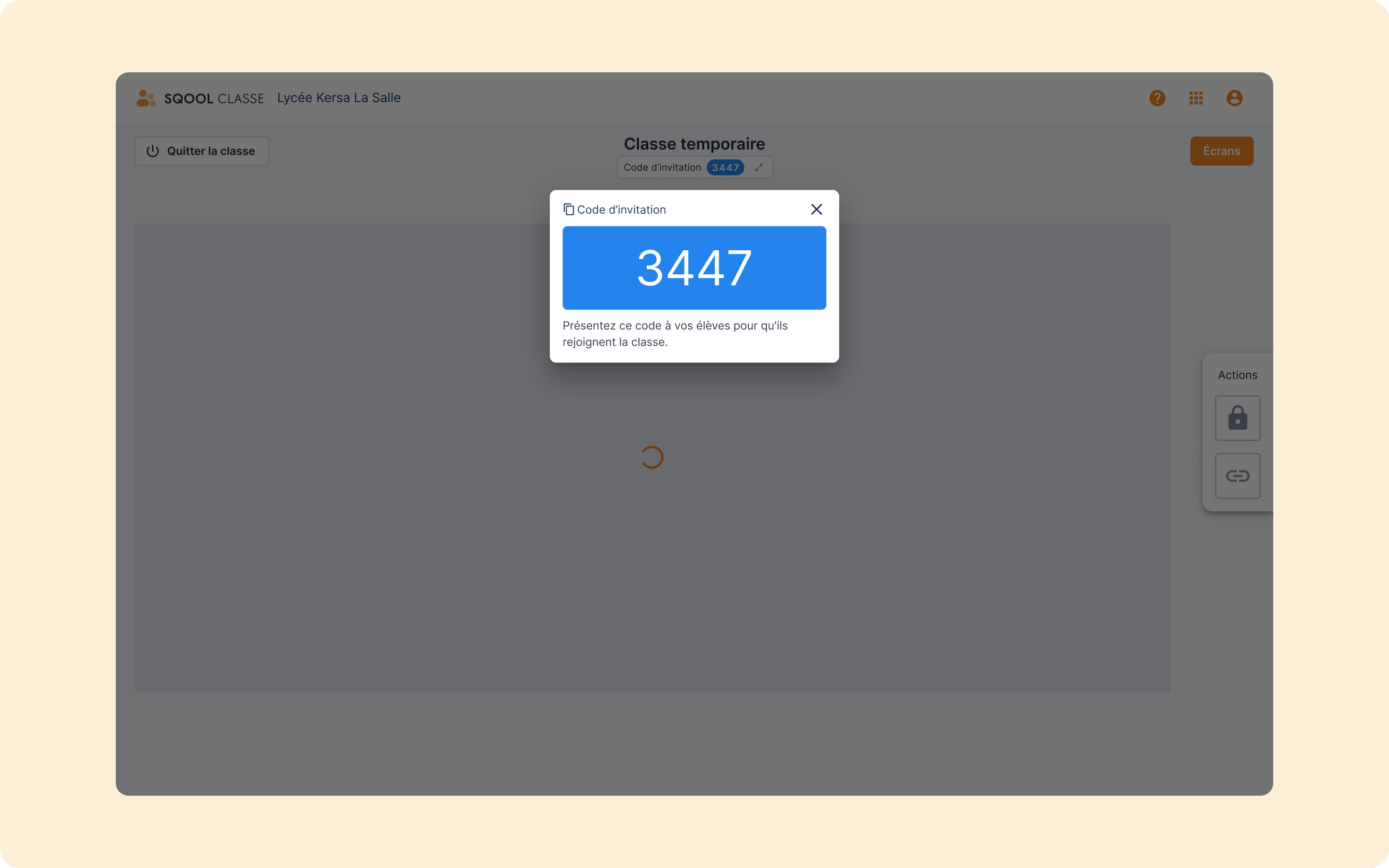
QR code class opening
Link sharing to the whole class
The teacher types a URL, every student browser opens the same page at the same time.
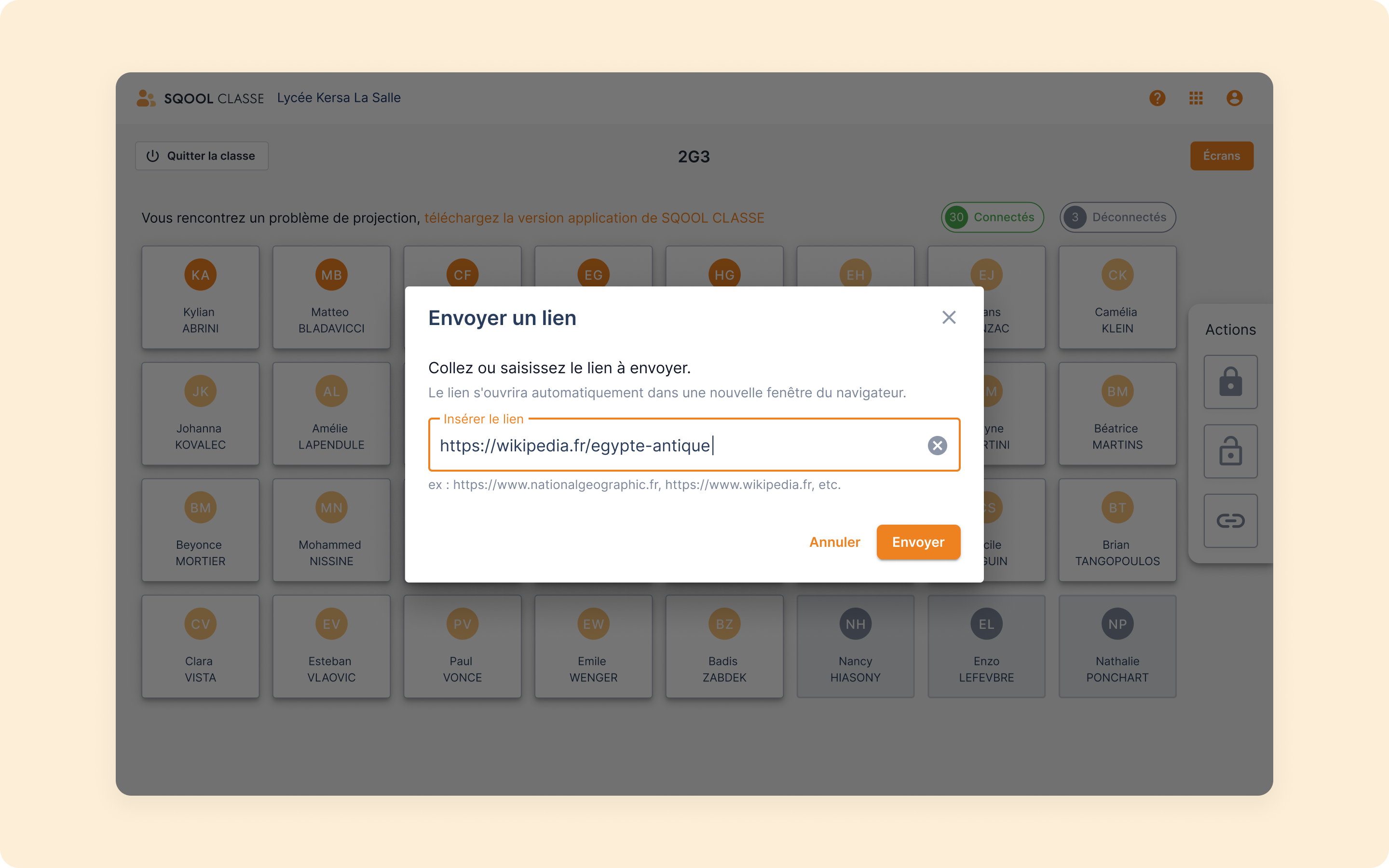
Link sharing to the whole class
Screen sharing in progress
The teacher sees their screen and their students simultaneously during sharing.
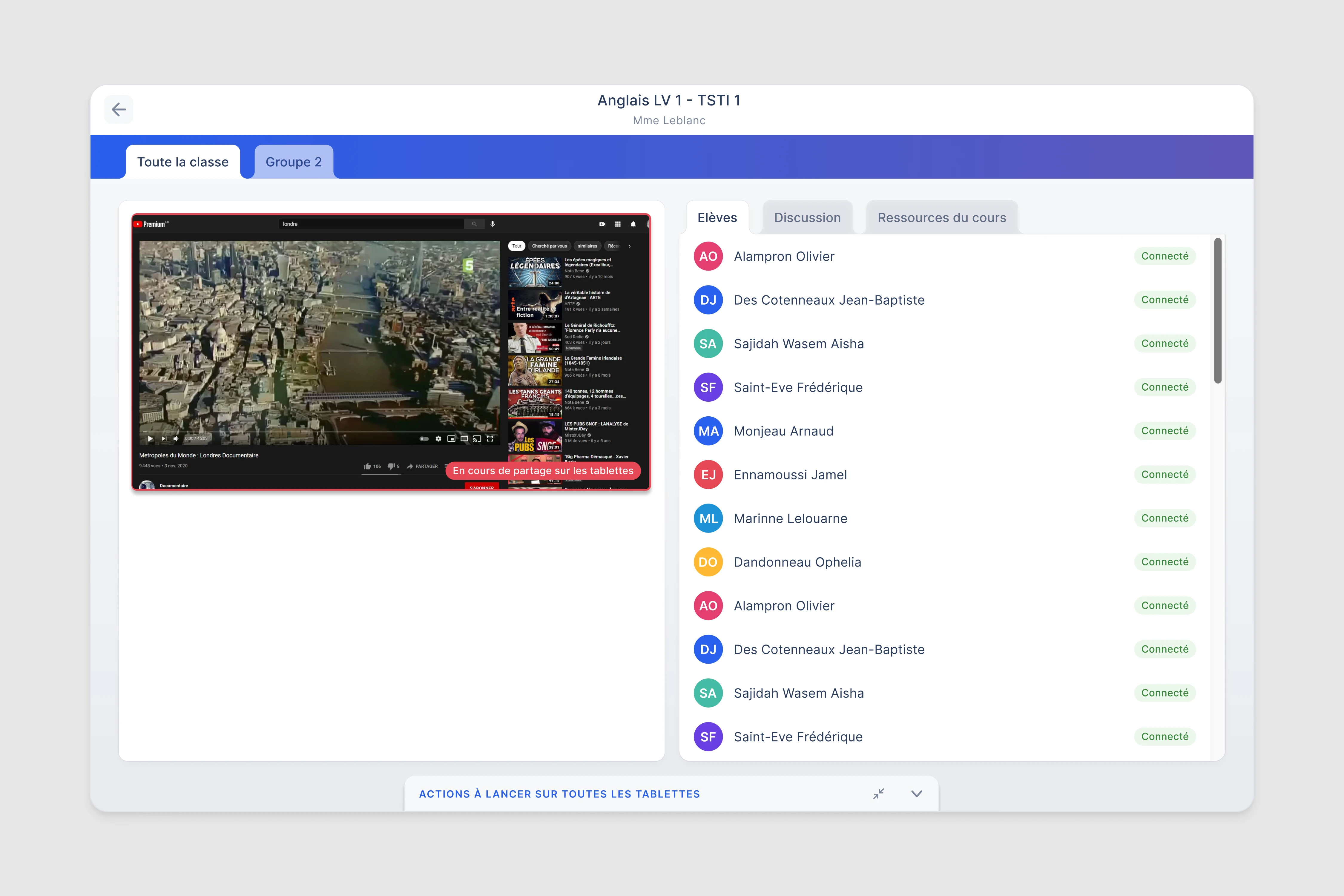
Screen sharing in progress
Classroom observation, Jean Vilar middle school
Before drawing anything, we sit in the classroom.
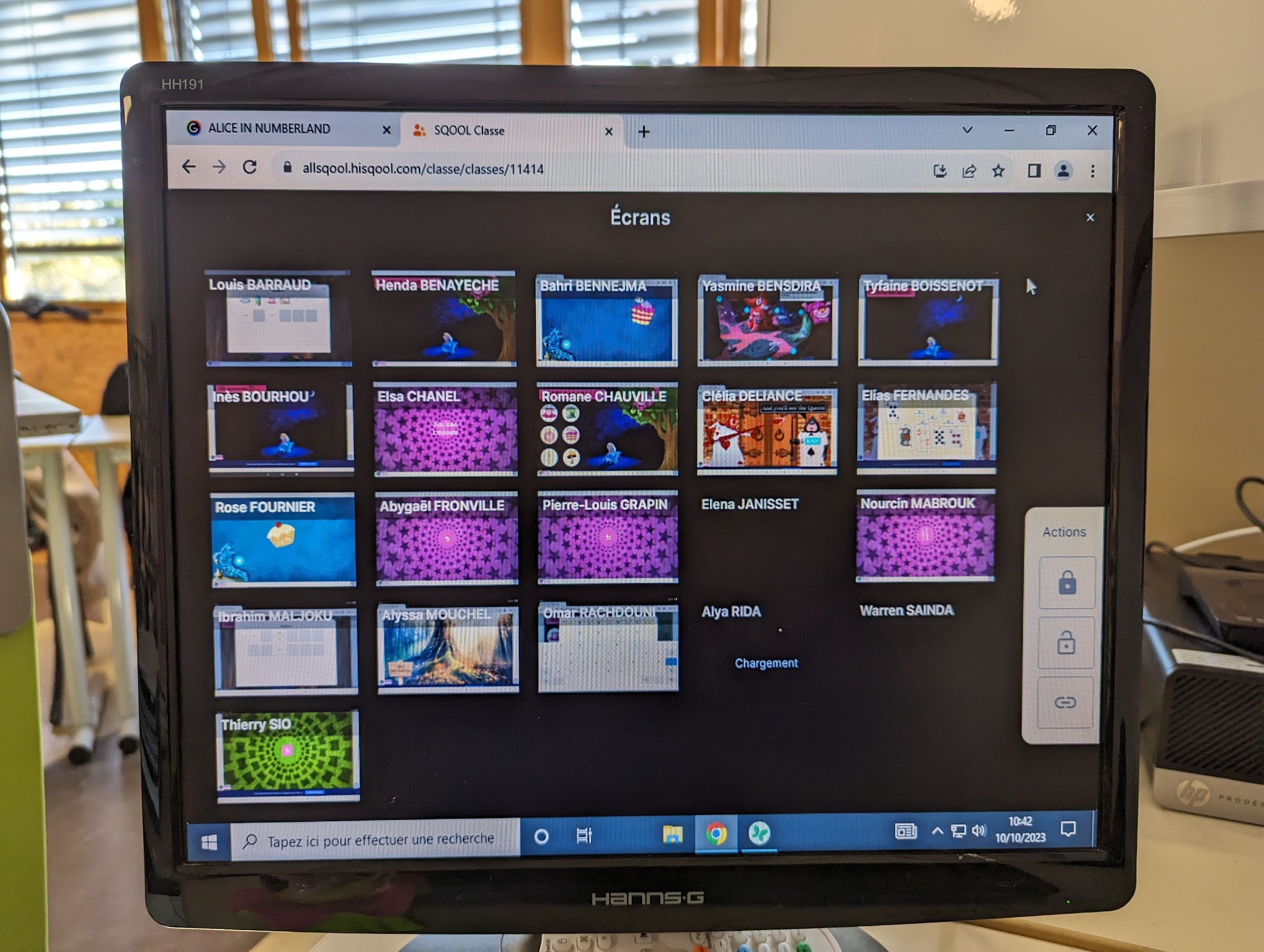
Classroom observation, Jean Vilar middle school
Impact
465
Equipped schools, Île-de-France
42
Interactive prototypes documented
30s
To connect the class via QR code