
Product Designer → UI Team Lead · Mobile Apps, Web, Design System · 2014-2016
Redesigning PagesJaunes for 22M Users
From legacy directory to mobile-first experience
Two years modernizing France's most downloaded utility app. I joined as Product Designer, became UI Team Lead managing 4 designers, and shipped major updates across iOS, Android, web, and Android Wear.

Overview
The Context
In 2014, PagesJaunes served 15M+ monthly visitors but felt stuck in web directory logic. The mobile apps had millions of downloads, but the experience was heavy. The product needed to evolve from static listings to a fluid, personal, mobile-first experience, without breaking what worked for existing users.
My Role
I joined as Product Designer working on web, partnerships (TheFork, Renault R-Link), and login flows. In 2015, I became UI Team Lead: coordinating 4 designers, owning the mobile app redesign, and running weekly syncs with iOS/Android devs.
Key Objectives
- •Redesign the homepage with intent-first search
- •Ship native onboarding for iOS & Android
- •Build pedestrian navigation (Mappy API)
- •Audit and roadmap the design system (Yellowstrap)
TypeMobile & Web
ScopeApps Redesign
Period2014-2016
CompanyPagesJaunes (Solocal)
Homepage Redesign
The old homepage showed two search fields: "Who" and "Where". It worked, but felt cold and dated. We moved toward a more conversational design.
Contextual Imagery
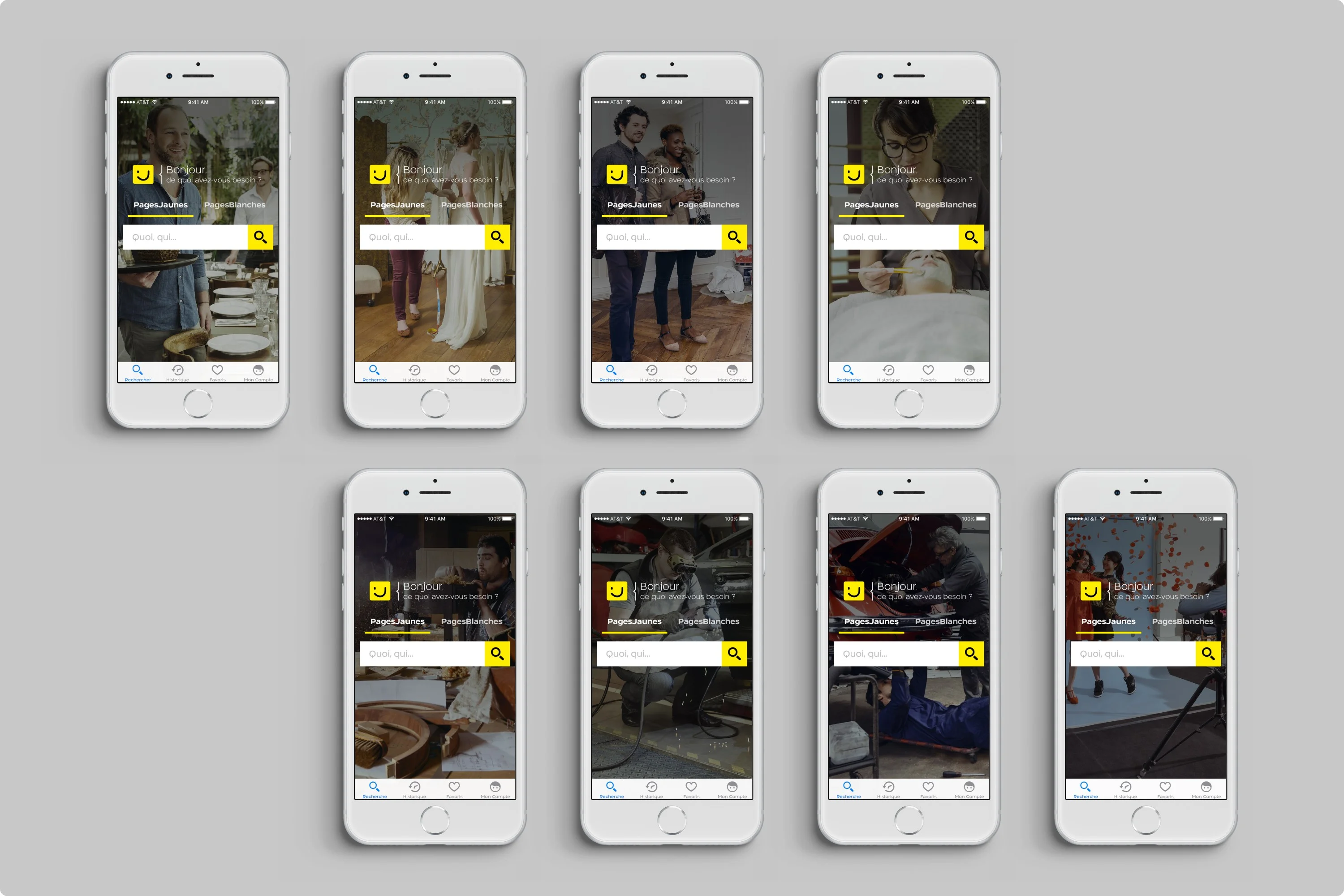
We designed art direction rules for rotating background images featuring local professionals: the baker, the mechanic, the florist. Contextual based on search category.
Search Simplification
Replaced dual fields with a single search bar. Reduced visual clutter. Unified tab language across iOS and Android.
A conversational greeting ("What do you need today?") reframes the search from directory lookup to problem-solving. Users act faster when the interface feels personal.
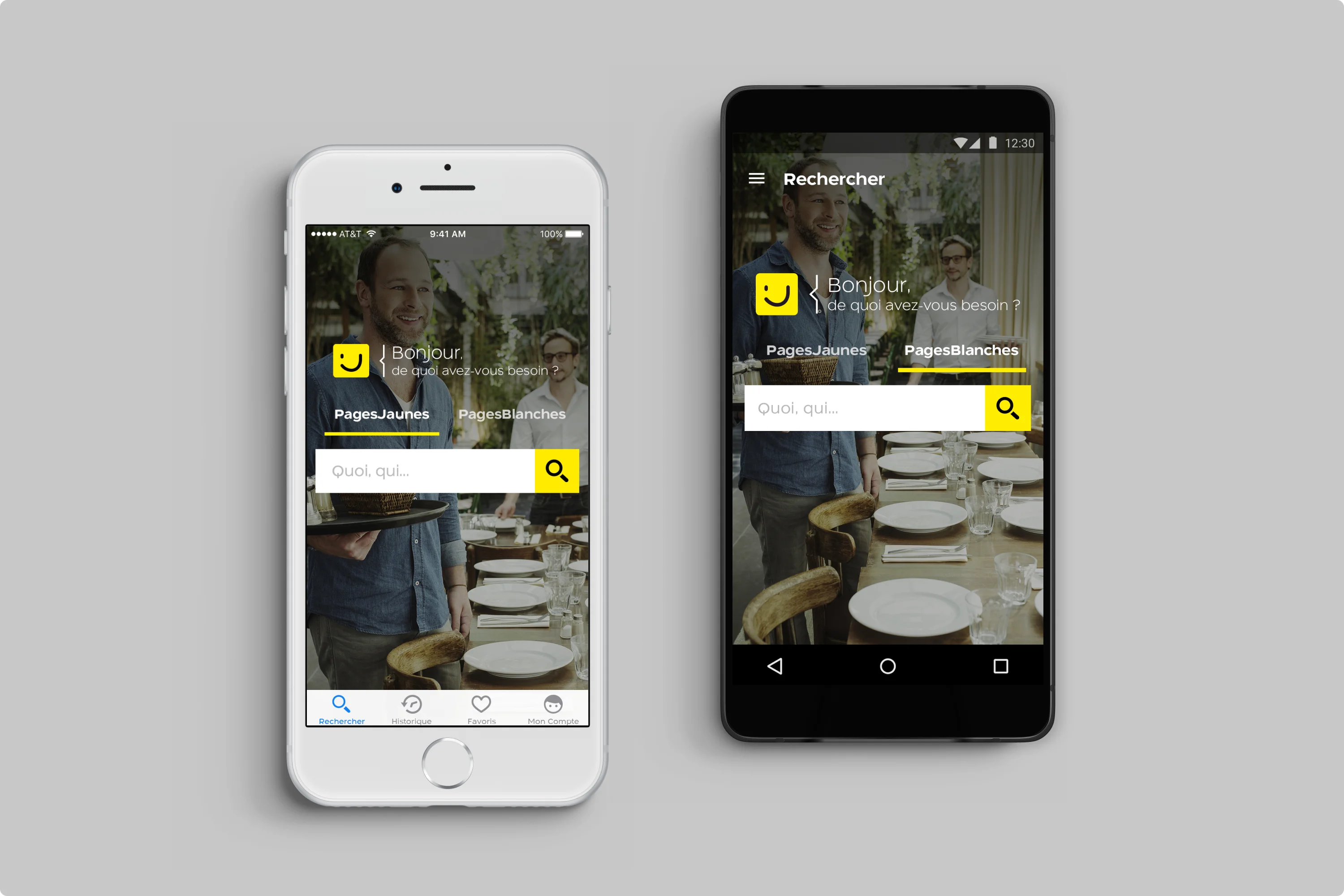
PagesJaunes — iOS & Android homepage
Eight contextual hero images featuring local pros: the baker, mechanic, florist. Each builds trust by showing the human behind the service.
PagesJaunes — Hero image variations
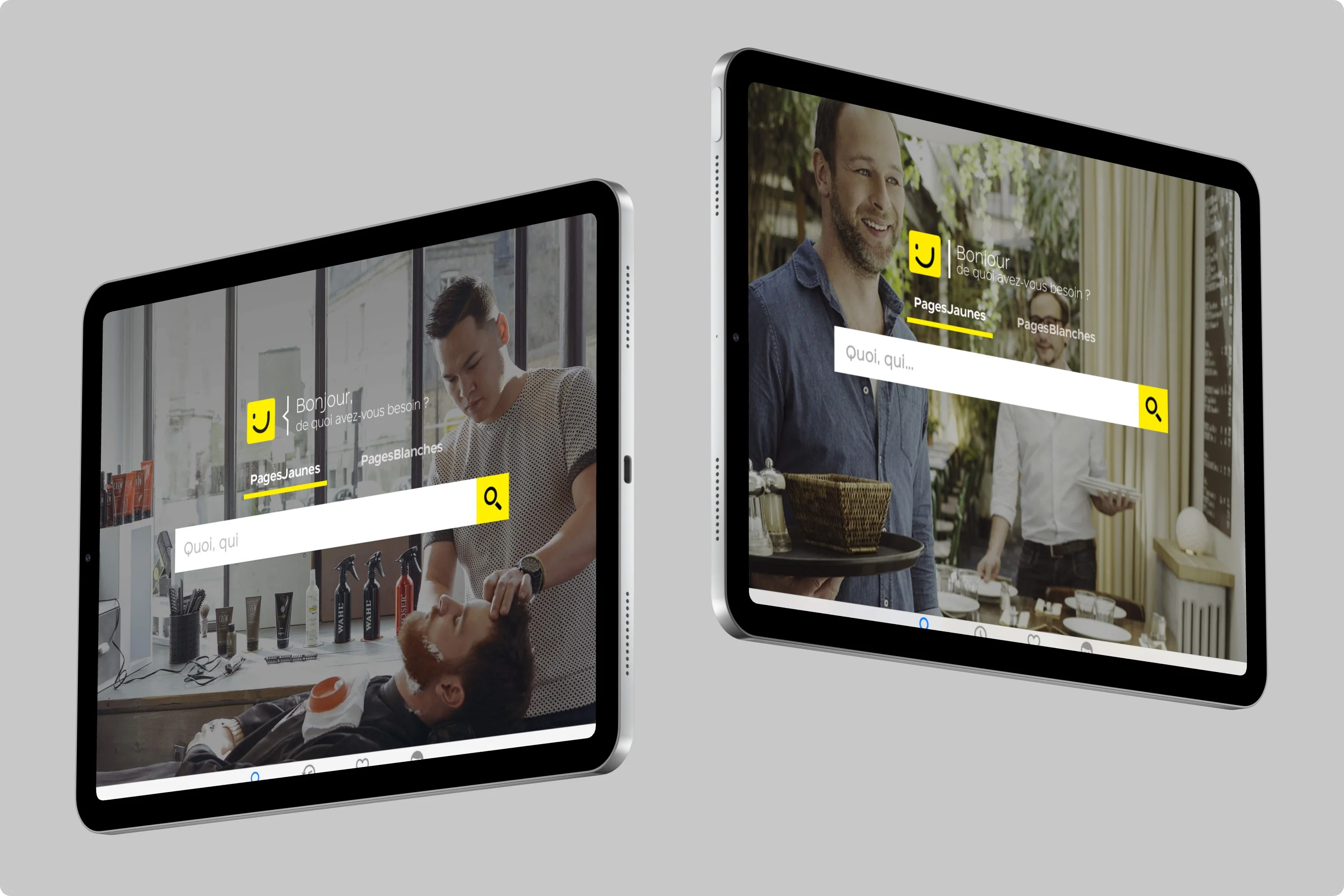
Two homepage variants on iPad showcasing contextual hero photography. Each image features a local professional, creating warmth and trust at first glance.
PagesJaunes — iPad homepage
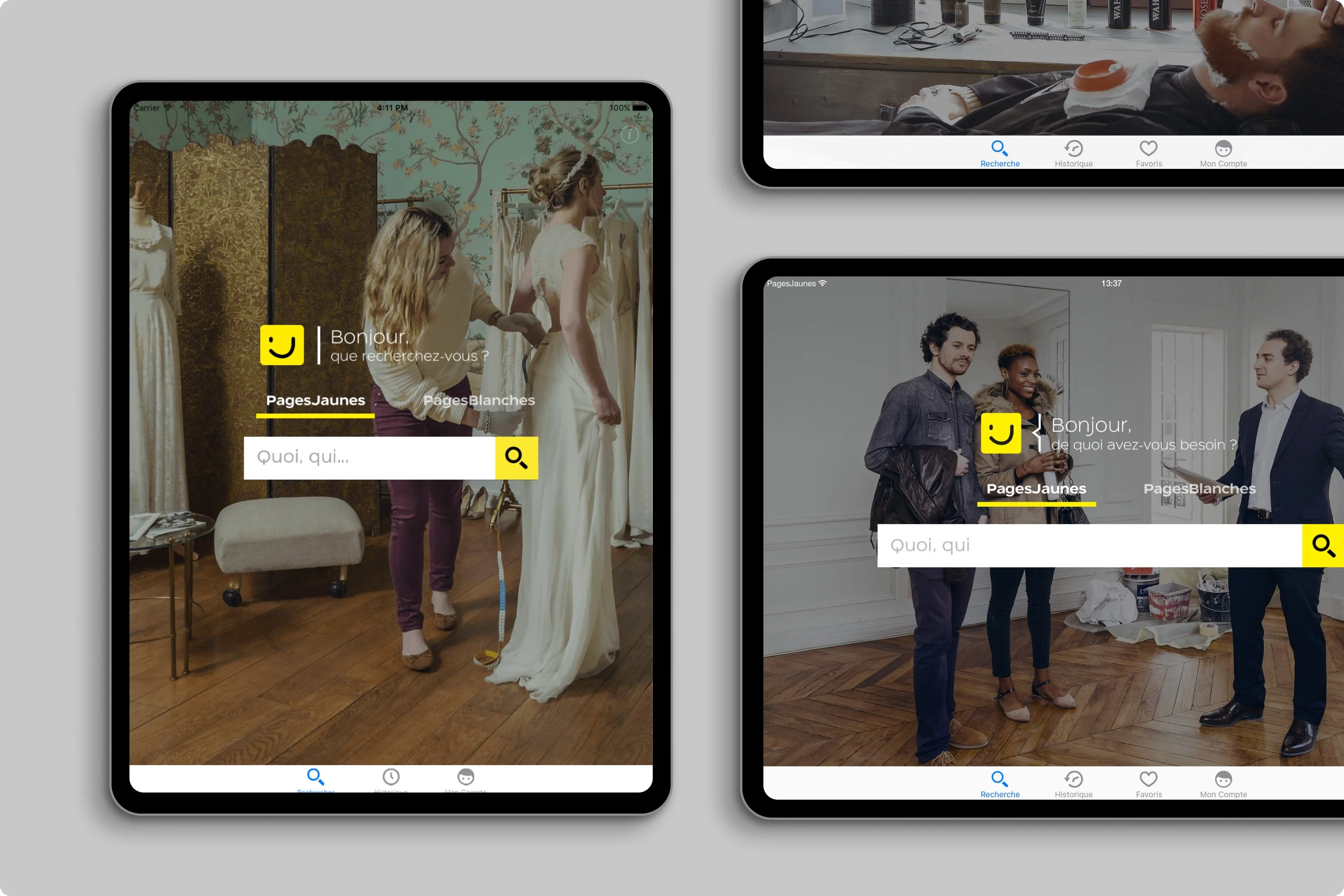
Responsive hero images across iPhone 4, Retina, iPad, Android phone/tablet. Auto-detection of image focal point with viewport-adaptive cropping. Co-developed with Android lead dev Alexandre Badie.
PagesJaunes — Multi-device responsive
Search Engine Evolution
The search engine is the heart of PagesJaunes. With close to €500M in annual revenue tied to search rankings and visibility, every change carried high stakes. Users needed to find professionals quickly. The business needed to preserve the ranking model that monetized every query.
High Stakes
The search engine powered the entire business model. Ranking position in suggestions and results directly impacted advertiser revenue. Any misstep in the redesign could cost millions.
The "What + Where" Model
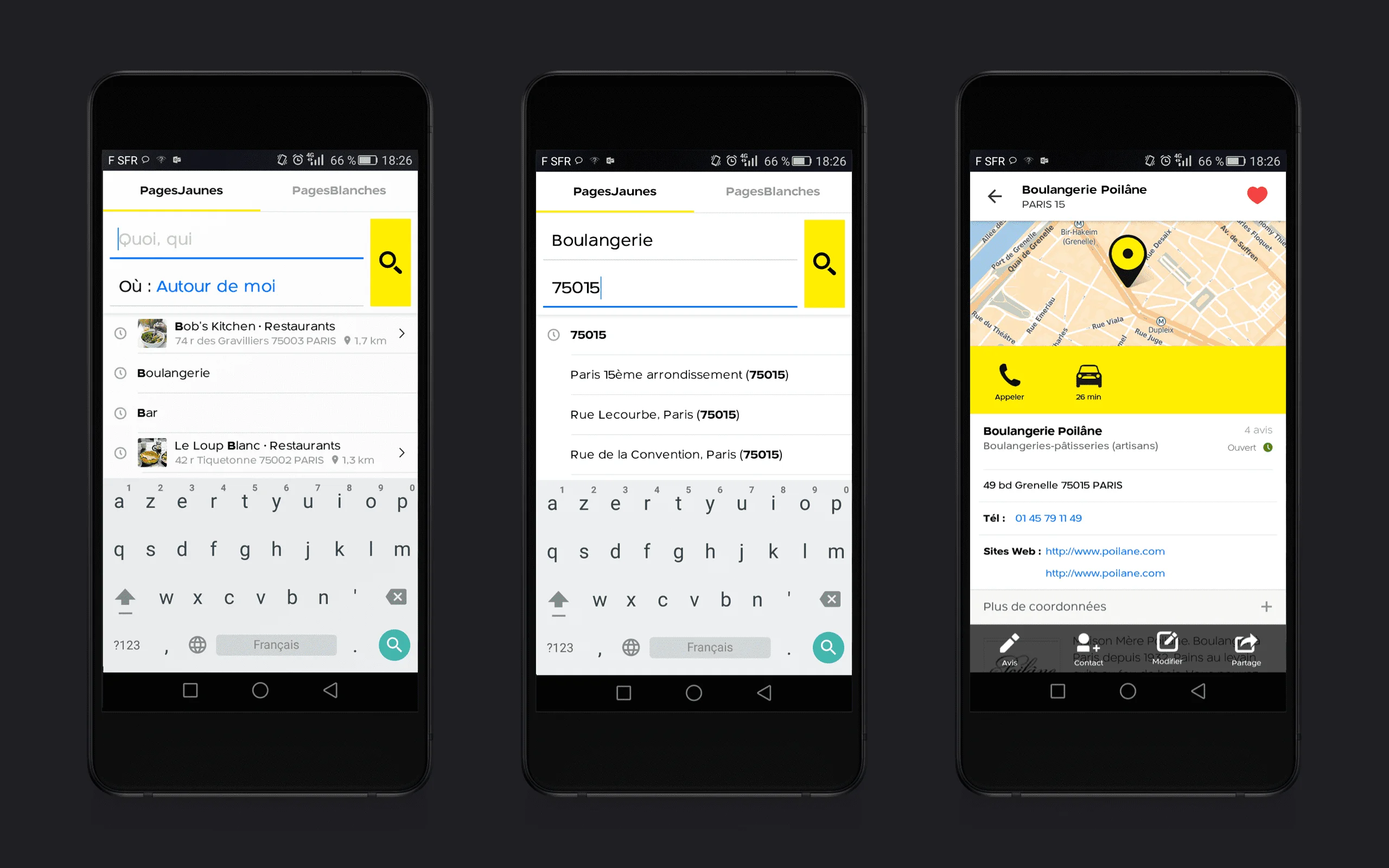
Search structured around two core questions: What professional or company are you looking for? Where do you need them? This geolocation-centric approach helped users find nearby professionals, view their details, call them, or navigate there.
Material Design Transitions
We implemented Google's Material Design patterns with Activity transitions and shared element animations. The search bar elegantly transforms into full-screen results, maintaining context while expanding functionality.
Shipped to Production
This prototype became the production implementation deployed on Google Play Store. Smooth transitions reduced perceived latency while the familiar search model preserved user habits built over years.
Native Onboarding
We were launching a major version update. Users needed to discover the new features without being blocked. We designed short, non-blocking animations at first launch.
iOS Implementation
Leveraged CAAnimation for smooth walkthrough sequences. Tested iterations in our Paris UX lab.
Android Implementation
Used Activity transitions with Material Design cues. Coordinated with dev team on motion specs.
iOS Implementation
Android Implementation
Used Activity transitions with Material Design cues. Coordinated with dev team on motion specs.
Android Implementation
Maps & Walking Itinerary
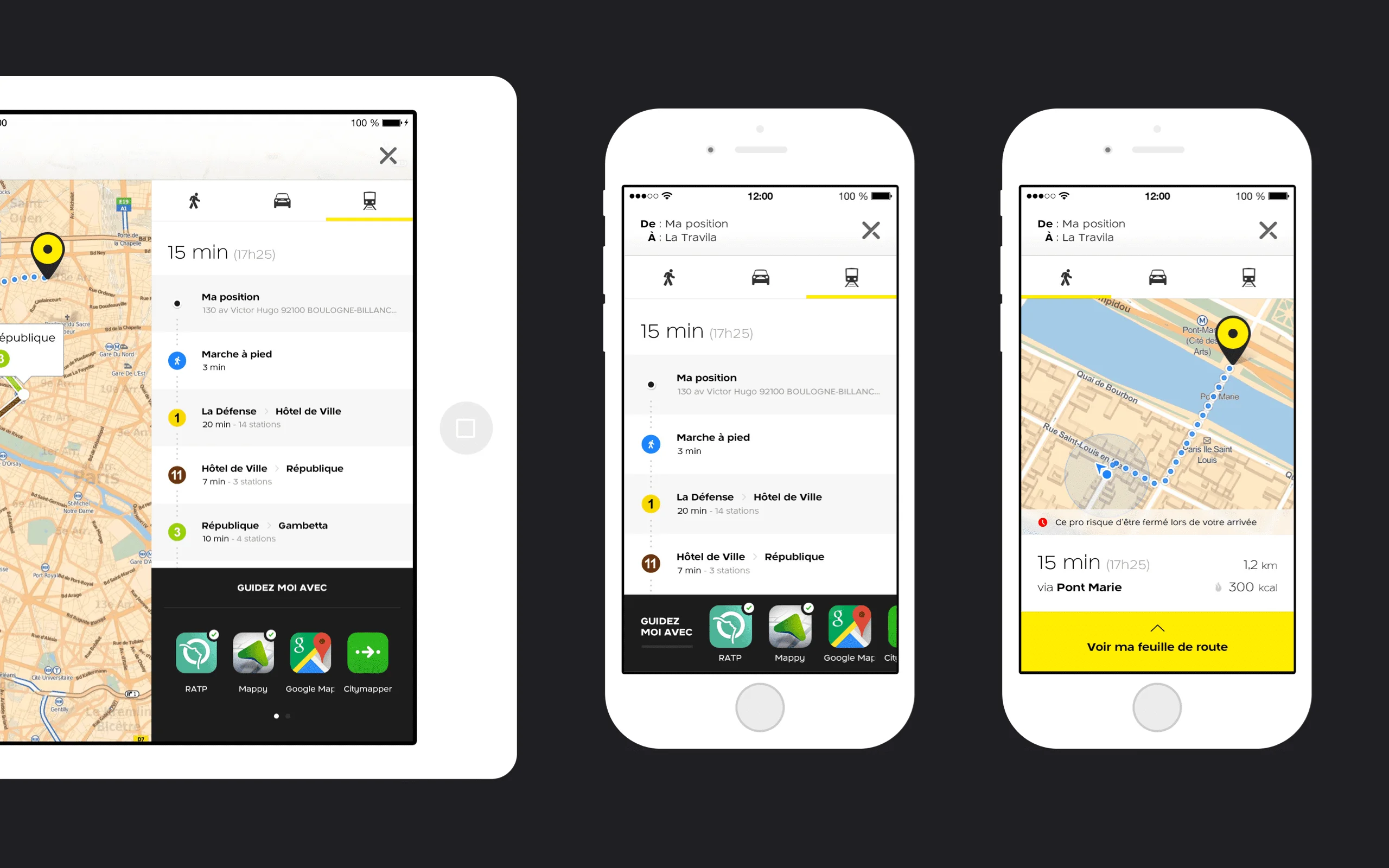
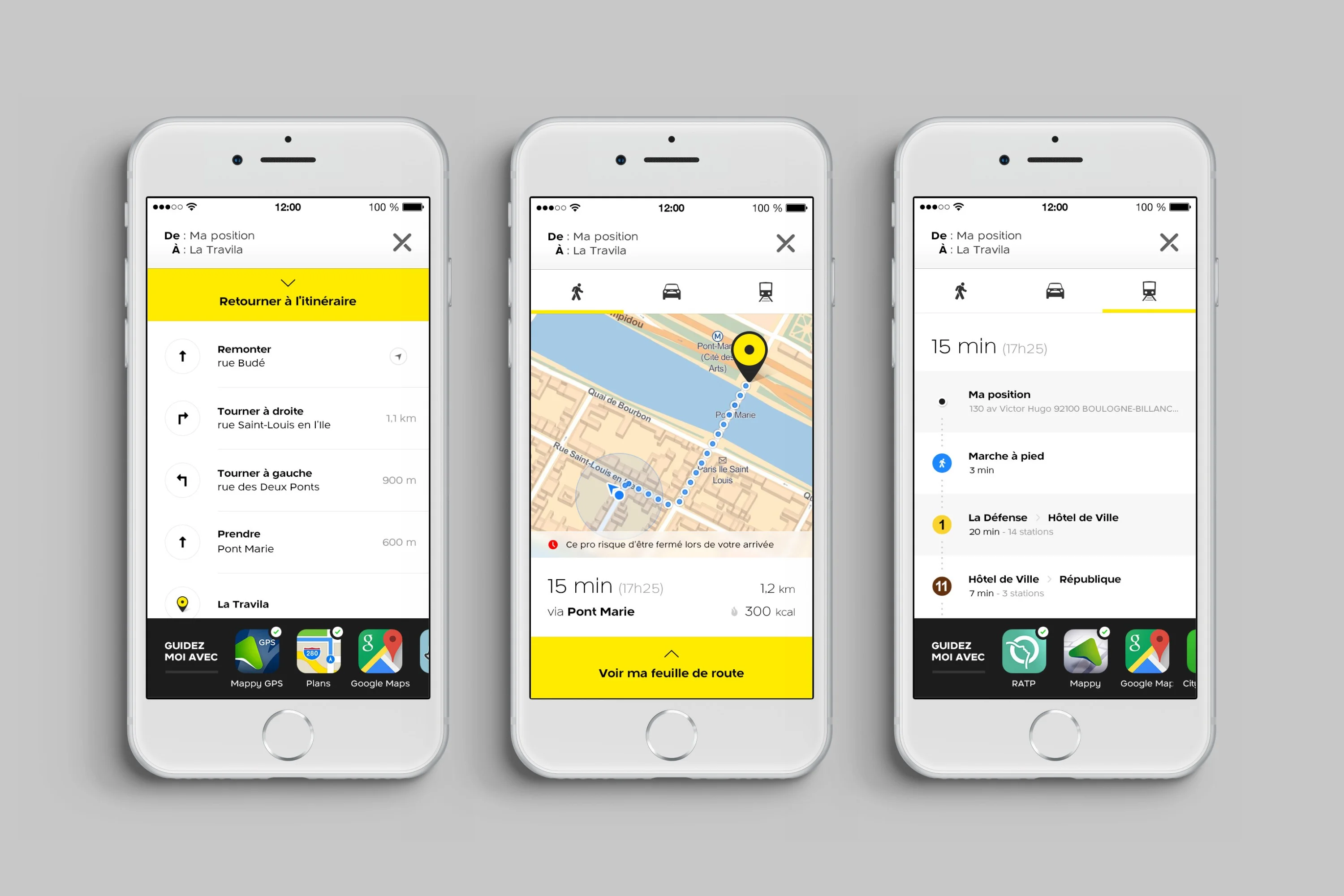
Finding a professional is only half the job. Users need to get there. We built a complete pedestrian navigation experience on top of Mappy API.
Core Features
- •Pedestrian route previews with turn-by-turn
- •Multi-app handoff: Waze, Google Maps, Apple Maps
- •Network optimization for 3G connections
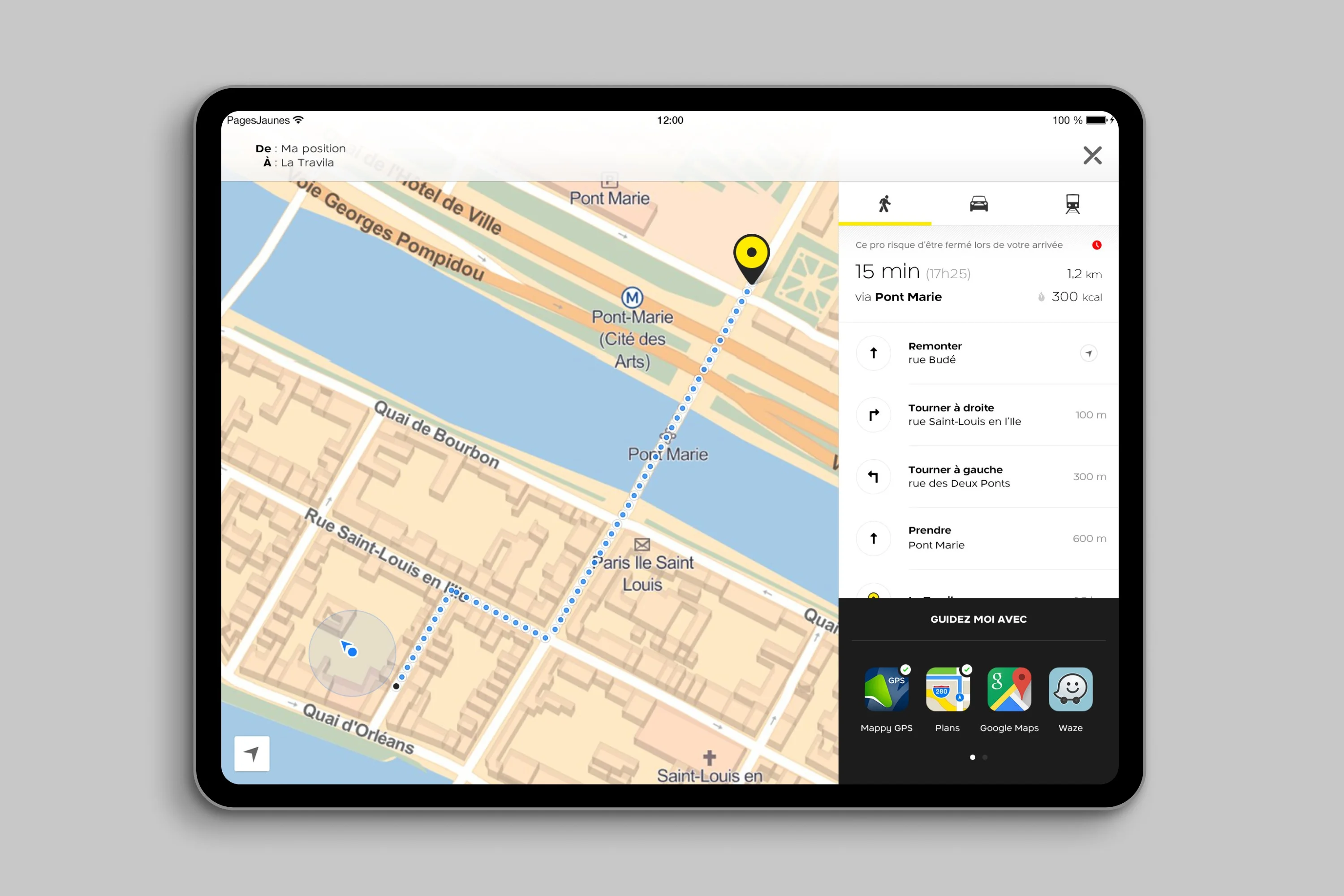
- •iPad split-view with route clarity
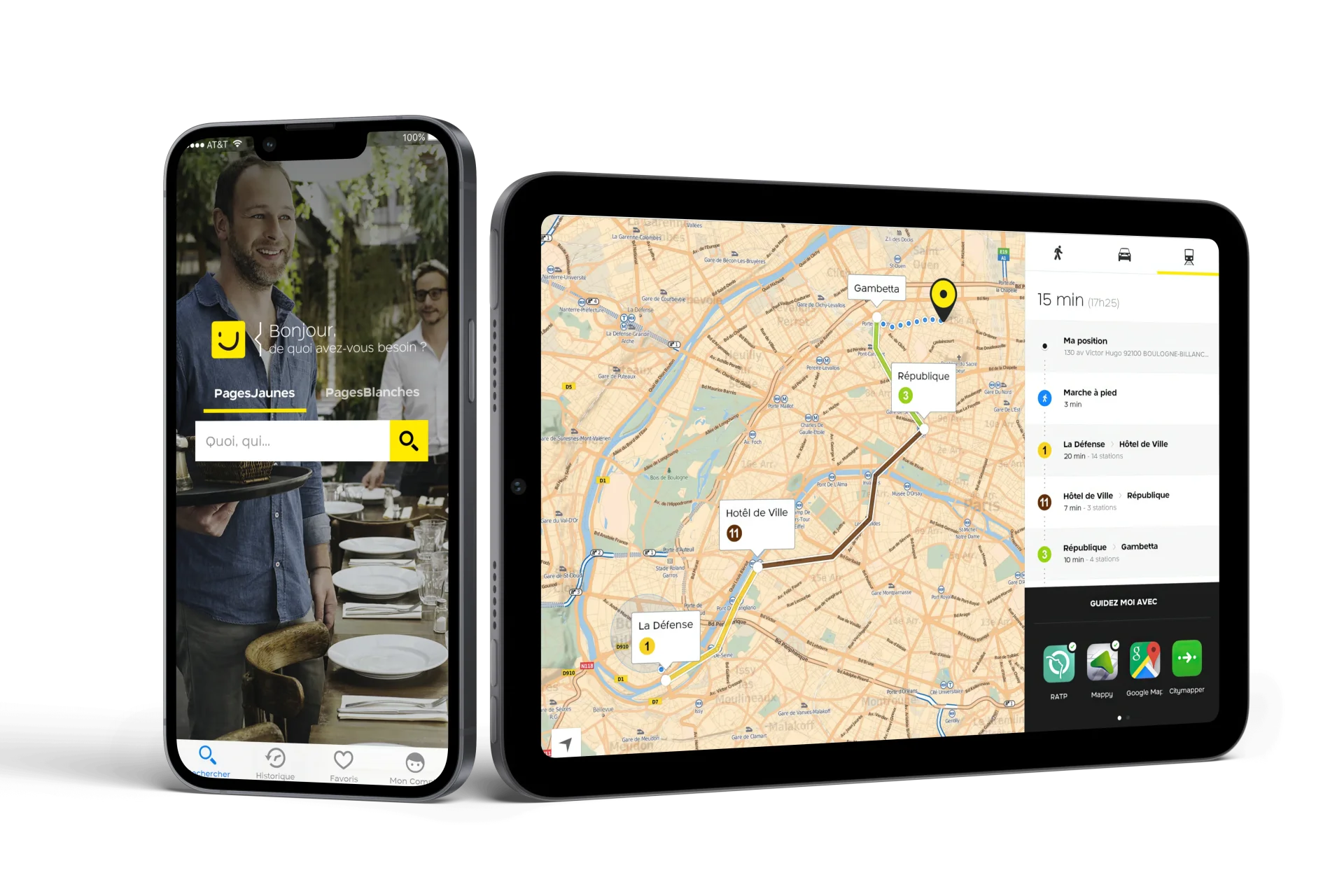
Tablet Experience
On iPad, we completely redesigned the map experience with native split views. Directions list on one side, interactive map on the other. Full accessibility support with Dynamic Type and VoiceOver.
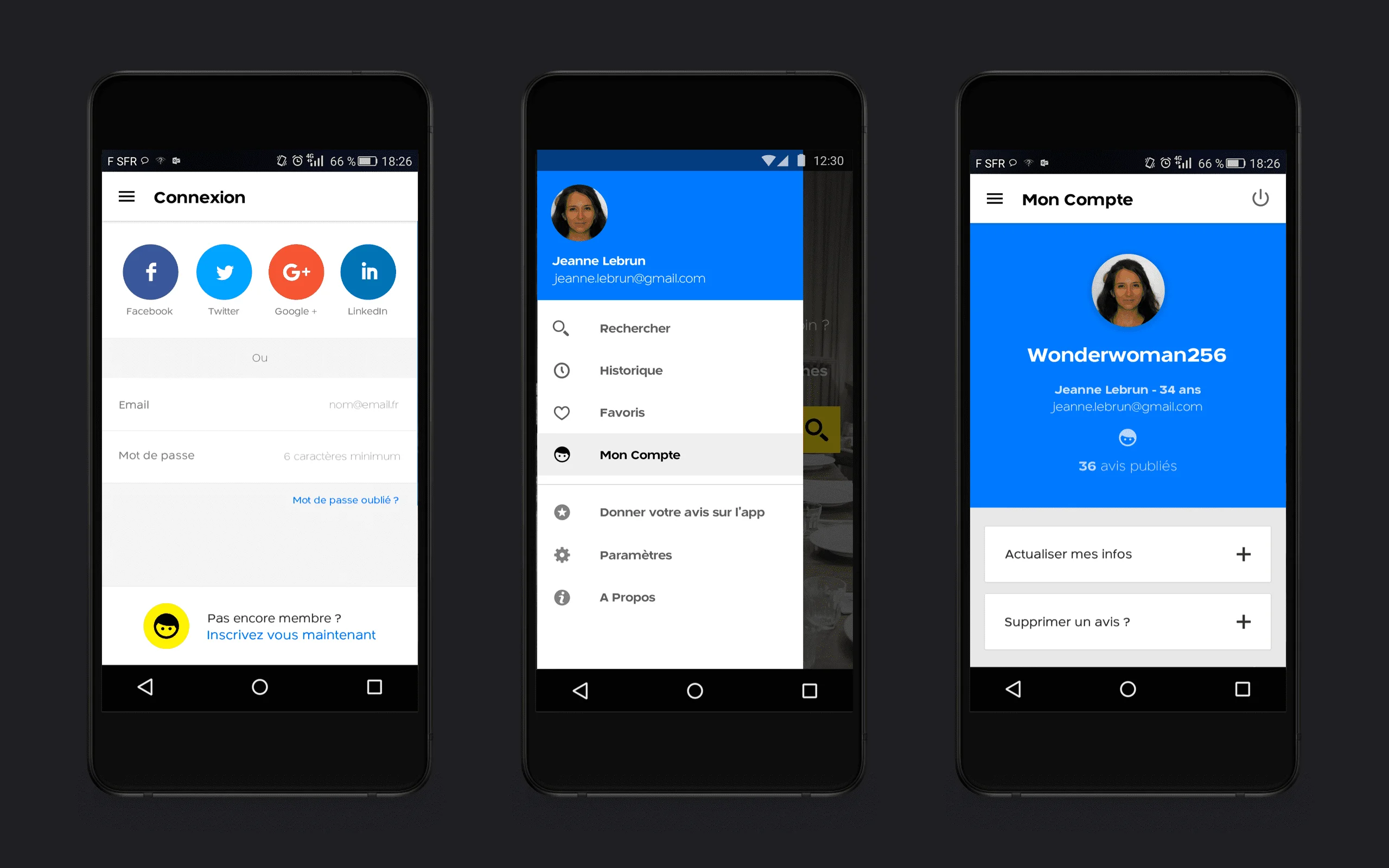
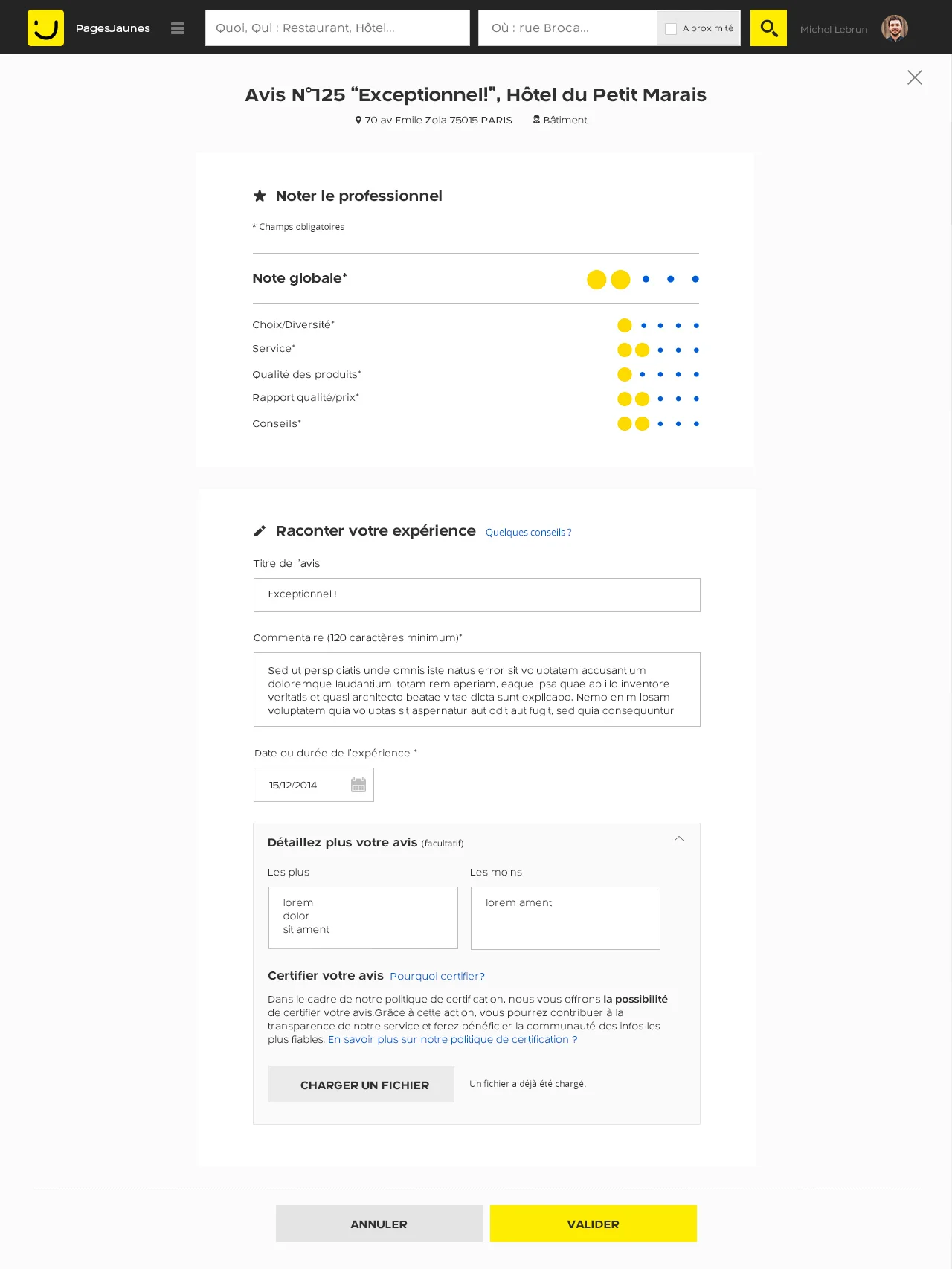
My PagesJaunes
The loyalty and account area was fragmented and underused. We redesigned it to support the retention strategy.
Micro-Interactions
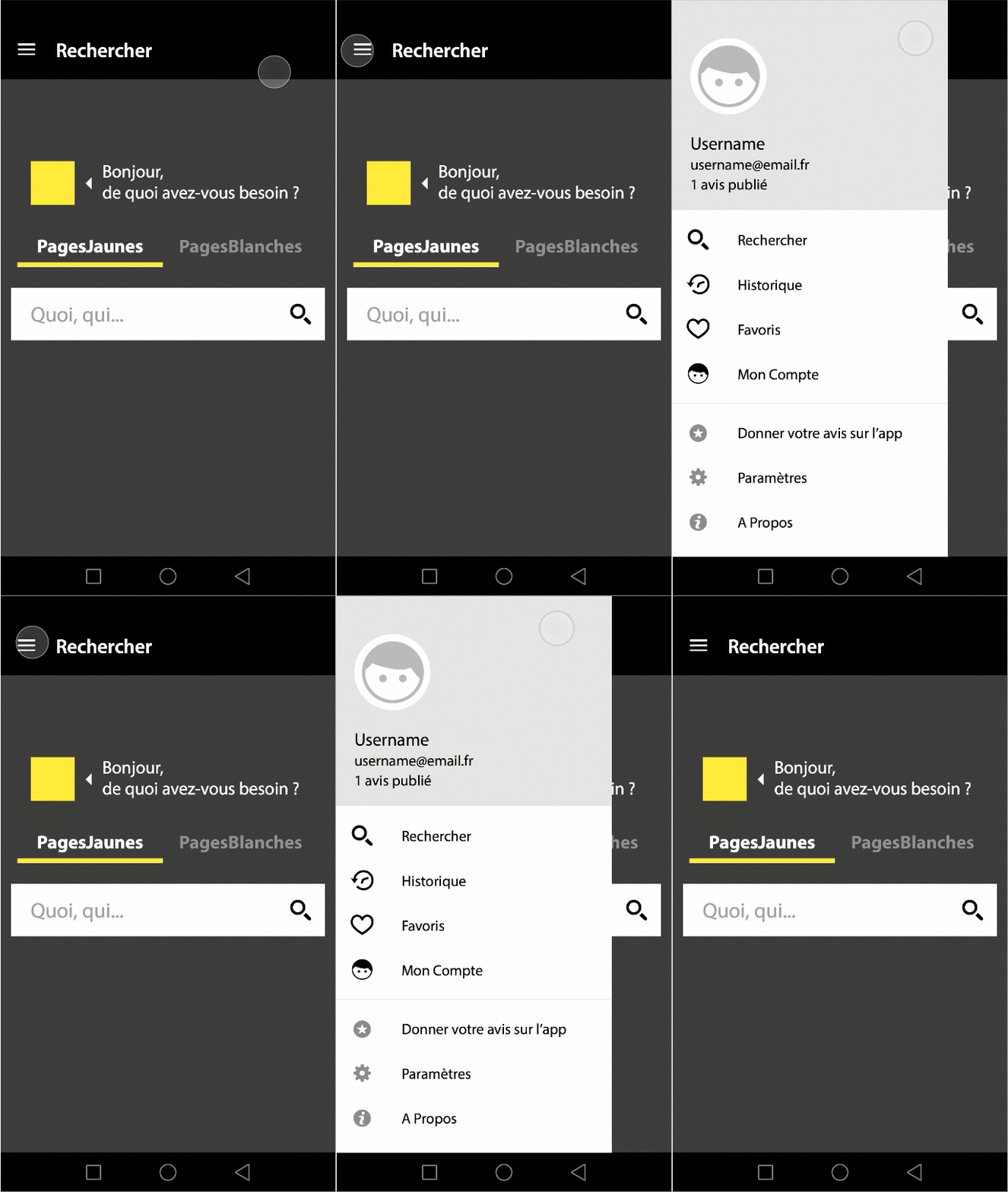
Motion specs I delivered to dev teams. These animations shipped in production across iOS and Android.
Material Design Navigation Drawer. Familiar Android pattern, PagesJaunes colors. Users already know how this works.
Navigation Drawer
Heart animation on "Add to Favorites". The bounce gives instant feedback that the action worked.
Favorites animation
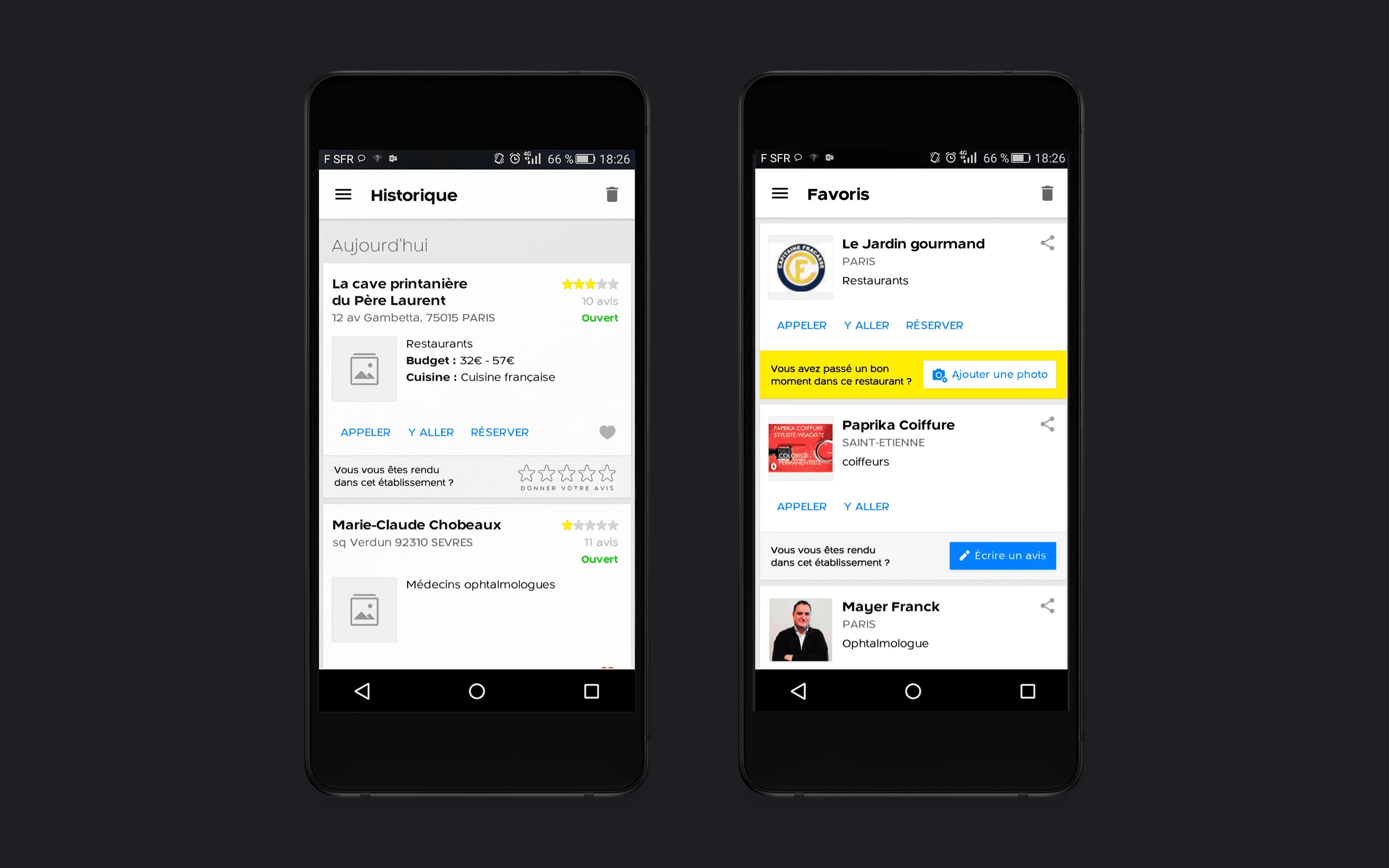
History screen with photo upload prompt. Encouraging users to share their experience after visiting a business.
History & remarketing
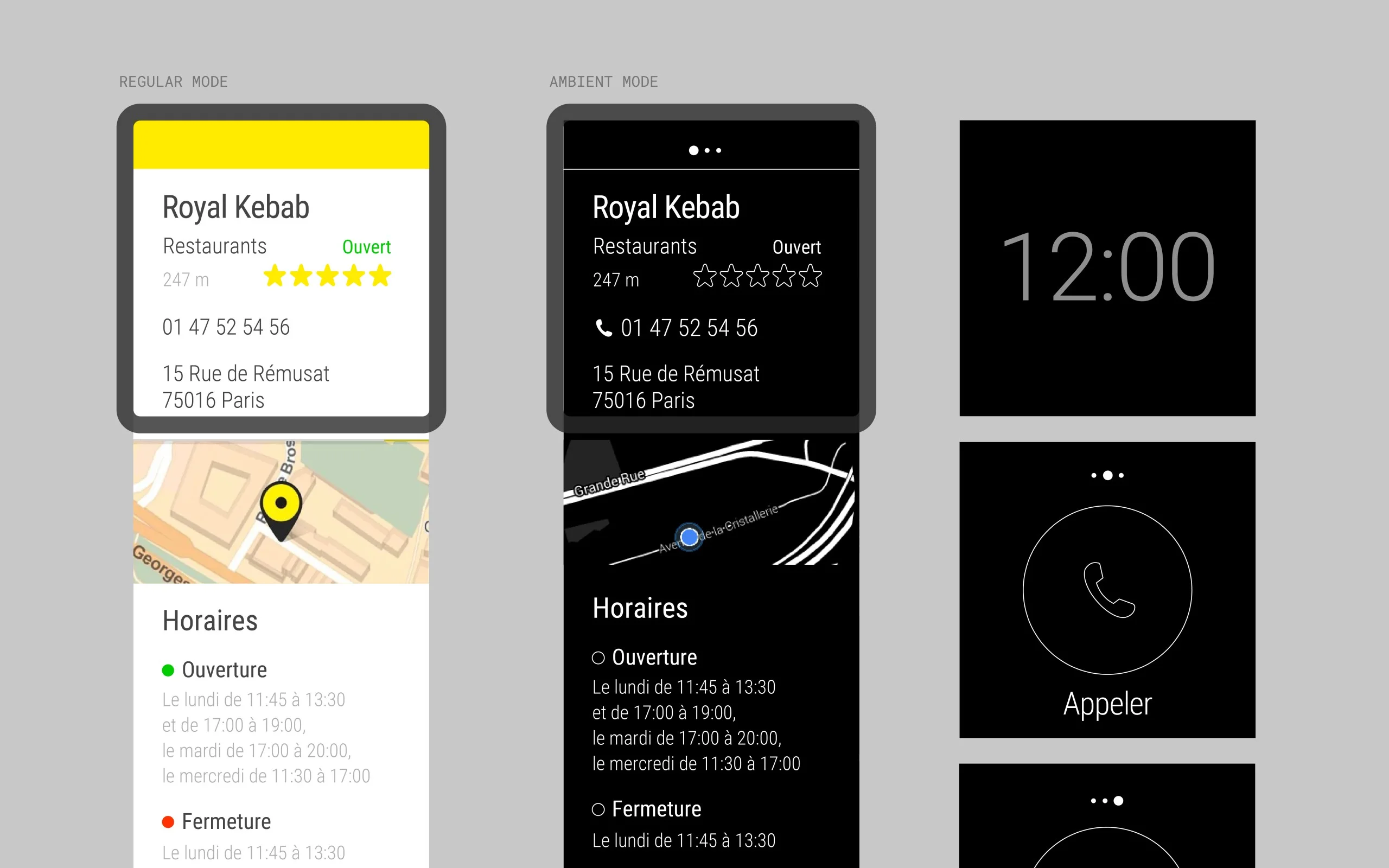
Android Wear
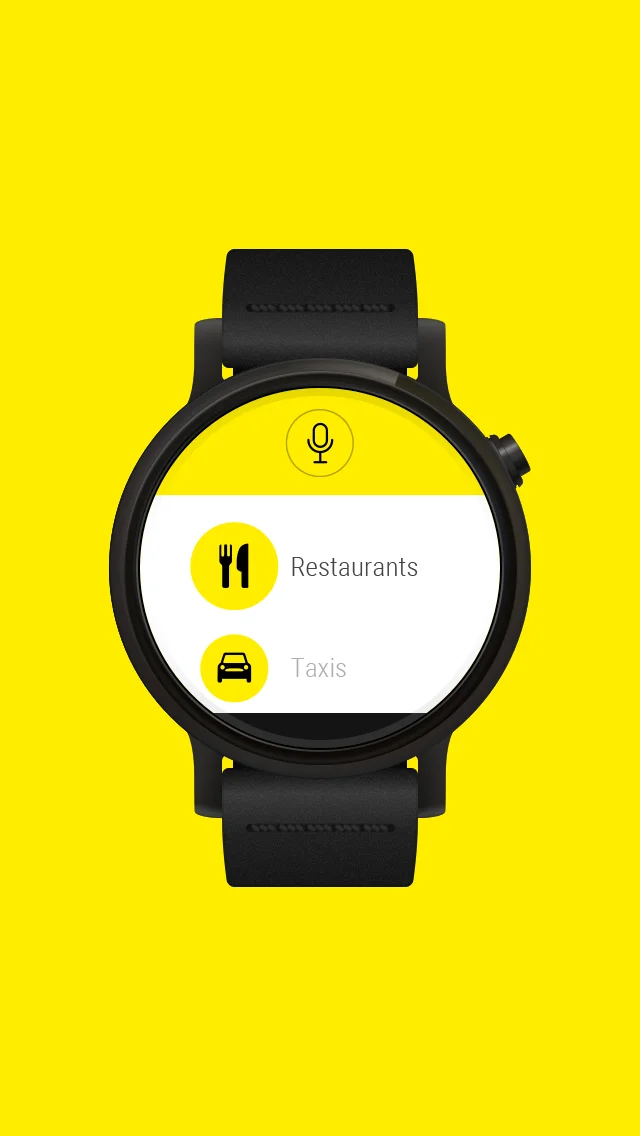
An experimental, forward-looking project. PagesJaunes wanted presence on wearable devices. I designed and built this app in duo with Android developer Thibault Fighiera. Two months from concept to Google Play release.
PagesJaunes Android Wear app on watch face. Glanceable local search for wearables.
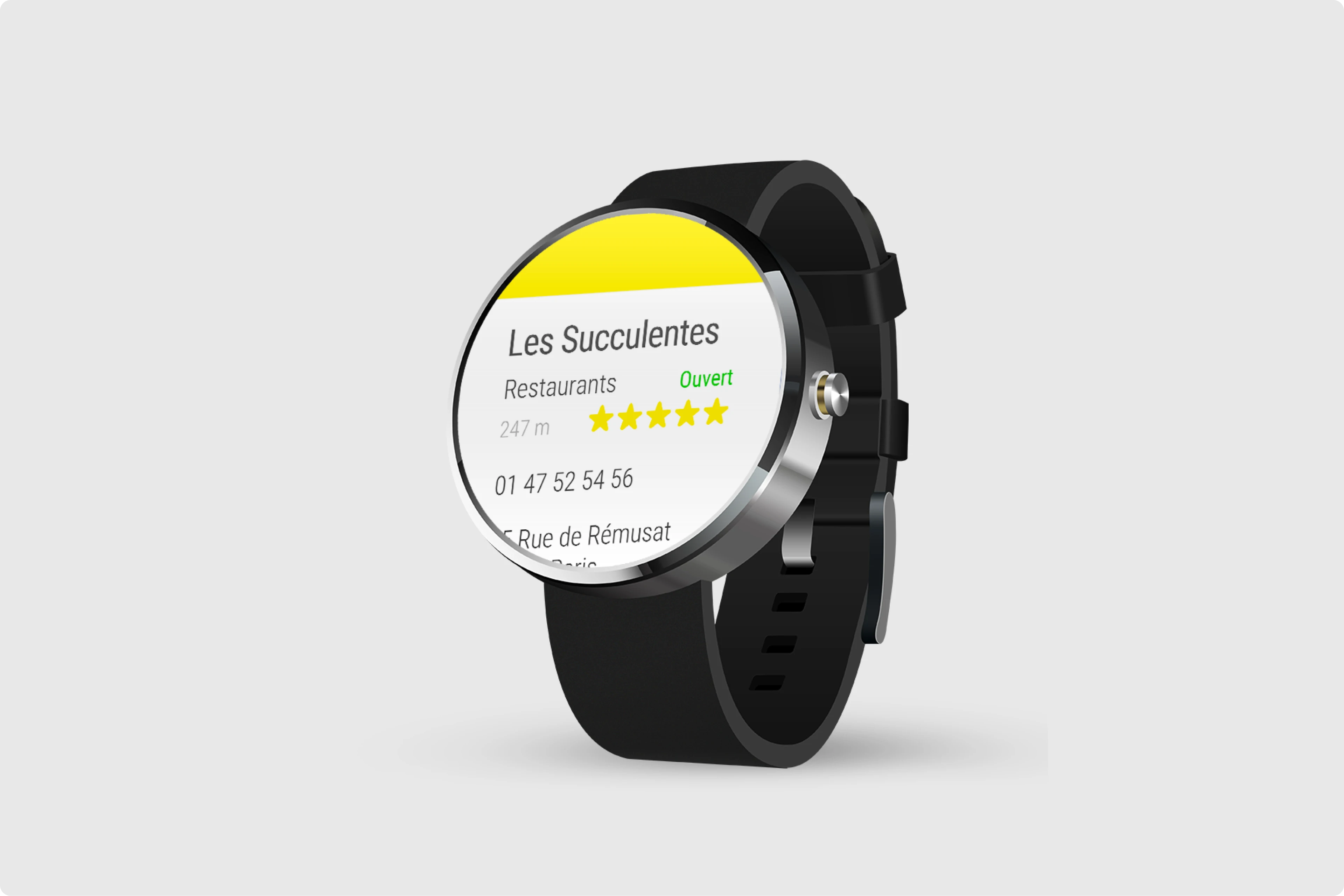
PagesJaunes Android Wear
Navigation action screen. One-tap "Y Aller" (Go There) button triggers Google Maps handoff.

"Y Aller" — navigation action
Case Study
PagesJaunes on your wrist
When users need a plumber now, can a watch be faster than pulling out a phone?
Read more
Design System Strategy
With multiple platforms and growing feature divergence, we needed shared foundations. I led the first comprehensive audit.
The Audit
Reviewed all app screens across iOS, Android, and web. Interviewed designers and developers across squads to understand pain points.
Yellowstrap Roadmap
Delivered the component system roadmap and guidelines. Defined naming conventions, color usage, CTA styles, status indicators. Pre-Figma era tools: Zeplin, PDF kits, Sketch.
Note: My role focused on strategic definition and requirements, not hands-on library building.
Team & Collaboration
This project was impossible to pull off alone. I worked with iOS/Android devs, backend, marketing, and PO.
2014–2015
UX Core Team
Product DesignerIntegrated within the central UX team, working on cross-platform design strategy and visual direction.
Simon WhiteDirector of UXBenjamin DupontHead of UXKarl SmitsLead UXFabien BajeotLead UX ResearchQian XuUI DesignerMylène Roquinarc'hUI DesignerEmilie ContyMarketing ManagerTaline KabakianMarketing UGCNicolas MoulinMarketing DirectorFrançois KhouryBusiness Owner
2015–2016
Feature Team
Product Designer → UI Team LeadDedicated squad for homepage redesign, Material Design integration, user accounts, favorites, and history.
Weekly crits and retros. Fast feedback loops, tight alignment.
Results
Downloads · cumulative app installs22M+
Daily Users · at peak usage300K
Designers · managed as team lead4
App Store · up from 4.24.5★
What I Learned
Don't break habits
22M users have muscle memory. Radical changes confuse them. Small, clear improvements work better.
Utility apps need speed
People search for a plumber when they have a leak. Every millisecond counts. Especially on 3G.
Got a legacy product to modernize?